> ## Documentation Index
> Fetch the complete documentation index at: https://danswer-whuang-craft-v2-docs.mintlify.site/llms.txt
> Use this file to discover all available pages before exploring further.
# Release Notes
> New Features, Improvements, and Bug Fixes
## v4.1.1
A focused security-hardening release. Several defaults are now stricter,
and some existing self-hosted deployments will require configuration changes before upgrading.
## \[Update] Action May Be Required
### `USER_AUTH_SECRET` is now required
On non-development deployments, the API server now **refuses to start** when `USER_AUTH_SECRET` is empty;
previously this condition only produced a warning.
Generate a value with `openssl rand -hex 32` and set it before upgrading.
Fresh installs performed through `install.sh` generate one automatically.
### Hardened default object-storage credentials
Self-hosted MinIO/S3 no longer ships with the well-known `minioadmin` default.
New installs through `install.sh` now generate random credentials,
and the backend logs a warning on startup when the default is still in use. If you maintain your `.env` manually,
set strong,
unique values for `MINIO_ROOT_USER`/`MINIO_ROOT_PASSWORD` and the matching
`S3_AWS_ACCESS_KEY_ID`/`S3_AWS_SECRET_ACCESS_KEY` before deploying to production.
### SSRF protection moved to the Security & Hardening admin page
SSRF protection for outbound requests is now consolidated into a single **SSRF Protection** control on the **Security
& Hardening** admin page (single-tenant deployments).
It replaces the per-path environment variables `OPEN_URL_VALIDATE_SSRF`, `MCP_SERVER_ALLOW_PRIVATE_NETWORK`,
`MCP_SERVER_ALLOW_LOOPBACK`, and `WEB_CONNECTOR_VALIDATE_URLS`.
Deployments that already set any of these variables retain their behavior,
as the setting is initialized from the matching level.
Deployments running on the defaults move to the strictest level, Validate All, which validates every outbound path,
including web connectors. Because web connectors were not validated by default previously,
a connector that reached an internal or private host may now be blocked;
select a less restrictive level on the admin page to restore that access.
***
Our [GitHub Releases](https://github.com/onyx-dot-app/onyx/releases?utm_source=docs\&utm_content=changelog)
page has the full list of changes and bug fixes for each release.
## v4.1.0
Personal Access Tokens gain user-selectable scopes, MCP servers from known providers can be connected via OAuth,
voice moves to OpenAI's GA Realtime API, and six new community contributors land improvements across connectors, auth,
and LLM providers. Thank you to our contributors for helping make this release possible!
## \[Update] Deployment Changes
* **The backend image has been upgraded from Python 3.11 to Python 3.13.**
If you build custom images or install additional packages on top of the Onyx image,
verify compatibility before upgrading.
* **The Helm chart now fails fast on 0.4.x → 0.5.x upgrades that would
lose Vespa data**, protecting deployments that haven't completed the OpenSearch migration from accidental data loss.
## Key Improvements
### Scoped Personal Access Tokens
Personal Access Tokens now support permission scopes.
Tokens can be restricted to coarse API surfaces — including `read:chat`, `write:chat`,
and `read:search` — and users select scopes when creating a token from the settings UI.
Existing tokens continue to work unchanged.
### OAuth for Known MCP Providers
MCP servers from known providers can now be connected via OAuth directly from the authentication modal,
with a guided connect-and-callback flow instead of manual credential entry.
### Voice on the GA Realtime API
OpenAI streaming speech-to-text has been migrated from the deprecated Realtime Beta API to the GA Realtime API,
putting voice mode on a supported foundation going forward.
## Contributor Highlights
This release includes six first-time contributors!
* [@ppomes](https://github.com/ppomes) fixed the ingestion API overriding
document sources, corrected default temperature selection for the search tool,
and optimized Google Drive indexing to skip unnecessary shared-drive lookups!
* [@fejesd](https://github.com/fejesd) enabled prompt caching and sticky
routing for OpenRouter and wired user identifiers into OpenRouter activity tracking!
* [@amanda-nathan](https://github.com/amanda-nathan) added support for
unauthenticated SMTP relays!
* [@dimanjet](https://github.com/dimanjet) and
[@mjakubowskimtt](https://github.com/mjakubowskimtt) both fixed ClickUp connector API URL handling!
* [@psyray](https://github.com/psyray) fixed an nginx config typo in the
no-letsencrypt compose file!
And returning contributor [@beraterkanelcelik](https://github.com/beraterkanelcelik) made job timeouts,
per-call MCP tool timeouts, and admin query-history visibility configurable via environment variables!
## Additional Improvements
### Connectors
* SharePoint skips per-site Graph failures (including HTTP 423 locked
sites) instead of aborting the entire run.
* GitHub connector can now index repository documents.
* S3 connector supports an optional AWS region for non-default partitions.
* Confluence skips image attachments in the slim-doc pass when images are
disabled, and permission sync handles draft-page 404s.
* Jira Data Center v9 permission sync support.
### Auth and Security
* CSV exports are sanitized against spreadsheet formula injection.
* Login and signup use a native password field for proper browser
integration.
* Gmail addresses with dots can sign in via Google OAuth.
### LLM Providers
* Claude Opus 4.8 support with adaptive thinking and corrected sampling
parameters.
* OpenRouter prompt caching and sticky routing.
* Fixed embedding model staging when connecting LiteLLM and Azure
providers.
* Personal default models fall back to the global default when their
provider is removed.
### Performance
* Chat file bytes are lazy-loaded, eliminating an api-server OOM under
heavy file usage.
* Billing information and LLM provider listings are cached per tenant.
* Frontend polling tuned: document sets only poll while syncing, and
several SWR fetches were deduplicated.
### Deployment and Observability
* Optional External Secrets Operator support in the Helm chart.
* Opt-in structured JSON logs via `LOG_FORMAT=json`.
* The bundled redis-operator can be disabled independently in Helm.
* Helm child resource names are truncated to the 63-character limit.
* Connectors page is now available in Lite mode.
### Notable Bug Fixes
* Fixed empty LLM response packets causing chat failures.
* Fixed raw answers being lost when citation processing stripped the
content empty.
* Fixed `doc_updated_at` being incorrectly derived from HTTP
Last-Modified headers in the web connector.
* Fixed search settings failing on null embedding prefixes.
***
Our [GitHub Releases](https://github.com/onyx-dot-app/onyx/releases?utm_source=docs\&utm_content=changelog)
page has the full list of changes and bug fixes for each release.
## v4.0.0
Vespa is gone, OpenSearch is now the only document index. We're shipping an opt-in Coding Agent,
end-to-end visibility into indexing failures, permission sync inspection tooling, a public Search API,
and Slack Enterprise Grid support.
Thank you to our contributors for helping make this release possible!
## \[Breaking] Vespa is Removed
**Do not upgrade to this release if you want to preserve your existing indexed documents but have not yet run the
document index migration,
which can be done from any version v3.x.** Vespa has been removed entirely in v4.0.0 and upgrading without first
migrating will result in the loss of indexed documents and Project files,
for which the only solution is re-indexing.
If you are still on Vespa, upgrade to a v3.x release first, run the migration to completion, and then upgrade to v4.
The full walkthrough remains in the [Vespa to OpenSearch migration
guide](https://docs.onyx.app/admins/advanced_configs/opensearch_document_index_migration).
## \[Update] Defaults that Changed
* **DALL·E 3 has been dropped as an image generation provider.** Move to GPT
Image 2 (added in v3.3.0) or another configured provider.
* **Search-time image processing has been removed.** Image processing now
happens at indexing time only.
## Key Improvements
### Coding Agent (opt-in)
v4.0.0 introduces a new Coding Agent — a sandboxed agent with file download and bash tool access,
available as a standalone agent and as a tool that the regular chat agent can invoke.
The Coding Agent ships **disabled by default**;
admins can enable and configure it from a new section of the Admin Panel.
[More information can be found in our documentation](https://docs.onyx.app/admins/actions/coding_agent#coding-agent).
### End-to-End Indexing Visibility
Admins can now see exactly what failed during indexing and resolve it without rerunning entire connectors.
Failed documents are surfaced with the underlying error,
individual documents have a "Resolve" button that triggers a targeted reindex for just that document,
and a "Resolve All" action handles bulk recovery. Indexing metrics are now always visible rather than gated,
and the indexing errors modal supports pagination through large failure lists.
### Permission Sync Visibility
Permission sync now has dedicated admin tooling. Admins can see the state of each sync,
inspect what was synced and what failed, and capture exception traces when syncs error.
### Slack Enterprise Grid
The Slack connector now supports Slack Enterprise Grid, including cross-workspace indexing.
### Public Search API
A new public `POST /api/search` endpoint and `onyx-cli agentic search` command let external systems and command-line
workflows run searches against Onyx programmatically.
## Contributor Highlights
* [@beraterkanelcelik](https://github.com/beraterkanelcelik) made
`MAX_LLM_CYCLES` environment-configurable and fixed OIDC token refresh so it works for any OIDC provider,
not just Google!
* [@mikew](https://github.com/mikew) expanded LiteLLM capability support and
added reasoning flow support for models that expose it!
* [@k-kasajima](https://github.com/k-kasajima) fixed the LiteLLM
embedding test model name payload!
## Additional Improvements
### Indexing and Search
* Documents whose content hasn't changed since the last indexing run are no
longer re-indexed.
* Cohere `embed-v4.0` and Gemini `embedding-2-preview` are supported as
embedding providers.
* Query embeddings are cached for repeated queries.
* OpenSearch bulk updates are used on the indexing hot path with
retry-on-transient-failure semantics.
* Oversized documents now surface a clear error instead of silently failing,
and the `MAX_DOCUMENT_CHARS` limit has been raised.
* Image processing has moved entirely to index time.
### Chat
* The chat input bar is now `contentEditable` and supports paste-as-tile for
attachments.
* Queued messages now wait until the previous answer has fully rendered before
submitting.
* Typewriter streaming finishes faster after the LLM stream completes.
* Tool calls can now access a `bash` tool (used by the Coding Agent).
* All CSVs are passed to Code Interpreter for analysis.
### Connectors
* **Slack Enterprise Grid** support.
* HubSpot: search API for incremental polls and `batch_read` to eliminate N+1
association fetches.
* Confluence: Data Center websudo support, REST space permissions for 9.1,
attachment downloads with non-scoped tokens, and pagination fixes.
* Freshdesk: handle null `due_by` and paginate past 300 pages.
* GitLab: fall back to username when GitLab masks the author name.
* Asana: stop dropping teamless projects from explicit allowlists.
* Jira: permission sync support for Data Center v10.
### Auth, Security, and Licensing
* OIDC access tokens now refresh on every authenticated request, for any OIDC
provider (not just Google).
* New Business tier with unified gating middleware.
* `OPEN_URL_VALIDATE_SSRF` opt-out flag for trusted networks.
### LLM Providers
* LiteLLM capability expansion and reasoning-flow support.
* Custom LLM providers can have optional display names and be renamed.
* Vertex AI can use Application Default Credentials via LiteLLM.
* GCS storage supports Workload Identity.
### Notable Bug Fixes
* Fixed a tabular chunker crash on Google Sheets with multi-line cells.
* Fixed the indexing pipeline not stopping after a document raised an error.
* Fixed several DB-session-held-too-long issues in chat, indexing, deletion,
and embedding paths.
* Fixed asyncpg `statement_cache_size` regressions with pgbouncer and similar
pool managers.
* Fixed MCP per-user multi-header handling and OAuth token refresh.
* Multiple Helm, OpenSearch, and tier-management fixes.
***
Our [GitHub Releases](https://github.com/onyx-dot-app/onyx/releases?utm_source=docs\&utm_content=changelog)
page has the full list of changes and bug fixes for each release.
## v3.3.0
Spreadsheets and CSVs become first-class searchable content, and a substantial round of observability, hardening,
and polish. Thank you to our contributors for helping make this release possible!
## \[Update] Defaults that Changed
A few defaults changed in v3.3.0 that operators should be aware of before upgrading:
* **`DANSWER_RUNNING_IN_DOCKER` was renamed to `ONYX_RUNNING_IN_DOCKER`.** If
you set this environment variable explicitly, update it.
* **`POSTGRES_POOL_PRE_PING` now defaults to `true`.** This makes database
connection handling more resilient by default; set it to `false` to restore the previous behavior.
## Key Improvements
### Tabular File Indexing
Spreadsheets and CSVs are now indexed as structured tabular content rather than flattened text.
A new section-based chunking pipeline emits field-value chunks, per-sheet descriptors, and whole-file summary chunks,
so questions more accurately choose the right XLSX or CSV document, which the llm can then interpret.
Tabular files are supported across the file upload path and the Google Drive, Blob, and SharePoint connectors.
### Smoother Chat Streaming
Chat responses now stream at the character level for a noticeably smoother reading experience,
with live LaTeX rendering as math streams in. If you prefer the previous behavior,
smooth streaming can be turned off in chat preferences.
## Contributor Highlights
* [@jaffarkeikei](https://github.com/jaffarkeikei) fixed inverted
`already_existed` logic in the ingestion API response!
* [@aserafin-mtt](https://github.com/aserafin-mtt) fixed MCP Langfuse
tracing and Jira ADF parsing!
* [@Mberga14](https://github.com/Mberga14) fixed a `Button`/`button`
case-split that broke Linux builds and added support for extra manifests in the Helm chart!
## Additional Improvements
### Authentication and Security
* Chat file downloads have hardened authorization.
* New `USER_DIRECTORY_ADMIN_ONLY` flag to restrict non-admins from sharing
agents with individual users.
### Indexing and Search
* Image extraction from PDF files.
* Indexing is more resilient: staged-file handling, orphan file cleanup,
and document processing that no longer dies mid-run on individual failures.
* Option to run Onyx with OpenSearch only, fully disabling Vespa.
### Chat
* Queued messages — send a follow-up while a response is still generating.
* Multi-model chat refinements: inline citation chips in panels, isolated
streaming errors per panel, and numerous UI polish fixes.
* Scrollable tables with an overflow fade in chat responses.
* GPT Image 2 support for image generation.
* Anthropic Opus 4.7 added to the recommended models.
### Connectors
* Gong connector converted from polling to checkpointed indexing.
* HubSpot connector made significantly more efficient with fewer API calls.
* Confluence: 504 retry with smaller page size, plus `/Date` macro and
Cyrillic encoding fixes.
* Google Drive: handles refresh errors for removed Workspace users and skips
redundant folder walks during pruning.
* SharePoint: several pruning crash and permission-validation fixes.
### Notable Bug Fixes
* Fixed XLSX handling: streaming extraction to reduce peak memory, a hard cell
limit, XLSM support, and several formatting issues.
* Fixed the LLM selector to show each provider instance as its own group.
* Fixed model reasoning fields unexpectedly returning `None`.
***
Our [GitHub Releases](https://github.com/onyx-dot-app/onyx/releases?utm_source=docs\&utm_content=changelog)
page has the full list of changes and bug fixes for each release.
## v3.2.0
Multi-model chat lets you run a prompt across several models at once and pick the best response,
a generic OpenAI-compatible provider opens the door to any LLM endpoint,
the indexing pipeline gets a significant performance rework,
and the Hook system matures with a second hook point and admin status views.
Thank you to our contributors for helping make this release possible!
## Key Improvements
### Multi-Model Chat
You can now send a single prompt to multiple models in parallel and compare their responses side by side.
Pick the response you like best to continue the conversation with that model, or deselect to keep exploring.
Multi-model is wired through the chat UI and the Chrome extension.
### Generic OpenAI-Compatible Provider
Onyx now ships a generic "OpenAI Compatible" provider that lets you point at any OpenAI-compatible endpoint — local
inference servers, gateway proxies, or self-hosted model runners — without needing a dedicated integration.
The Custom LLM provider configuration was also reworked to support this cleanly.
### Hooks: status, logs, and document ingestion
The Hook system introduced in v3.1.0 has matured. A new admin page lets you create, edit,
and monitor hooks with live status and logs,
and a second integration point — document ingestion — joins query processing in the set of hookable lifecycle events.
Connection-lost states surface clearly in the UI when a hook becomes unreachable.
## Contributor Highlights
* [@alex000kim](https://github.com/alex000kim) added an optional CA
certificate update step to the api-server startup in the Helm chart,
making it easier to deploy Onyx behind corporate TLS-inspecting proxies!
## Additional Improvements
### [Onyx CLI](https://docs.onyx.app/overview/onyx_anywhere/cli)
* `onyx-cli serve` over SSH for working with remote deployments
* `onyx install-skill` command
* Version compatibility check between CLI and backend
* Streaming markdown rendering in CLI output
* [Agent-friendly output mode](https://docs.onyx.app/overview/onyx_anywhere/cli#using-as-an-ai-coding-assistant-skill)
### Connectors
* Notion connector now extracts people properties and inline table content
* Discord connector validates tokens up front
### Chat and search
* Files exceeding the token limit can still be uploaded; only indexing is
skipped
* Citation badges in the embedded chat widget
### LLM providers
* Generic OpenAI-Compatible provider type
* Custom LLM provider configuration revamp, with first-class fields
extracted from the key-value list
* Force-delete supported for the last remaining LLM provider
### Auth and Security
* Migrated limited-role checks to account-type-based access control
* Default Admin and Basic user groups are now seeded automatically
### Performance
* Chat sessions query optimized to prevent cascading DB failures under load
* Many client-side requests migrated to SWR with a centralized key registry,
eliminating duplicate fetches and stabilizing revalidation behavior
* Removed unnecessary user-memory eager loads from auth paths
* Indexing pipeline streams chunks through a unified iterable-based
abstraction with batched processing, improving memory usage and throughput on large corpora
### Deployment and Observability
* Grafana dashboard provisioning via Helm, with a dedicated OpenSearch
retrieval dashboard
* AWS deployment additions: RDS snapshots, EKS CloudWatch logging, RDS CPU
/ memory / IO alerts, and support for multiple Postgres hosts
### Notable Bug Fixes
* Fixed owner-password-only PDFs being incorrectly rejected as protected
* Fixed XLSX empty row/column handling
* Fixed PowerPoint chart conversion failing during indexing
* Fixed paused file connectors not reindexing correctly
* Fixed MCP server propagating generic error messages instead of the real
cause
* Fixed mobile sidebar overlapping content on medium-sized screens, plus
several other sidebar and modal responsive issues
* Fixed default-provider selection when multiple providers share the same
type
***
Our [GitHub Releases](https://github.com/onyx-dot-app/onyx/releases?utm_source=docs\&utm_content=changelog)
page has the full list of changes and bug fixes for each release.
## v3.1.0
Voice mode lands, the new Hook system opens up Onyx for extension,
the Admin Users and Groups pages get a full rewrite, and we've added two new LLM gateway providers.
Thank you to our contributors for helping make this release possible!
## \[Update] Defaults that Changed
Two default behaviors changed in v3.1.0 that operators should be aware of before upgrading:
* **OpenSearch admin password default removed.** The standard
`docker-compose.yml` no longer ships a fallback for `OPENSEARCH_ADMIN_PASSWORD`.
If you previously relied on the default, set the password explicitly in your environment before upgrading.
## Key Improvements
### Voice Mode
[Onyx now supports voice conversations
end-to-end](https://docs.onyx.app/overview/core_features/voice_mode#voice-mode).
[Speech-to-text and text-to-speech are configurable from the Admin
Panel](https://docs.onyx.app/admins/actions/voice_mode#voice-mode),
and chats can be revisited with their voice playback intact.
### Hooks
Onyx now ships a first-party Hook system for extending behavior at well-defined points in the request lifecycle.
[Hooks are managed from a new admin page](https://docs.onyx.app/admins/advanced_configs/hook_extensions#hooks),
configured through a connect/manage modal, and currently integrate with the query-processing pipeline,
with more hook points planned.
### Redesigned Admin Users and Groups
The admin Users page has been rebuilt from the ground up with a stats bar, server-side pagination,
role/group/status filters, inline role editing, an invite flow, and edit-group-membership.
The Groups page is also new, with list and create/edit pages, inline renaming, shared resources,
and token-limit configuration.
### LiteLLM and Bifrost gateway providers
Two new LLM gateway integrations join the provider list:
[**LiteLLM**](https://docs.onyx.app/admins/ai_models/litellm_proxy),
which auto-fetches available models from your LiteLLM proxy,
and [**Bifrost**](https://docs.onyx.app/admins/ai_models/bifrost#bifrost),
configurable from a dedicated provider modal.
Both make it easier to centralize model access and routing through your existing infrastructure.
## Contributor Highlights
* [@Fizza-Mukhtar](https://github.com/Fizza-Mukhtar) fixed an LLM bug where
Onyx was sending `tool_choice` even when no tools were provided!
* [@ciaransweet](https://github.com/ciaransweet) corrected the OpenSearch
admin password `secretKeyRef` documentation in the Helm values file!
* [@benwu408](https://github.com/benwu408) contributed the initial scaffold
for a new Canvas connector!
## Additional Improvements
### Connectors
* SharePoint connector gained deduplication, filters/denylists, non-public
shareable links, and better error logging
* Notion connector upgraded to the latest API version
* Confluence client retries on transient failures
* Jira large-batch JSON decode fix
* Google Drive: rate-limit retry and fallback access path for externally
owned items
* Discord connector now properly cleans up async resources
### Agents and Chat
* Tool call arguments now stream live, with a delta-based jsonriver
implementation
* Custom tools have improved error handling and a refreshed timeline UI
* Configurable file upload size limit, with a frontend precheck for oversized
uploads. This can be configured in the Admin Panel, under Advanced Options for Chat Preferences.
* More file types can be attached to chats, and the file preview supports
significantly more formats.
File types which are not explicitly supported/recognized are parsed using a text-detection heuristic.
* Slackbot now resolves channel references and can filter search results by
channel
* Search state machine consolidated for more predictable behavior
### Auth and Security
* PKCE support for OIDC
### LLM providers
* LiteLLM and Bifrost gateways
* All provider types can now be deleted (previously some were soft-locked)
* Editing an LLM provider correctly uses the global default model
* Surface masked OpenAI quota failures so users see a real error
* Filter embedding models out of LiteLLM model lists
### Performance
* Stop deep-copying during indexing
* Plaintext file results are now cached in chat
* OpenSearch tuning continues with configurable shards/replicas, configurable
Vespa migration page size, configurable hybrid subquery hits, vectors excluded from hybrid/random search payloads,
and Prometheus metrics for retrieval
### Deployment
* Windows installer
* Terraform module for OpenSearch on AWS
* Configurable `api_server` resource limits in Docker
* Reusable Prometheus metrics server for Celery workers, with queue depth,
connector health, task lifecycle, and per-connector metrics
### Notable Bug Fixes
* Fixed CSV inline display responsiveness and comma-literal parsing
* Fixed memories immediately losing focus on click
* Fixed numerous modal centering, popover, sidebar, and Safari-specific UI
issues
***
Our [GitHub Releases](https://github.com/onyx-dot-app/onyx/releases?utm_source=docs\&utm_content=changelog)
page has the full list of changes and bug fixes for each release.
## v3.0.0
The Vespa to OpenSearch migration is here, SCIM 2.0 lands for Enterprise,
search and chat are unified into a single experience, Code Interpreter ships by default,
and Onyx Lite and the Onyx CLI debut. v3.0.0 is the largest release we've ever cut.
Thank you to our contributors for helping make this release possible!
## \[Update] OpenSearch Migration
v3.0.0 ships the full Vespa to OpenSearch migration toolchain.
OpenSearch now runs alongside Vespa in the standard `docker-compose.yml` and Helm chart,
and admins get a new Migration tab in the Admin Panel for kicking off and monitoring the migration with live progress.
Vespa continues to serve all queries throughout the migration by default. Once the migration completes,
admins can switch Onyx to read from OpenSearch.
Setup details and guidance live in the [OpenSearch deployment
guide](https://docs.onyx.app/deployment/local/opensearch),
and the full migration walkthrough is in the [Vespa to OpenSearch migration
guide](https://docs.onyx.app/admins/advanced_configs/opensearch_document_index_migration).
## Upgrade Path to v4.0.0
v3.0.0 starts the final stretch of the Vespa to OpenSearch migration.
**Every deployment must run a v3.x.x release long enough for the migration to complete before upgrading to v4.x.x,
where Vespa will be fully removed.** If you skip v3 entirely,
you will lose all of your indexed data and have to re-index from scratch — including re-uploading any Project files.
## Key Improvements
### SCIM 2.0 User and Group Provisioning
Onyx Enterprise now ships a complete SCIM 2.0 implementation. Identity providers like Okta and Entra ID can create,
update, and deactivate users and groups against Onyx via the standard `/scim/v2/*` endpoints with bearer-token auth.
Admins can mint and rotate SCIM tokens from a new section in the Admin Panel,
and we've passed Okta's Runscope spec test for OIN submission.
[More details can be found in our documentation.](https://docs.onyx.app/deployment/authentication/scim#scim)
### Unified Search and Chat
Search and chat are now driven from the same input bar, with smooth animated transitions between modes.
Whether you're asking a question of an agent or running a quick keyword search across your knowledge base,
you start in the same place.
### Code Interpreter, by default
Code Interpreter is now part of the default deployment for both Docker and Helm — no extra setup required.
Sessions stream output as they run, accept file inputs, embed generated images directly into chat,
and ship with rich preview modals for CSV, PDF, and DOCX outputs.
The Python tool is also enabled by default on the default agent.
[More information can be found here.](https://docs.onyx.app/admins/actions/code_interpreter)
### Onyx CLI
A new command-line tool for working with Onyx, distributed as a PyPI package and a Docker image.
Look for `onyx-cli` to grow over the next few releases.
[Get started here.](https://docs.onyx.app/overview/onyx_anywhere/cli#cli)
### Onyx Lite
A new "lite" deployment mode for installations that don't need a vector database.
Onyx Lite runs without the indexing stack and is suitable for chat-only and tooling-focused use cases.
## Contributor Highlights
* [@victoriamreese](https://github.com/victoriamreese) added a configurable
MCP host setting and continued to harden Helm and KEDA scaling for self-hosted deployments!
## Additional Improvements
### Connectors
* SharePoint connector received a major scalability rework, including delta
sync, more resilient credential refresh, better permission sync,
and substantially better throughput on large multi-site tenants
* Slack connector can now optionally include bot messages during indexing
* Slack bot responses convert markdown tables to a Slack-friendly format and
sanitize HTML and broken citation links
* Confluence and Google Drive connectors are now backed by hierarchy nodes for
more accurate pruning
### Agents and Chat
* Featured agents with labels can be highlighted in the agent picker without
being public
* New chat sharing UI with cleaner permissioning
* Refreshed admin Chat Preferences page
* Infinite scroll in the chat session sidebar
* Configurable MCP host setting
* Tab reading from the Chrome extension side panel
* Tooltip and timeline polish, including better tool status messages and a fix
for double-collapse in agent timelines
* Throughout the codebase and UI, "assistant" identifiers have been renamed to
"agent" for consistency, and "LLM Models" is now "Language Models"
* LM Studio is available as a new LLM provider
### Auth and Licensing
* Enterprise license enforcement is now on by default; deployments without a
valid license fall back to a gated mode
* Slack users are excluded from seat counts; deactivated Slack users can be
reactivated when seats are available
* New invite-whitelist setting with a dedicated "account blocked" page for
users outside the whitelist
### Deployment and Helm
* Production Prometheus instrumentation for the API server, including
SQLAlchemy connection pool and per-tenant metrics
* Code Interpreter is included in the default Docker and Helm deployments
* New Postgres-backed cache backend abstraction for caches that previously
required Redis
### Notable Bug Fixes
* Fixed Bedrock tool calling configuration and tool content handling without
`toolConfig`
* Fixed Vertex AI Claude Opus 4.6 model selection and sorted Vertex model
names
* Fixed Ollama context-window passthrough, content skipping, and DeepSeek
handling
* Fixed desktop app link clicking behavior
* Fixed basic users being unable to share agents
* Fixed `/llm/provider` returning a filtered set of providers
* Fixed model configuration not populating during sync
* Fixed metadata file handling for larger ZIPs
* Fixed SharePoint credential refresh and `driveItem` permission sync
* Fixed `open_url` on non-normalized URLs and SearXNG web search
* Fixed search tool being enabled when no knowledge sources were selected
* Fixed Google connectors redirecting to an auth error page after disconnect
* Fixed Gong connector to respect the `Retry-After` header
* Multiple UI fixes across modals, dropdowns, sidebar, whitelabel logo, code
blocks, popovers, and the projects modal
***
Our [GitHub Releases](https://github.com/onyx-dot-app/onyx/releases?utm_source=docs\&utm_content=changelog)
page has the full list of changes and bug fixes for each release.
## v2.12.0
A redesigned agent message experience, Brave web search, and the OpenSearch migration enters its final stretch.
Thank you to our contributors for helping make this release possible!
## \[Update] OpenSearch Migration
We've begun migrating Onyx Cloud to OpenSearch! So far,
the migration has progressed smoothly and we expect it to be completed by the end of the week.
The v3.0.0 beta tag should be promoted very soon.
As a reminder, everyone must upgrade to a v3.x.x version before moving on to v4.x.x,
where Vespa will be fully removed.
## Key Improvements
### Redesigned Agent Message Timeline
Agent messages have been refreshed with a new timeline experience.
When an agent processes your request, you now see a step-by-step,
expandable timeline showing exactly what the agent is doing.
### Brave Web Search
Brave is now available as a web search provider!
Configure it via the Web Search page in the Admin Panel with your Brave API key.
### Chat History Compression
Long conversations now automatically summarize older messages to keep context windows efficient.
This reduces token consumption for extended chats while preserving the key information from earlier in the
conversation.
## Contributor Highlights
* [@victoriamreese](https://github.com/victoriamreese) enabled optional host settings and resolved pod label duplication in Helm charts!
## Additional Improvements
### Chat and Project Search
You can now search across your chat history and projects directly from the sidebar.
The new command menu supports keyboard navigation, infinite scroll,
and fast filtering to quickly find past conversations.
### Helm and Infrastructure
* Added health probes for all containers in Helm charts
* Fixed Ingress template generation
* Fixed PostgreSQL operator labeling
* Improved IRSA support by passing the correct AWS region
### Notable Bug Fixes
* Fixed Bedrock tool calling configuration
* Fixed Ollama model selection in the UI
* Fixed desktop app link clicking behavior
* Fixed LLM provider configuration not syncing model flow data
* Fixed search tool being enabled when no knowledge sources were selected
* Fixed private models appearing in Agent creation
* Fixed LLM read timeout handling
* Fixed Asana connector workspace/team ID mismatch
* Fixed Salesforce connector cleanup logic
* Multiple UI fixes across modals, dropdowns, agent creation, and sidebar rendering
***
Our [GitHub Releases](https://github.com/onyx-dot-app/onyx/releases?utm_source=docs\&utm_content=changelog)
page has the full list of changes and bug fixes for each release.
## v2.11.0
Custom chat backgrounds, a refreshed user settings page, the desktop app matures,
and continued progress on the OpenSearch migration.
Thank you to our contributors for helping make this release possible!
## \[Update] OpenSearch Migration
Our migration from Vespa to OpenSearch (announced in [v2.8.0 notes](#\[announcement]-vector-database-migration))
continues to make good progress.
We've successfully migrated our internal Onyx instance to OpenSearch!
The migration processed \~200k chunks/hour on a Helm-based cluster with 128GB Vespa (r6i.4xlarge nodes),
8GB OpenSearch, and 8GB migration worker memory limits.
Remaining work includes polishing the migration flow, improving performance, and final QA. We expect v3.0.0,
the stable release of the OpenSearch migration, to be released in the final week of February.
## Key Improvements
### Custom Chat Backgrounds
You can now personalize your chat experience with custom backgrounds!
Choose from a selection of options in the new Appearance section of the User Settings page.
### Refreshed User Settings Page
The user settings page has been completely redesigned with a cleaner layout and better organization,
making it easier to manage your profile, preferences, and backgrounds all in one place.
### Desktop App Updates
The Onyx Desktop App received several important updates in this release:
* **Domain configuration** — You can now configure which Onyx instance the desktop app connects to directly from the
app
* **Proper macOS code signing** — The Mac app is now properly signed, so you won't see Gatekeeper warnings on install
* **Light/dark mode** — The desktop app now correctly reflects your theme preference
## Contributor Highlights
* [@ciaransweet](https://github.com/ciaransweet) clarified the send-chat-message API docs to document the `ChatFullResponse` response model!
## Additional Improvements
### User MCP Actions
Users can now attach MCP actions to their agents directly.
This is an early step toward giving all users the ability to extend their agents with custom tools and integrations.
### Allow No System Prompt
Agents can now be configured with no system prompt,
giving you full control over the model's behavior for use cases that require an empty system context.
### Prompt Shortcuts
Prompt shortcuts now enforce uniqueness constraints and received several usability enhancements.
### Notable Bug Fixes
* Fixed Azure OpenAI tool calling and LiteLLM Azure model streaming issues
* Fixed streaming text appearing in bursts after citations
* Fixed citation sidebar not appearing for web\_search-only assistants
* Fixed Ollama model selection in the UI
* Fixed Asana connector workspace/team ID mismatch
* Fixed Salesforce connector cleanup logic
* Improved Slack query expansion to filter garbage from person names
* Added Redis TTLs to prevent potential memory issues
* Multiple UI fixes across modals, dropdowns, LLM provider configuration, and agent creation
***
Our [GitHub Releases](https://github.com/onyx-dot-app/onyx/releases?utm_source=docs\&utm_content=changelog)
page has the full list of changes and bug fixes for each release.
## v2.10.0
An update on the OpenSearch migration, Onyx in your Discord server, expanded image generation support,
and multilingual Deep Research.
Thank you to our contributors for helping make this release possible!
## \[Update] Vector Database Migration
A small change in plans for our migration from Vespa to OpenSearch (announced in [v2.8.0
notes](#\[announcement]-vector-database-migration)).
Instead of v2.11.0, the migration version will be **v3.0.0**. Vespa will be deprecated in **v4.0.0**.
Our intention is that everyone must upgrade to a **v3.x.x** version before moving on to **v4.x.x**. Additionally,
we do not anticipate many minor versions of v3 before moving to v4.
If you skip a v3 version, you will lose all of your indexed data!
This means re-indexing all of your data and re-uploading your files in Projects.
Everything else remains the same. When you upgrade to a v3 version,
admins will be prompted to start the migration process and Vespa will continue to power your search until v4.0.0.
To accomodate this change, our timeline has been pushed by 2 weeks:
* **v3.0.0 Beta** will be released in the second week of February
* **v3.0.0 Stable** is slated for the third week of February
We will continue to share details, migration guides, and any changes to the plan moving forward!
## Key Improvements
### Onyx Discord Bot
You can now chat with your agents and search your knowledge base directly from Discord!
OnyxBot is available in our [Discord server](https://discord.gg/4NA5SbzrWb).
Just tag `@onyxbot` in your message to start a conversation.
You can install our [official OnyxBot Discord app](https://discord.com/oauth2/authorize?client_id=1460722463431327804)
or deploy your own Discord bot with your self-hosted Onyx instance.
Check out the [Discord Bot documentation](/admins/miscellaneous/discord_bot) to get started!
### Nano Banana Image Generation
You can now configure Nano Banana as an image generation provider.
Add Vertex AI credentials in the **Image Generation** page of the Admin Panel to use Gemini 2.5 Flash Image (Nano
Banana) and Gemini 3 Pro Image (Nano Banana Pro).
### Multilingual Deep Research
Our Deep Research mode was previously biased toward English responses.
We've tuned it to work and respond in the language you ask your question in,
making Deep Research more accessible for international users.
## Additional Improvements
### Slack Connector Restored
Slack has rolled back changes to their API that previously prevented indexing. For the time being,
we recommend using the indexing connector if possible, as the search quality is significantly better.
If you don't see the indexing connector, make sure you've removed all Slack Federated connectors first.
Note that if you switch from the federated connector,
you will lose access to searching group DMs and direct messages.
Read more about the [Slack connector](/admins/connectors/official/slack/slack_indexed)
and [Slack Federated connector](/admins/connectors/official/slack/slack_federated) in our documentation.
### Agent Access Controls Restored
User and group access configuration was briefly removed from the Agent configuration page during refactoring.
This interface has been restored!
Pre-existing agents that had access controls configured continued to respect those settings during this period.
### Empty Packets Fix
If you've encountered an error like "message failed due to empty packet," we've implemented a fix and you should no
longer see this issue. This fix was particularly targeted at models hosted with vLLM.
### Chat Naming Fix for Long Messages
Previously, if your very first interaction was too long,
the chat session could be renamed to an error message about exceeding context limits.
We've adjusted this behavior and chat naming now works correctly regardless of message length.
***
Our [GitHub Releases](https://github.com/onyx-dot-app/onyx/releases?utm_source=docs\&utm_content=changelog)
page has the full list of changes and bug fixes for each release.
## v2.9.0
Two brand new ways to access Onyx and a bumper crop of bug fixes!
Thank you to our contributors for helping make this release possible.
## Key Improvements
### Onyx Chrome Extension
Chrome(-ium) users can now have Onyx in every tab! The Onyx Chrome Extension brings your Agents, chat,
and search to where you are.
Features include:
* **Quick-access address bar** - Type your question directly in the address bar
* **New-tab page** - Start every browsing session with Onyx
* **Contextual insights** - Highlight any text on a webpage and birng it into your chat
* **Always-on sidebar** - Open Onyx as a sidebar on any webpage
Check out the [Chrome Extension](/overview/onyx_anywhere/chrome_extension) page to get started!
### Onyx Widget
You can now embed an Onyx chatbot into any website!
Easily add an AI agent or knowledge search to your website with a single line of code.
The widget abstracts our chat API and can be configured to use our Cloud or your self-hosted instance of Onyx.
Requests from the widget must use an Onyx API key.
We recommend using a Limited API key and monitoring usage to avoid unexpected costs.
Read more about [deploying the widget here](/deployment/configuration/website_widget)
or check out the [widget README](https://github.com/onyx-dot-app/onyx/blob/main/widget/README.md)!
## Contributor Highlights
* [@coreyauger](https://github.com/coreyauger) updated some out-of-date links in our READMEs!
## Additional Improvements
### In-app Notifications System
We've added a new notifications system to Onyx! You'll see in-app release notifications and feature announcements.
We have no intentions to spam 😅! Depending on feedback, we can add or remove notification frequency.
\--
Editor's note: Apologies for the belated release of the v2.9 notes.
It's been a busy start to 2026 and we'll try to resume our regular schedule of releases.
As always, our [GitHub Releases](https://github.com/onyx-dot-app/onyx/releases?utm_source=docs\&utm_content=changelog)
page has the full list of changes and bug fixes for each release.
## v2.8.0
Big cost savings, better cost tracking (and observability), and a heads up for v2.11!
Thank you to our contributors for helping make this release possible!
## \[Announcement] Vector Database Migration
We've recently made the decision to migrate the Onyx vector database from Vespa to OpenSearch.
OpenSearch is a FOSS fork of ElasticSearch, and will be deployed similarly to the existing `index` container.
We expect OpenSearch to be easier to develop with, provide equal if not better search performance, and, importantly,
have a smaller memory footprint.
The official migration from Vespa to OpenSearch will begin in February, 2026, with the **v2.11.0** release.
In v2.11.0, admins will be prompted to start a migration process,
which will copy over all indexed data from Vespa to OpenSearch.
Onyx will remain fully functional with Vespa in this version.
Following v2.11.0, we plan to release v3.0.0, which will use OpenSearch exclusively.
This timeline is not set in stone.
We will publish a detailed migration guide in the coming weeks and communicate any changes!
## Key Improvements
### Prompt Caching Cost savings
We've added prompt caching support for providers that require explicit caching parameters.
This could reduce total LLM costs by up to 50-90%, depending on your usage patterns and your models/providers.
Anthropic, Gemini, and Bedrock users should see the largest savings.
You may not see any cost reduction if you are using OpenAI or Azure OpenAI,
since they implicitly cache prompts for models newer than GPT-4o.
### Cost Tracking
We've added LLM cost tracking and time to first token metrics for tracing providers like Braintrust.
See our [deployment configuration docs](/deployment/configuration/configuration#observability)
for how to set up observability for your deployment.
## Additional Improvements
### Azure Image Generation Models
Added support for Azure image generation models for GPT Image 1.5 and GPT Image 1.
### Various Bug Fixes and Improvements
* Agents can now "open" PDF files to read their contents in the internal search flow
* Fixed a web connector bug where certain pages served as raw bytes were not being parsed as text
* Fixed Mistral model tool calling support
* Multiple fixes to frontend styling, component rendering, markdown formatting, and performance
***
Our [GitHub Releases](https://github.com/onyx-dot-app/onyx/releases?utm_source=docs\&utm_content=changelog)
page has the full list of changes and bug fixes for each release.
## v2.7.0
A brand new Agent creation page, LLM configuration forms saw some love, and a new Image Generation page!
Thank you to our contributors for helping make this release possible!
v2.7.0 introduces [a new API](/developers/guides/chat_new_guide) for sending messages to Onyx.
The old `/chat/send-message` and `/chat/send-message-simple-api` endpoints will be removed by Feb 1st, 2026.
## Key Improvements
### Agent Creation
The Agent creation page received a makeover!
The form is now simpler, more intuitive, and matches the (sleek and beautiful)
design of the rest of the Onyx interface.
### Image Generation Configuration
Gone are the days of setting environment variables for image generation.
There's a new page for configuring image generation models in the Admin Panel.
You can re-use your existing OpenAI API key or setup new OpenAI or Azure providers.
Nano Banana support is coming soon!
If you've previously set up an image generation model via environment variables,
you will need to create a new configuration via the Admin Panel to continue generating images.
### New LLM Configuration Forms
The LLM configuration form also received a refresh in this release.
If you're using OpenAI, Anthropic, Vertex/Gemini, or OpenRouter,
you can now set the providers to "auto-update" and display the latest, most recommended models.
The auto-update feature requires an internet connection to GitHub to fetch our recommended models list.
## Additional Improvements
### MCP Server Deployment
The Onyx MCP Server is now disabled by default in the `docker-compose.yml` file.
You will no longer see the container start and stop (when disabled) in Docker.
To deploy the MCP Server,
you will need to set `MCP_SERVER_ENABLED=true` in your environment and uncomment the MCP Server section in your
`docker-compose.yml` file.
### Model Server Changes
Multiple custom models were removed from the model server image. As a result,
Onyx's total disk and memory footprint was reduced!
### New Cloud Usage Limits
We've recently seen a wave of abuse of our Cloud service's free LLM access. Moving forward,
if you use our provided LLM keys, you'll see a weekly limit on LLM usage cost.
If you run into this limit, feel free to reach out to us at [hello@onyx.app](mailto:hello@onyx.app), and we'll be happy to help!
These changes only apply if you use Onyx-provided LLM keys on [Onyx
Cloud](https://cloud.onyx.app?utm_source=docs\&utm_content=changelog).
***
Our [GitHub Releases](https://github.com/onyx-dot-app/onyx/releases?utm_source=docs\&utm_content=changelog)
page has the full list of changes and bug fixes for each release.
## v2.6.0
Welcome to the Onyx v2.6.0 release notes!
This is one of our **largest releases to date**, and it includes a completely rebuilt chat experience,
the Onyx Desktop App and MCP Server,
and smarter model management that brings you the latest models from your providers without additional effort.
Thank you to our contributors for helping make this release possible!
**Known issue in v2.6.0:** During an embedding model swap,
you will not be able to search your knowledge base until the swap is complete.
This functionality will be restored in the next major release.
## Key Improvements
### Chat Experience Revamped
In v2.0.0, we overhauled the visual design of Onyx. In this release,
we've dug into the chat internals to make it more powerful, work with more models,
and ultimately deliver the best LLM experience possible.
To do this, we've built custom architecture for managing conversations and context, introduced parallel tool calling,
and added the ability to invoke agents as tools in the chat.
The result is an AI chat experience where your agent can find information from your knowledge base and the internet,
keep only the most relevant information in context, call tools precisely when needed,
and answer your questions quickly and accurately.
Our Deep Research mode makes use of all of these new features. Try it out and let us know what you think!
### Dynamic Model management
No more redeploying to access new models. Onyx now fetches model information dynamically with richer metadata,
which means:
* New models are automatically retrieved and work out of the box, including vision-capable models
* Deprecated models are automatically hidden from your interface
* When max tokens can't be detected, we now fall back to 32k instead of the previous 4k limit
Note that admins will still need to make new models visible for end users via the LLM configuration page.
### Onyx MCP Server
Bring Onyx directly into your development workflow with our new MCP server!
Connect Onyx to Claude Code, your terminal, or any MCP-compatible client.
Authenticate with your PAT or API key and access your document index and web search capabilities without leaving your
tools.
Upcoming features include OAuth authentication and uploading and managing files.
### Onyx Desktop App (Preview)
We're developing a native desktop application! The Onyx desktop app will be available on Windows, macOS, and Linux.
If you would like to try it out,
you can download the app from the [v2.6.0 release
page](https://github.com/onyx-dot-app/onyx/releases/tag/v2.6.0#:~:text=21%20other%20contributors-,Assets,-10).
Through the desktop app, you can access Onyx Cloud or your self-hosted instance.
The Onyx desktop app is currently published as a development/preview build.
Please be aware that there may be bugs and issues.
Documentation will be available when the app is officially published.
## Contributor Highlights
* [@Django149](https://github.com/Django149) overhauled the file connector. You can now directly upload and remove files from the connector without creating a new one!
* [@brano-rohlik](https://github.com/brano-rohlik) added Gemini 3 Pro and Claude Opus 4.5 support!
* [@ethanwater](https://github.com/ethanwater) added a new connector for Coda!
* [@rexjohannes](https://github.com/rexjohannes) added a Drupal wiki connector!
* [@emerzon](https://github.com/emerzon) went on a tear this release! He:
* Hardened markdown link processing to prevent potential security vulnerabilities
* Removed duplicate DB operations to speed up chat deletion
* Fixed a connector state bug, resulting in fewer connector failures
* Added LiteLLM user and session tracking for budget control and observability
* [@kiwamizamurai](https://github.com/kiwamizamurai) fixed an issue with the DISABLE\_MODEL\_SERVER environment variable not being respected!
* [@vinitngr](https://github.com/vinitngr) cleaned up the install script to use a consistent root directory!
## Additional Improvements
### SearXNG Web Search Support
We've added SearXNG as a web search provider,
giving you another self-hostable choice for powering your agents' internet access.
Through SearXNG, you can configure multiple search engines and keep your search results private and secure.
### Improved File Handling in Chat
Files uploaded to chat are now processed more reliably, with the ability to preview them directly in the interface.
### MCP Passthrough Authentication
MCP connections now support passthrough authentication for seamless integration with your existing auth systems.
### Embedding Model Configuration
You can now update API keys for embedding models without recreating the configuration.
### Bug Fixes
* Multiple fixes to Confluence, Jira, and web connectors
* Improved document processing stability, reducing likelihood of OOM errors when using API-based embedding models
***
Our [GitHub Releases](https://github.com/onyx-dot-app/onyx/releases?utm_source=docs\&utm_content=changelog)
page has the full list of changes and bug fixes for each release.
## v2.5.0
Welcome to the Onyx v2.5.0 release notes! This update introduces code execution, new web search providers,
and various improvements across the platform.
Thank you to our contributors for helping make this release possible!
## Key Improvements
### Web Search Enhancements
We've officially released support for new web search providers including Google PSE, Serper, Firecrawl,
and a built-in Onyx web scraper!
Configure these providers via the Web Search page in the Admin Panel and give your agents the ability to search the
internet for real-time information and current events.
New APIs for web search are also available for developers. Detailed setup and API reference docs will be coming soon!
### Claude Opus 4.5 Support
Onyx now supports Anthropic's newest, most powerful model: Claude Opus 4.5!
Configure Claude Opus 4.5 via the LLM Configuration page in the Admin Panel.
### Code Execution (Alpha)
Onyx's code execution is now in alpha!
This feature allows your agents to write and execute Python code to solve complex problems, perform data analysis,
and generate visualizations.
We built code execution, in-house, to work with any model provider and LLM. It's a secure,
FastAPI-based service that uses isolated Docker containers with strict resource limits, timeout controls,
and file handling capabilities for security and reliability.
Code execution is designed to work with any AI agent, not just Onyx. It's available as a standalone,
fully open source project:
[onyx-dot-app/code-interpreter](https://github.com/onyx-dot-app/code-interpreter?utm_source=docs\&utm_content=changelog).
While Python is the first supported language, all common languages will be supported in the future.
Code execution is not yet ready for production use. If you enable the feature flag, you may encounter bugs!
Please bear with us as we continue to develop and improve this feature.
## Contributor Highlights
* [@sashank-rayapudi-ai](https://github.com/sashank-rayapudi-ai) added a new connector for Testrail!
* [@mristau-alltrails](https://github.com/mristau-alltrails) identified and resolved a vulnerability in our nginx configuration!
## Additional Improvements
### Default Assistant MCP Tools
The Default Assistant can now have MCP tools attached,
making it easier to extend the default experience with custom actions and integrations.
### Document Search APIs in Community Edition
Document search APIs have been moved from Enterprise Edition to Community Edition,
giving all users access to programmatic document search capabilities.
### Auto-Pause for Failing Connectors
Connectors that continuously fail will now automatically be paused. This helps relieve pressure on the background,
API, and indexing containers, improving overall system stability.
### Kubernetes Affinity and Tolerations
We've added affinity and tolerations to the Helm deployment templates,
allowing you to customize where pods are scheduled in your Kubernetes environment.
***
Our [GitHub Releases](https://github.com/onyx-dot-app/onyx/releases?utm_source=docs\&utm_content=changelog)
page has the full list of changes and bug fixes for each release.
## v2.4.0
Welcome to the Onyx v2.4.0 release notes!
This release introduces powerful new controls for the Slack Federated connector, fine-grained LLM access controls,
and various other improvements and bug fixes across the platform.
Thank you to our contributors for helping make this release possible!
## Key Improvements
### Advanced Filtering for Slack Federated Connector
The Slack Federated connector now supports comprehensive, entity-based filtering,
which gives you precise control over the data available to Onyx users.
Configure filters such as:
* Channel selection with glob patterns
* Message type filtering (1:1 DMs, group DMs, private channels)
* Date extraction
If you have an existing Slack Federated Connector,
you will need to update the app's scopes to use the expanded search functionality (e.g. searching group DMs).
Additionally,
each user will need to revoke and re-authorize their OAuth access to the app for the new scopes to take effect.
See the [Slack Federated Connector](/admins/connectors/official/slack/slack_federated/)
app manifest documentation for more details.
### LLM Access Controls
Admins can now configure fine-grained access controls for LLM providers.
This feature allows you to restrict which users or groups can access specific language models.
Use access controls to better manage and monitor generative AI usage across your organization.
Read more about LLM access controls in our [admin docs](/admins/advanced_configs/llm_access_controls/).
### Disable Default Assistant
You now have the flexibility to disable the default assistant in your Onyx workspace.
This is particularly useful for organizations with many custom assistants, each with specific configurations, tools,
and instructions.
To disable the Default Assistant,
go to the **Workspace Settings** page and toggle the **Disable Default Assistant** switch.
## Contributor Highlights
* [@sktbcpraha](https://github.com/sktbcpraha) fixed an issue where the Default Assistant was overriding legacy custom agent prompts!
* [@alex000kim](https://github.com/alex000kim) fixed a tricky issue with special characters in the Teams connector!
## Additional Improvements
### Share Chat Button
We've made sharing chats easier with a dedicated share button in the top right of the chat interface.
### Paginated Document Search API
The document search API now supports pagination for more efficient retrieval of large result sets.
### Projects Token Limits
We've increased the per-file token limit for Projects to 100k. Additionally,
you can configure this limit with the `SKIP_USERFILE_THRESHOLD` environment variable.
### SSO User Provisioning Improvements
Previously, inviting users to join your Onyx workspace would prevent non-invited users from automatically registering.
Now, SSO-enabled workspaces can have both invited users and JIT-provisioned users!
***
Our [GitHub Releases](https://github.com/onyx-dot-app/onyx/releases?utm_source=docs\&utm_content=changelog)
page has the full list of changes and bug fixes for each release.
## v2.3.0
Welcome to the Onyx v2.3.0 release notes!
This release brings performance improvements that make Onyx feel significantly faster and more responsive,
personal access tokens, expanded LLM provider support, and more.
Thank you to our contributors for helping make this release possible!
## Key Improvements
### Personal Access Tokens
Onyx now supports Personal Access Tokens for API authentication. This feature allows all users to have a secure,
programmatic way to interact with Onyx via the API,
making it easier to integrate Onyx into your workflows and automation tools.
### Massive Frontend Performance Improvements
We've made extensive performance optimizations across the frontend that deliver a noticeably faster and more
responsive experience.
* Typing in the input bar is now lag-free, even during heavy operations.
* UI updates are significantly faster with improved reactive performance,
making interactions feel instant and smooth throughout the application.
* First content load is also much faster with optimizations in data loading.
### Expanded LLM Provider Support
We've added support for OpenAI image generation models via Azure,
bringing more flexibility to your image generation capabilities.
Additionally, Onyx now supports AWS GovCloud regions for Bedrock.
## Additional Improvements
### White Labeling Fixes
We've resolved several issues with white labeling to ensure your custom branding displays correctly across all areas
of the application.
### More Resilient Gmail Connector
The Gmail connector now uses checkpointing for more resilient indexing.
This makes the connector more reliable and significantly cheaper to run,
especially when re-embedding your entire Gmail history.
### Air-Gapped Deployment Support
We've fixed air-gapped deployments by packaging the tokenizer directly with the model server image.
This ensures Onyx can run in completely isolated environments without requiring external dependencies.
### Optimized LLM Interactions
We've simplified both system prompts and tool prompts,
resulting in lower token consumption per interaction and more efficient tool calling.
This reduces your LLM costs while maintaining the same quality of responses.
***
Our [GitHub Releases](https://github.com/onyx-dot-app/onyx/releases?utm_source=docs\&utm_content=changelog)
page has the full list of changes and bug fixes for each release.
## v2.2.0
Welcome to the Onyx v2.2.0 release notes!
This release brings major improvements to the agent framework with faster responses and more consistent outputs,
a completely redesigned onboarding experience, and significant UI performance enhancements.
Thank you to our contributors for helping make this release possible!
## Key Improvements
### Complete Agent Framework Revamp
We've completely rebuilt the agent framework that powers Onyx conversations.
The new implementation moves away from LangGraph to the Agents SDK,
resulting in a dramatically simplified flow that delivers more consistent outputs, faster response times,
and better tool calling accuracy.
This architectural change also reduces per-message token consumption,
making your conversations more efficient and cost-effective.
### New Login UI and Onboarding Flow
First-time users now experience a streamlined onboarding journey that guides them through personalizing their
workspace, setting up their LLMs, and configuring actions like Web Search and Image Generation.
### UI Performance and Polish
We've made extensive improvements across the UI for performance and visual consistency.
For example,
the Assistants navigation page has been completely refreshed with a cleaner layout and improved organization.
### LLM Usage Observability
Onyx now supports integration with [Braintrust](https://usebraintrust.com) or [LangFuse](https://www.langfuse.com)
for comprehensive LLM observability. Monitor your costs, latency, token usage,
and more to gain insights into your AI operations.
Read more about setting up observability in our [deployment configuration
docs](/deployment/configuration/configuration/).
## Contributor Highlights
* [@dafeliton](https://github.com/dafeliton) fixed an elusive bug with the web connector not parsing PDF URLs correctly and crashing!
## Additional Improvements
### Confluence OAuth and Jira Fixes
We've resolved issues with Confluence OAuth authentication and updated Jira integration to address deprecated API
endpoints, ensuring reliable connectivity with your Atlassian tools.
### Enhanced Provider Support
Onyx now has improved support for LLM providers like Ollama and OpenRouter,
giving you more flexibility in choosing the models that work best for your use case.
***
Our [GitHub Releases](https://github.com/onyx-dot-app/onyx/releases?utm_source=docs\&utm_content=changelog)
page has the full list of changes and bug fixes for each release.
## v2.1.0
Welcome to the Onyx v2.1.0 release notes! This is a minor update with new support for OAuth Actions,
improvements to the developer experience, and a new FOSS repo.
Thank you to our contributors for helping make this release possible!
## Key Improvements
### OAuth Actions
Onyx now supports Actions that require OAuth authentication. With this new feature,
Onyx can now invoke many more actions on your behalf.
Admins can configure OAuth Actions via the OpenAPI tab of the Actions page.
### Improved Code Rendering
Code blocks in chat now render much more consistently across all languages with proper syntax highlighting.
This makes it easier to read and understand code generated by Onyx.
### Fully Open Source (FOSS) Repository
We're excited to share a completely FOSS version of Onyx!
All code is MIT licensed and Enterprise Edition code is removed.
This FOSS repo should make it easier for developers to contribute, audit, and deploy Onyx without licensing concerns.
We will continue to develop on the main `onyx-dot-app/onyx` repository,
and `onyx-foss` will automatically sync new changes.
Check out the repo at this link:
[onyx-foss](https://github.com/onyx-dot-app/onyx-foss?utm_source=docs\&utm_content=changelog).
## Contributor Highlights
* [@camro](https://github.com/camro) fixed a tricky issue where the app was not redirecting to shared chats on login!
## Additional Improvements
### Name Personalization
You can now set your name in the bottom left user icon! Just set your name in the User Settings modal.
Your name and role are used to better personalize your conversations in Onyx.
### Theme Preference Persistence
Your light mode/dark mode preference is now saved across browsers and sessions, even after cache clears.
Set it once and forget about it!
### Image Size Reduction
We've fixed a bug that was doubling the size of the model server Docker image.
This reduces disk space requirements significantly for deployments (\~26 GB needed for a fresh deployment).
***
Our [GitHub Releases](https://github.com/onyx-dot-app/onyx/releases?utm_source=docs\&utm_content=changelog)
page has the full list of changes and bug fixes for each release.
## v2.0.0
v2.0.0 has breaking changes.
You may want to test the upgrade in a staging environment before deploying to production.
Today, we're excited to announce the release of Onyx v2.0.0! This release brings a brand new UI, Projects,
and many other improvements.
Thank you to our contributors for helping make this release possible!
## Key Improvements
### UI Refresh
Onyx has a brand new UI with updated colors, components, and subtle changes to the layout.
Check out this release video showcasing the new UI!
### Single-sign on (SSO) added to Community Edition
SSO (via OIDC and SAML) is now available in the Community Edition of Onyx!
All users can now configure basic authentication, Google OAuth,
or SSO via identity providers like Okta and Azure EntraID.
Read more about authentication options in our [deployment docs](/deployment/authentication/).
Read more about our open source philosophy in our [Open Source
Statement](/overview/miscellaneous/open_source_statement/).
### Projects
Projects allow users to organize files and chats based on a specific context.
You can think of this as a folder where you upload files, define project-level instructions,
and work from the same starting point in every chat session.
Projects is a direct replacement of My Documents, but with added functionality.
Files you've previously uploaded to My Documents should appear in Projects.
### New Docker Compose File
We've simplified the Docker Compose files to make it easier to deploy Onyx.
Previously, you may have used `docker-compose.dev.yml`, `docker-compose.prod.yml`, or `docker-compose.gpu-dev.yml`.
These have been consolidated into a single `docker-compose.yml` file.
With the new compose file, you can run `docker compose up -d` to start Onyx.
If you've previously used the old compose files, you will need to add the `-p onyx-stack` flag.
I.e. `docker compose -p onyx-stack up -d`.
Additionally, you will need to migrate any changes you may have made to your compose file.
### Organization info and personalization
We've found that questions posed to Onyx often require context on who you are, what you work on,
and what your company does.
It is difficult to infer this from search results alone because they are a narrow view into your context.
To help with this,
admins can now add information about their organization in the **Workspace Settings** tab of the Admin Panel.
Additionally, users can add information about themselves in the User Settings page.
This is a simple, but powerful first step in our organization and personalization features. In the future,
Onyx will extract and save this information automatically.
### Curators can now create actions
Due to popular demand, Curators and Global Curators can now create Actions via OpenAPI or MCP!
Read more about Actions in our [admin docs](/admins/actions/overview/).
### Search filters
Source filters are back for the Internal Search Action!
To filter the sources of your search results, click the Actions configuration button in the Input Bar,
select the arrow next to Internal Search, and select the sources you want to include.
### Language and Embedding Models
We've added support for [Claude Sonnet 4.5](https://www.anthropic.com/news/claude-sonnet-4-5),
[Claude Haiku 4.5](https://www.anthropic.com/news/claude-haiku-4-5),
and [Gemini Embedding 001](https://developers.googleblog.com/en/gemini-embedding-available-gemini-api/).
Try them out by configuring Anthropic in the **LLM Configuration** page and Google Vertex AI on the **Search
Settings** page of the Admin Panel.
## Contributor Highlights
* [@Django149](https://github.com/Django149) added right-to-left language support for the chat interface!
* [@nsklei](https://github.com/nsklei) added support for indexing Microsoft Teams attachments!
* [@linkages](https://github.com/linkages) added generation of SHA256 hashes of documents for the Onyx File Store!
* [@grafke](https://github.com/grafke) fixed a bug in GPT search timestamps!
## Additional Improvements
### Support for SSE (server-sent events) MCP servers
Onyx now supports SSE (server-sent events) MCP servers.
Configure either Streamable HTTP or SSE servers in the Admin Actions page.
Read more about MCP in our [admin docs](/admins/actions/mcp/).
### Permission Sync Status updates
Permission sync connectors will now display sync status in the Admin Panel.
### Ollama Support
You can now configure both locally-hosted and cloud-hosted models with Ollama.
Read more about Ollama in our [admin docs](/admins/ai_models/ollama/).
### OpenRouter Support
You can now configure Onyx to use models from OpenRouter.
Read more about OpenRouter in our [admin docs](/admins/ai_models/openrouter/).
### One Line Deployment Script
We've added a [single line launch script](deployment/getting_started/quickstart) to make it easier to deploy Onyx.
This script will check your system resources and requirements and guide you through the necessary steps to deploy
Onyx.
This script is intended for new users. For existing users,
we recommend sticking with your existing deployment method.
### KEDA Autoscaling
We've added support for KEDA (Kubernetes Event-Driven Autoscaling) to Onyx Helm charts.
Kubernetes deployments may choose either HPA (Horizontal Pod Autoscaling) or KEDA for autoscaling.
***
Our [GitHub Releases](https://github.com/onyx-dot-app/onyx/releases?utm_source=docs\&utm_content=changelog)
page has the full list of changes and bug fixes for each release.
## Release Notes Prior to v2.0.0
Check out our [GitHub Releases](https://github.com/onyx-dot-app/onyx/releases?utm_source=docs\&utm_content=changelog)
page for details regarding prior changes.
Additionally, our Discord `#announcements` channel is a great place to stay up to date with Onyx updates.
Major releases and breaking changes are also announced in the [Discord Server](https://discord.gg/4NA5SbzrWb).
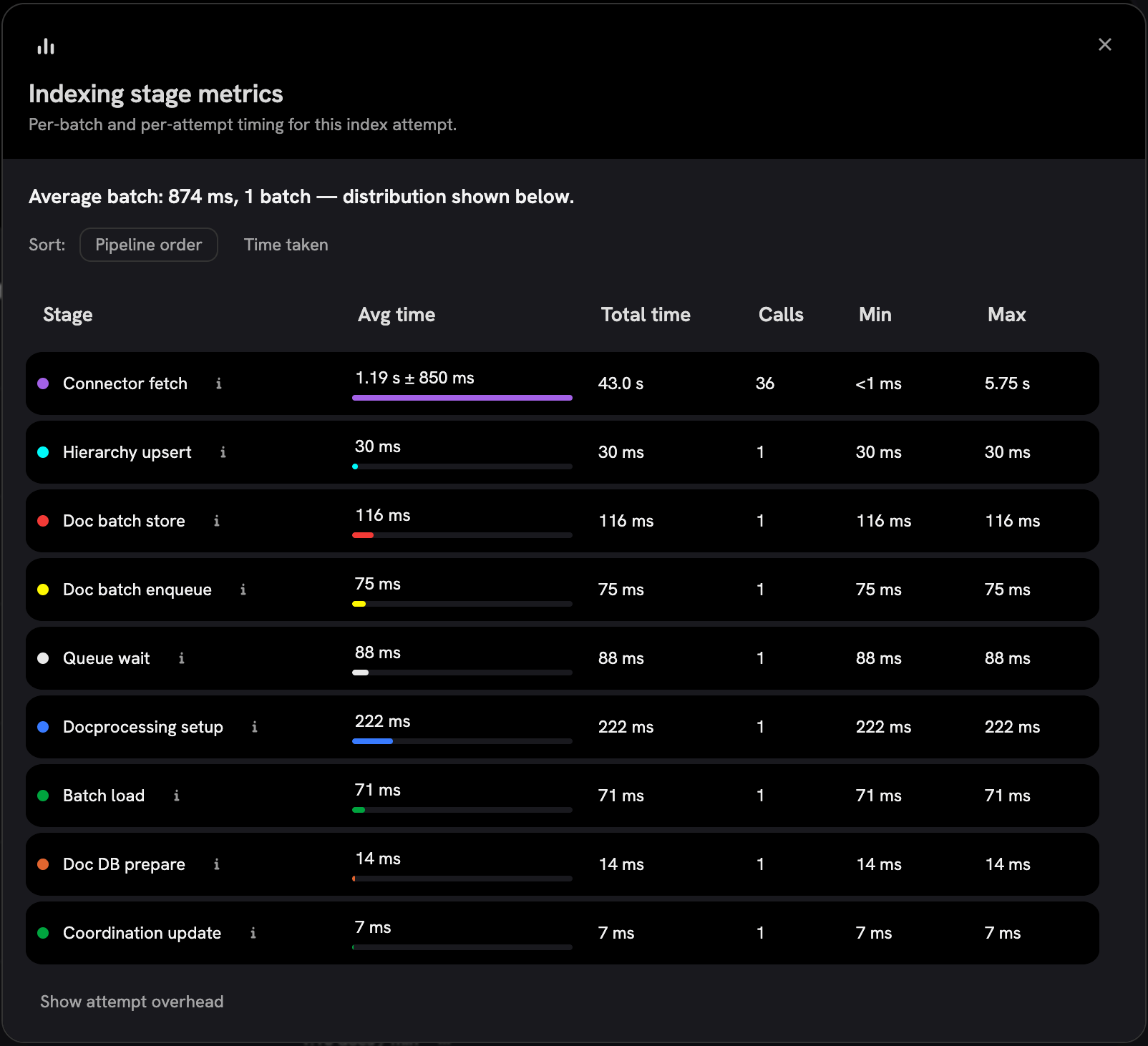 ### Permission Sync Visibility
Permission sync now has dedicated admin tooling. Admins can see the state of each sync,
inspect what was synced and what failed, and capture exception traces when syncs error.
### Slack Enterprise Grid
The Slack connector now supports Slack Enterprise Grid, including cross-workspace indexing.
### Public Search API
A new public `POST /api/search` endpoint and `onyx-cli agentic search` command let external systems and command-line
workflows run searches against Onyx programmatically.
## Contributor Highlights
* [@beraterkanelcelik](https://github.com/beraterkanelcelik) made
`MAX_LLM_CYCLES` environment-configurable and fixed OIDC token refresh so it works for any OIDC provider,
not just Google!
* [@mikew](https://github.com/mikew) expanded LiteLLM capability support and
added reasoning flow support for models that expose it!
* [@k-kasajima](https://github.com/k-kasajima) fixed the LiteLLM
embedding test model name payload!
## Additional Improvements
### Indexing and Search
* Documents whose content hasn't changed since the last indexing run are no
longer re-indexed.
* Cohere `embed-v4.0` and Gemini `embedding-2-preview` are supported as
embedding providers.
* Query embeddings are cached for repeated queries.
* OpenSearch bulk updates are used on the indexing hot path with
retry-on-transient-failure semantics.
* Oversized documents now surface a clear error instead of silently failing,
and the `MAX_DOCUMENT_CHARS` limit has been raised.
* Image processing has moved entirely to index time.
### Chat
* The chat input bar is now `contentEditable` and supports paste-as-tile for
attachments.
* Queued messages now wait until the previous answer has fully rendered before
submitting.
* Typewriter streaming finishes faster after the LLM stream completes.
* Tool calls can now access a `bash` tool (used by the Coding Agent).
* All CSVs are passed to Code Interpreter for analysis.
### Connectors
* **Slack Enterprise Grid** support.
* HubSpot: search API for incremental polls and `batch_read` to eliminate N+1
association fetches.
* Confluence: Data Center websudo support, REST space permissions for 9.1,
attachment downloads with non-scoped tokens, and pagination fixes.
* Freshdesk: handle null `due_by` and paginate past 300 pages.
* GitLab: fall back to username when GitLab masks the author name.
* Asana: stop dropping teamless projects from explicit allowlists.
* Jira: permission sync support for Data Center v10.
### Auth, Security, and Licensing
* OIDC access tokens now refresh on every authenticated request, for any OIDC
provider (not just Google).
* New Business tier with unified gating middleware.
* `OPEN_URL_VALIDATE_SSRF` opt-out flag for trusted networks.
### LLM Providers
* LiteLLM capability expansion and reasoning-flow support.
* Custom LLM providers can have optional display names and be renamed.
* Vertex AI can use Application Default Credentials via LiteLLM.
* GCS storage supports Workload Identity.
### Notable Bug Fixes
* Fixed a tabular chunker crash on Google Sheets with multi-line cells.
* Fixed the indexing pipeline not stopping after a document raised an error.
* Fixed several DB-session-held-too-long issues in chat, indexing, deletion,
and embedding paths.
* Fixed asyncpg `statement_cache_size` regressions with pgbouncer and similar
pool managers.
* Fixed MCP per-user multi-header handling and OAuth token refresh.
* Multiple Helm, OpenSearch, and tier-management fixes.
***
Our [GitHub Releases](https://github.com/onyx-dot-app/onyx/releases?utm_source=docs\&utm_content=changelog)
page has the full list of changes and bug fixes for each release.
### Permission Sync Visibility
Permission sync now has dedicated admin tooling. Admins can see the state of each sync,
inspect what was synced and what failed, and capture exception traces when syncs error.
### Slack Enterprise Grid
The Slack connector now supports Slack Enterprise Grid, including cross-workspace indexing.
### Public Search API
A new public `POST /api/search` endpoint and `onyx-cli agentic search` command let external systems and command-line
workflows run searches against Onyx programmatically.
## Contributor Highlights
* [@beraterkanelcelik](https://github.com/beraterkanelcelik) made
`MAX_LLM_CYCLES` environment-configurable and fixed OIDC token refresh so it works for any OIDC provider,
not just Google!
* [@mikew](https://github.com/mikew) expanded LiteLLM capability support and
added reasoning flow support for models that expose it!
* [@k-kasajima](https://github.com/k-kasajima) fixed the LiteLLM
embedding test model name payload!
## Additional Improvements
### Indexing and Search
* Documents whose content hasn't changed since the last indexing run are no
longer re-indexed.
* Cohere `embed-v4.0` and Gemini `embedding-2-preview` are supported as
embedding providers.
* Query embeddings are cached for repeated queries.
* OpenSearch bulk updates are used on the indexing hot path with
retry-on-transient-failure semantics.
* Oversized documents now surface a clear error instead of silently failing,
and the `MAX_DOCUMENT_CHARS` limit has been raised.
* Image processing has moved entirely to index time.
### Chat
* The chat input bar is now `contentEditable` and supports paste-as-tile for
attachments.
* Queued messages now wait until the previous answer has fully rendered before
submitting.
* Typewriter streaming finishes faster after the LLM stream completes.
* Tool calls can now access a `bash` tool (used by the Coding Agent).
* All CSVs are passed to Code Interpreter for analysis.
### Connectors
* **Slack Enterprise Grid** support.
* HubSpot: search API for incremental polls and `batch_read` to eliminate N+1
association fetches.
* Confluence: Data Center websudo support, REST space permissions for 9.1,
attachment downloads with non-scoped tokens, and pagination fixes.
* Freshdesk: handle null `due_by` and paginate past 300 pages.
* GitLab: fall back to username when GitLab masks the author name.
* Asana: stop dropping teamless projects from explicit allowlists.
* Jira: permission sync support for Data Center v10.
### Auth, Security, and Licensing
* OIDC access tokens now refresh on every authenticated request, for any OIDC
provider (not just Google).
* New Business tier with unified gating middleware.
* `OPEN_URL_VALIDATE_SSRF` opt-out flag for trusted networks.
### LLM Providers
* LiteLLM capability expansion and reasoning-flow support.
* Custom LLM providers can have optional display names and be renamed.
* Vertex AI can use Application Default Credentials via LiteLLM.
* GCS storage supports Workload Identity.
### Notable Bug Fixes
* Fixed a tabular chunker crash on Google Sheets with multi-line cells.
* Fixed the indexing pipeline not stopping after a document raised an error.
* Fixed several DB-session-held-too-long issues in chat, indexing, deletion,
and embedding paths.
* Fixed asyncpg `statement_cache_size` regressions with pgbouncer and similar
pool managers.
* Fixed MCP per-user multi-header handling and OAuth token refresh.
* Multiple Helm, OpenSearch, and tier-management fixes.
***
Our [GitHub Releases](https://github.com/onyx-dot-app/onyx/releases?utm_source=docs\&utm_content=changelog)
page has the full list of changes and bug fixes for each release.
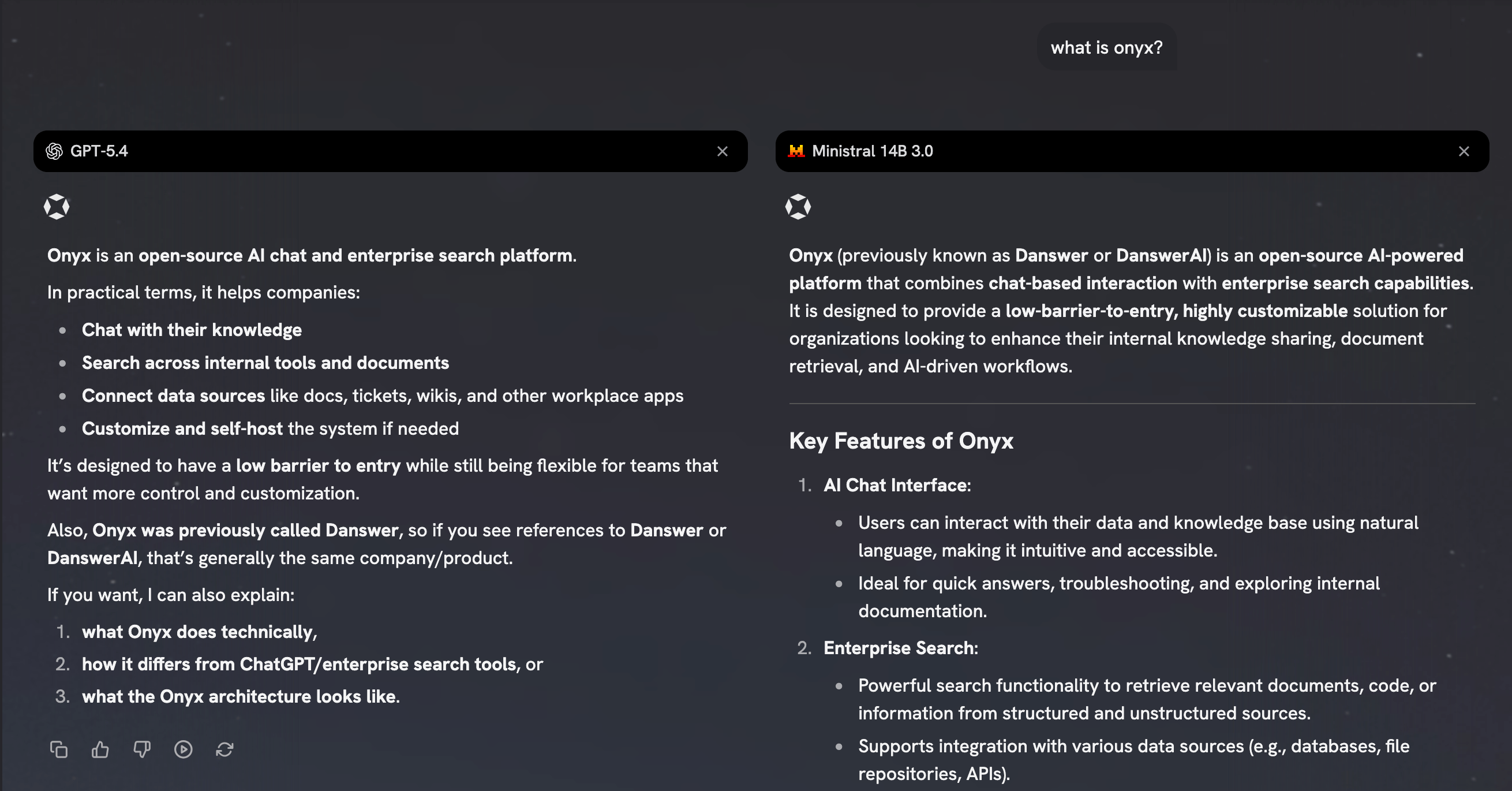 ### Generic OpenAI-Compatible Provider
Onyx now ships a generic "OpenAI Compatible" provider that lets you point at any OpenAI-compatible endpoint — local
inference servers, gateway proxies, or self-hosted model runners — without needing a dedicated integration.
The Custom LLM provider configuration was also reworked to support this cleanly.
### Hooks: status, logs, and document ingestion
The Hook system introduced in v3.1.0 has matured. A new admin page lets you create, edit,
and monitor hooks with live status and logs,
and a second integration point — document ingestion — joins query processing in the set of hookable lifecycle events.
Connection-lost states surface clearly in the UI when a hook becomes unreachable.
### Generic OpenAI-Compatible Provider
Onyx now ships a generic "OpenAI Compatible" provider that lets you point at any OpenAI-compatible endpoint — local
inference servers, gateway proxies, or self-hosted model runners — without needing a dedicated integration.
The Custom LLM provider configuration was also reworked to support this cleanly.
### Hooks: status, logs, and document ingestion
The Hook system introduced in v3.1.0 has matured. A new admin page lets you create, edit,
and monitor hooks with live status and logs,
and a second integration point — document ingestion — joins query processing in the set of hookable lifecycle events.
Connection-lost states surface clearly in the UI when a hook becomes unreachable.
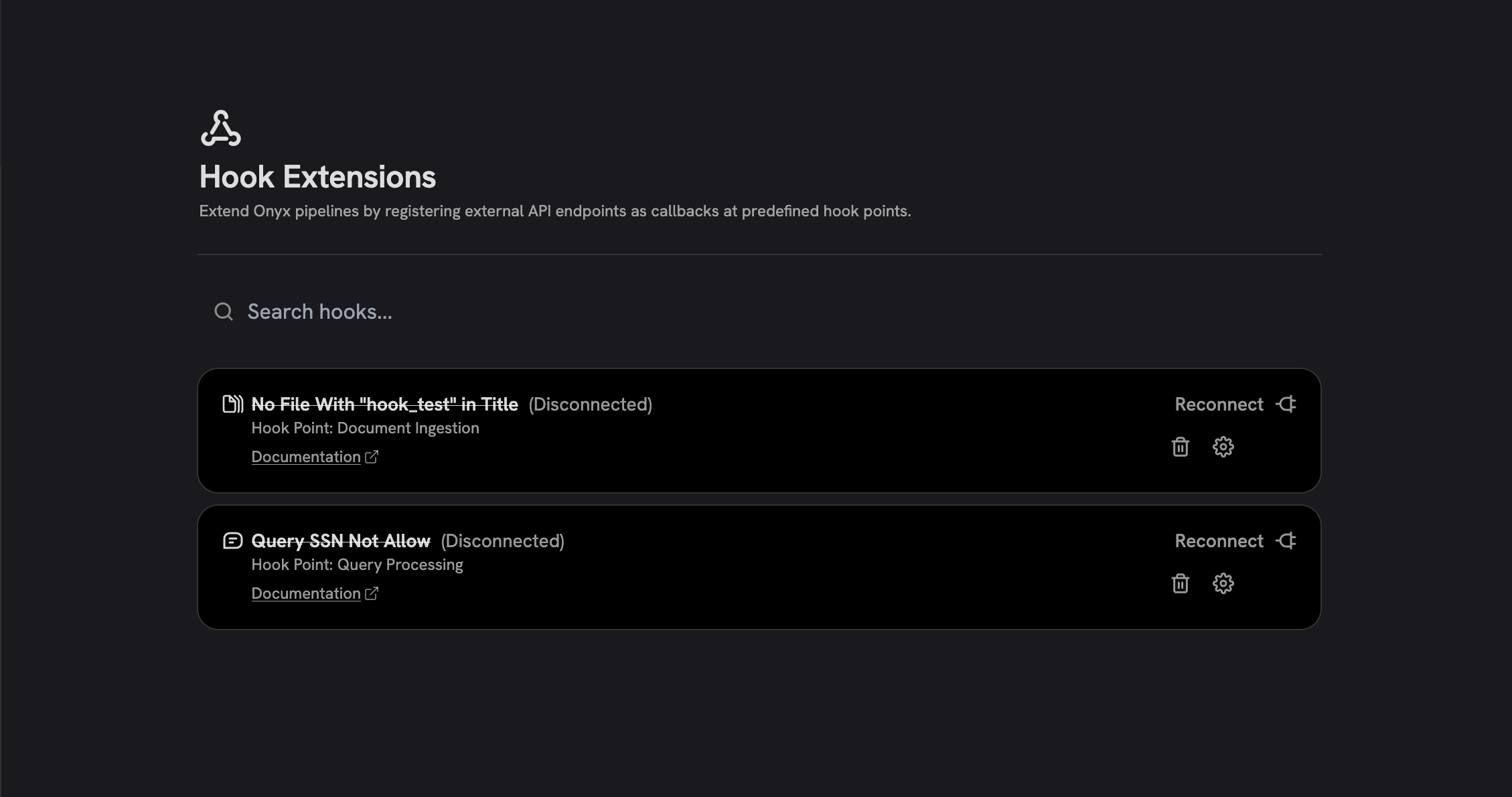 ## Contributor Highlights
* [@alex000kim](https://github.com/alex000kim) added an optional CA
certificate update step to the api-server startup in the Helm chart,
making it easier to deploy Onyx behind corporate TLS-inspecting proxies!
## Additional Improvements
### [Onyx CLI](https://docs.onyx.app/overview/onyx_anywhere/cli)
* `onyx-cli serve` over SSH for working with remote deployments
* `onyx install-skill` command
* Version compatibility check between CLI and backend
* Streaming markdown rendering in CLI output
* [Agent-friendly output mode](https://docs.onyx.app/overview/onyx_anywhere/cli#using-as-an-ai-coding-assistant-skill)
### Connectors
* Notion connector now extracts people properties and inline table content
* Discord connector validates tokens up front
### Chat and search
* Files exceeding the token limit can still be uploaded; only indexing is
skipped
* Citation badges in the embedded chat widget
### LLM providers
* Generic OpenAI-Compatible provider type
* Custom LLM provider configuration revamp, with first-class fields
extracted from the key-value list
* Force-delete supported for the last remaining LLM provider
### Auth and Security
* Migrated limited-role checks to account-type-based access control
* Default Admin and Basic user groups are now seeded automatically
### Performance
* Chat sessions query optimized to prevent cascading DB failures under load
* Many client-side requests migrated to SWR with a centralized key registry,
eliminating duplicate fetches and stabilizing revalidation behavior
* Removed unnecessary user-memory eager loads from auth paths
* Indexing pipeline streams chunks through a unified iterable-based
abstraction with batched processing, improving memory usage and throughput on large corpora
### Deployment and Observability
* Grafana dashboard provisioning via Helm, with a dedicated OpenSearch
retrieval dashboard
* AWS deployment additions: RDS snapshots, EKS CloudWatch logging, RDS CPU
/ memory / IO alerts, and support for multiple Postgres hosts
### Notable Bug Fixes
* Fixed owner-password-only PDFs being incorrectly rejected as protected
* Fixed XLSX empty row/column handling
* Fixed PowerPoint chart conversion failing during indexing
* Fixed paused file connectors not reindexing correctly
* Fixed MCP server propagating generic error messages instead of the real
cause
* Fixed mobile sidebar overlapping content on medium-sized screens, plus
several other sidebar and modal responsive issues
* Fixed default-provider selection when multiple providers share the same
type
***
Our [GitHub Releases](https://github.com/onyx-dot-app/onyx/releases?utm_source=docs\&utm_content=changelog)
page has the full list of changes and bug fixes for each release.
## Contributor Highlights
* [@alex000kim](https://github.com/alex000kim) added an optional CA
certificate update step to the api-server startup in the Helm chart,
making it easier to deploy Onyx behind corporate TLS-inspecting proxies!
## Additional Improvements
### [Onyx CLI](https://docs.onyx.app/overview/onyx_anywhere/cli)
* `onyx-cli serve` over SSH for working with remote deployments
* `onyx install-skill` command
* Version compatibility check between CLI and backend
* Streaming markdown rendering in CLI output
* [Agent-friendly output mode](https://docs.onyx.app/overview/onyx_anywhere/cli#using-as-an-ai-coding-assistant-skill)
### Connectors
* Notion connector now extracts people properties and inline table content
* Discord connector validates tokens up front
### Chat and search
* Files exceeding the token limit can still be uploaded; only indexing is
skipped
* Citation badges in the embedded chat widget
### LLM providers
* Generic OpenAI-Compatible provider type
* Custom LLM provider configuration revamp, with first-class fields
extracted from the key-value list
* Force-delete supported for the last remaining LLM provider
### Auth and Security
* Migrated limited-role checks to account-type-based access control
* Default Admin and Basic user groups are now seeded automatically
### Performance
* Chat sessions query optimized to prevent cascading DB failures under load
* Many client-side requests migrated to SWR with a centralized key registry,
eliminating duplicate fetches and stabilizing revalidation behavior
* Removed unnecessary user-memory eager loads from auth paths
* Indexing pipeline streams chunks through a unified iterable-based
abstraction with batched processing, improving memory usage and throughput on large corpora
### Deployment and Observability
* Grafana dashboard provisioning via Helm, with a dedicated OpenSearch
retrieval dashboard
* AWS deployment additions: RDS snapshots, EKS CloudWatch logging, RDS CPU
/ memory / IO alerts, and support for multiple Postgres hosts
### Notable Bug Fixes
* Fixed owner-password-only PDFs being incorrectly rejected as protected
* Fixed XLSX empty row/column handling
* Fixed PowerPoint chart conversion failing during indexing
* Fixed paused file connectors not reindexing correctly
* Fixed MCP server propagating generic error messages instead of the real
cause
* Fixed mobile sidebar overlapping content on medium-sized screens, plus
several other sidebar and modal responsive issues
* Fixed default-provider selection when multiple providers share the same
type
***
Our [GitHub Releases](https://github.com/onyx-dot-app/onyx/releases?utm_source=docs\&utm_content=changelog)
page has the full list of changes and bug fixes for each release.
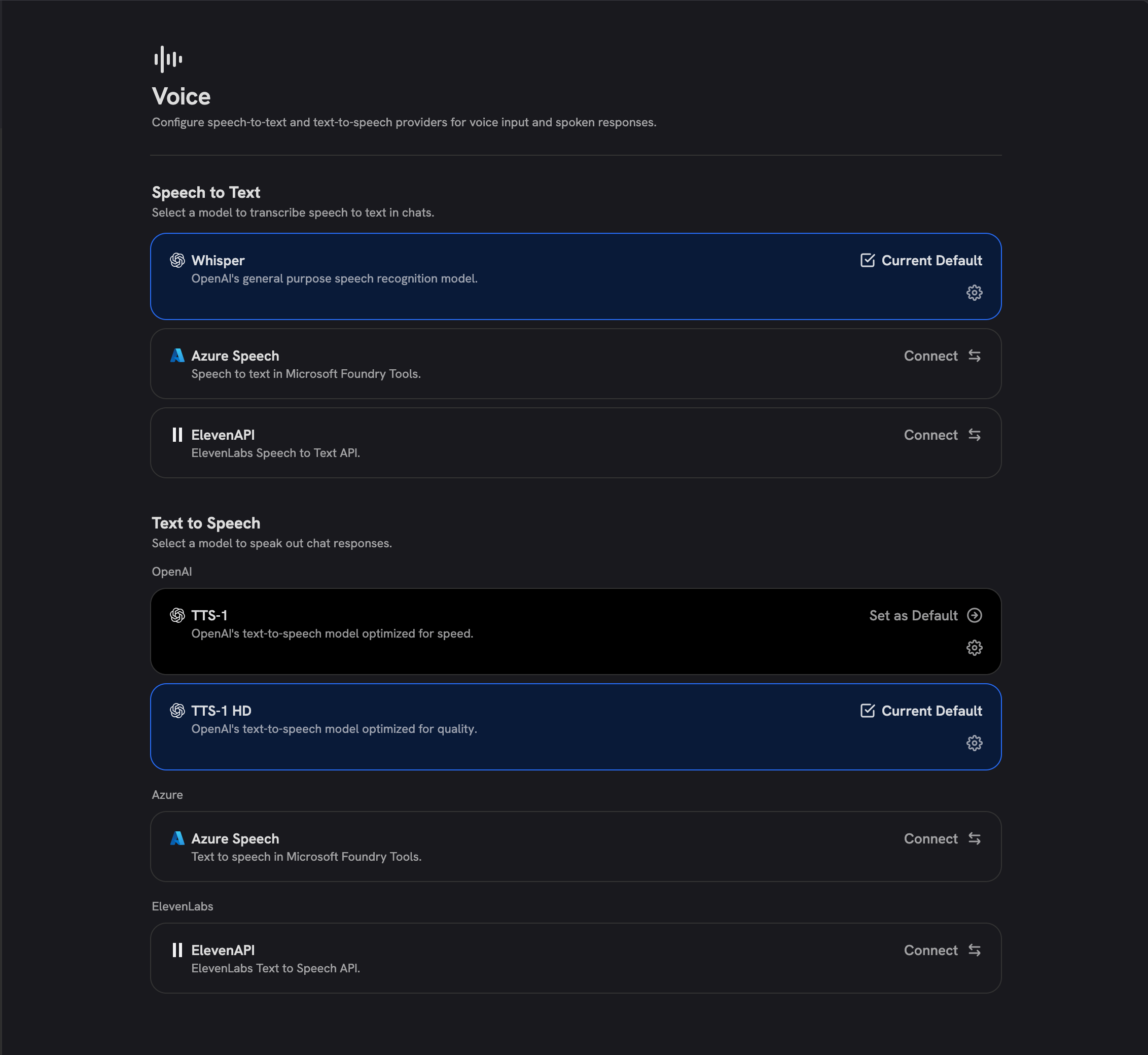 ### Hooks
Onyx now ships a first-party Hook system for extending behavior at well-defined points in the request lifecycle.
[Hooks are managed from a new admin page](https://docs.onyx.app/admins/advanced_configs/hook_extensions#hooks),
configured through a connect/manage modal, and currently integrate with the query-processing pipeline,
with more hook points planned.
### Redesigned Admin Users and Groups
The admin Users page has been rebuilt from the ground up with a stats bar, server-side pagination,
role/group/status filters, inline role editing, an invite flow, and edit-group-membership.
The Groups page is also new, with list and create/edit pages, inline renaming, shared resources,
and token-limit configuration.
### Hooks
Onyx now ships a first-party Hook system for extending behavior at well-defined points in the request lifecycle.
[Hooks are managed from a new admin page](https://docs.onyx.app/admins/advanced_configs/hook_extensions#hooks),
configured through a connect/manage modal, and currently integrate with the query-processing pipeline,
with more hook points planned.
### Redesigned Admin Users and Groups
The admin Users page has been rebuilt from the ground up with a stats bar, server-side pagination,
role/group/status filters, inline role editing, an invite flow, and edit-group-membership.
The Groups page is also new, with list and create/edit pages, inline renaming, shared resources,
and token-limit configuration.
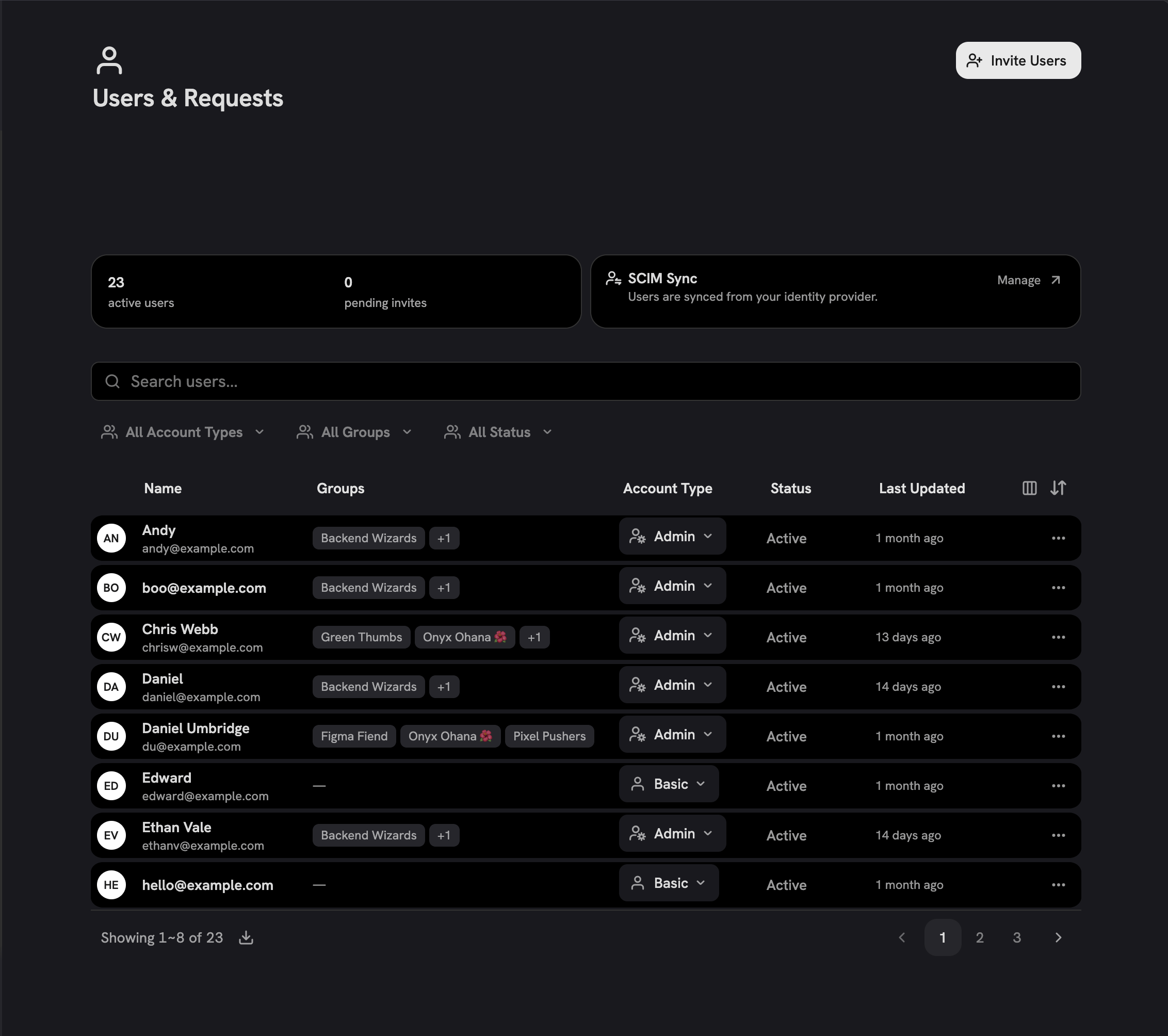 ### LiteLLM and Bifrost gateway providers
Two new LLM gateway integrations join the provider list:
[**LiteLLM**](https://docs.onyx.app/admins/ai_models/litellm_proxy),
which auto-fetches available models from your LiteLLM proxy,
and [**Bifrost**](https://docs.onyx.app/admins/ai_models/bifrost#bifrost),
configurable from a dedicated provider modal.
Both make it easier to centralize model access and routing through your existing infrastructure.
## Contributor Highlights
* [@Fizza-Mukhtar](https://github.com/Fizza-Mukhtar) fixed an LLM bug where
Onyx was sending `tool_choice` even when no tools were provided!
* [@ciaransweet](https://github.com/ciaransweet) corrected the OpenSearch
admin password `secretKeyRef` documentation in the Helm values file!
* [@benwu408](https://github.com/benwu408) contributed the initial scaffold
for a new Canvas connector!
## Additional Improvements
### Connectors
* SharePoint connector gained deduplication, filters/denylists, non-public
shareable links, and better error logging
* Notion connector upgraded to the latest API version
* Confluence client retries on transient failures
* Jira large-batch JSON decode fix
* Google Drive: rate-limit retry and fallback access path for externally
owned items
* Discord connector now properly cleans up async resources
### Agents and Chat
* Tool call arguments now stream live, with a delta-based jsonriver
implementation
* Custom tools have improved error handling and a refreshed timeline UI
* Configurable file upload size limit, with a frontend precheck for oversized
uploads. This can be configured in the Admin Panel, under Advanced Options for Chat Preferences.
### LiteLLM and Bifrost gateway providers
Two new LLM gateway integrations join the provider list:
[**LiteLLM**](https://docs.onyx.app/admins/ai_models/litellm_proxy),
which auto-fetches available models from your LiteLLM proxy,
and [**Bifrost**](https://docs.onyx.app/admins/ai_models/bifrost#bifrost),
configurable from a dedicated provider modal.
Both make it easier to centralize model access and routing through your existing infrastructure.
## Contributor Highlights
* [@Fizza-Mukhtar](https://github.com/Fizza-Mukhtar) fixed an LLM bug where
Onyx was sending `tool_choice` even when no tools were provided!
* [@ciaransweet](https://github.com/ciaransweet) corrected the OpenSearch
admin password `secretKeyRef` documentation in the Helm values file!
* [@benwu408](https://github.com/benwu408) contributed the initial scaffold
for a new Canvas connector!
## Additional Improvements
### Connectors
* SharePoint connector gained deduplication, filters/denylists, non-public
shareable links, and better error logging
* Notion connector upgraded to the latest API version
* Confluence client retries on transient failures
* Jira large-batch JSON decode fix
* Google Drive: rate-limit retry and fallback access path for externally
owned items
* Discord connector now properly cleans up async resources
### Agents and Chat
* Tool call arguments now stream live, with a delta-based jsonriver
implementation
* Custom tools have improved error handling and a refreshed timeline UI
* Configurable file upload size limit, with a frontend precheck for oversized
uploads. This can be configured in the Admin Panel, under Advanced Options for Chat Preferences.
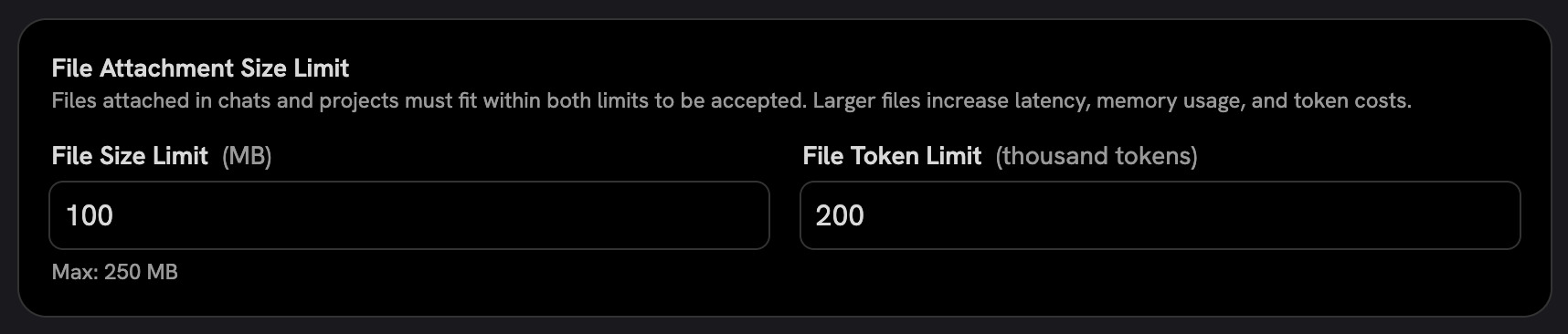 * More file types can be attached to chats, and the file preview supports
significantly more formats.
File types which are not explicitly supported/recognized are parsed using a text-detection heuristic.
* Slackbot now resolves channel references and can filter search results by
channel
* Search state machine consolidated for more predictable behavior
### Auth and Security
* PKCE support for OIDC
### LLM providers
* LiteLLM and Bifrost gateways
* All provider types can now be deleted (previously some were soft-locked)
* Editing an LLM provider correctly uses the global default model
* Surface masked OpenAI quota failures so users see a real error
* Filter embedding models out of LiteLLM model lists
### Performance
* Stop deep-copying during indexing
* Plaintext file results are now cached in chat
* OpenSearch tuning continues with configurable shards/replicas, configurable
Vespa migration page size, configurable hybrid subquery hits, vectors excluded from hybrid/random search payloads,
and Prometheus metrics for retrieval
### Deployment
* Windows installer
* Terraform module for OpenSearch on AWS
* Configurable `api_server` resource limits in Docker
* Reusable Prometheus metrics server for Celery workers, with queue depth,
connector health, task lifecycle, and per-connector metrics
### Notable Bug Fixes
* Fixed CSV inline display responsiveness and comma-literal parsing
* Fixed memories immediately losing focus on click
* Fixed numerous modal centering, popover, sidebar, and Safari-specific UI
issues
***
Our [GitHub Releases](https://github.com/onyx-dot-app/onyx/releases?utm_source=docs\&utm_content=changelog)
page has the full list of changes and bug fixes for each release.
* More file types can be attached to chats, and the file preview supports
significantly more formats.
File types which are not explicitly supported/recognized are parsed using a text-detection heuristic.
* Slackbot now resolves channel references and can filter search results by
channel
* Search state machine consolidated for more predictable behavior
### Auth and Security
* PKCE support for OIDC
### LLM providers
* LiteLLM and Bifrost gateways
* All provider types can now be deleted (previously some were soft-locked)
* Editing an LLM provider correctly uses the global default model
* Surface masked OpenAI quota failures so users see a real error
* Filter embedding models out of LiteLLM model lists
### Performance
* Stop deep-copying during indexing
* Plaintext file results are now cached in chat
* OpenSearch tuning continues with configurable shards/replicas, configurable
Vespa migration page size, configurable hybrid subquery hits, vectors excluded from hybrid/random search payloads,
and Prometheus metrics for retrieval
### Deployment
* Windows installer
* Terraform module for OpenSearch on AWS
* Configurable `api_server` resource limits in Docker
* Reusable Prometheus metrics server for Celery workers, with queue depth,
connector health, task lifecycle, and per-connector metrics
### Notable Bug Fixes
* Fixed CSV inline display responsiveness and comma-literal parsing
* Fixed memories immediately losing focus on click
* Fixed numerous modal centering, popover, sidebar, and Safari-specific UI
issues
***
Our [GitHub Releases](https://github.com/onyx-dot-app/onyx/releases?utm_source=docs\&utm_content=changelog)
page has the full list of changes and bug fixes for each release.
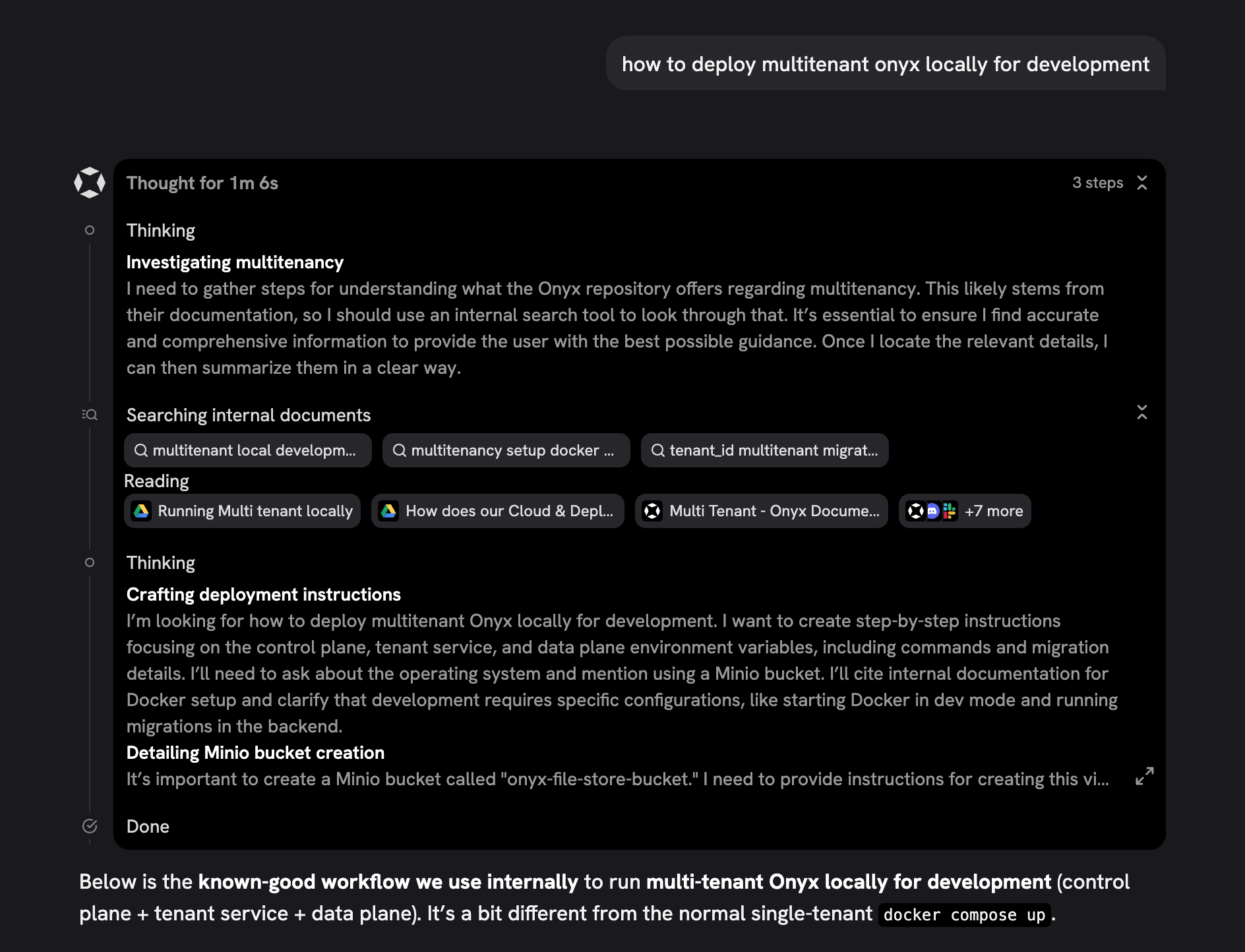 ### Brave Web Search
Brave is now available as a web search provider!
Configure it via the Web Search page in the Admin Panel with your Brave API key.
### Brave Web Search
Brave is now available as a web search provider!
Configure it via the Web Search page in the Admin Panel with your Brave API key.
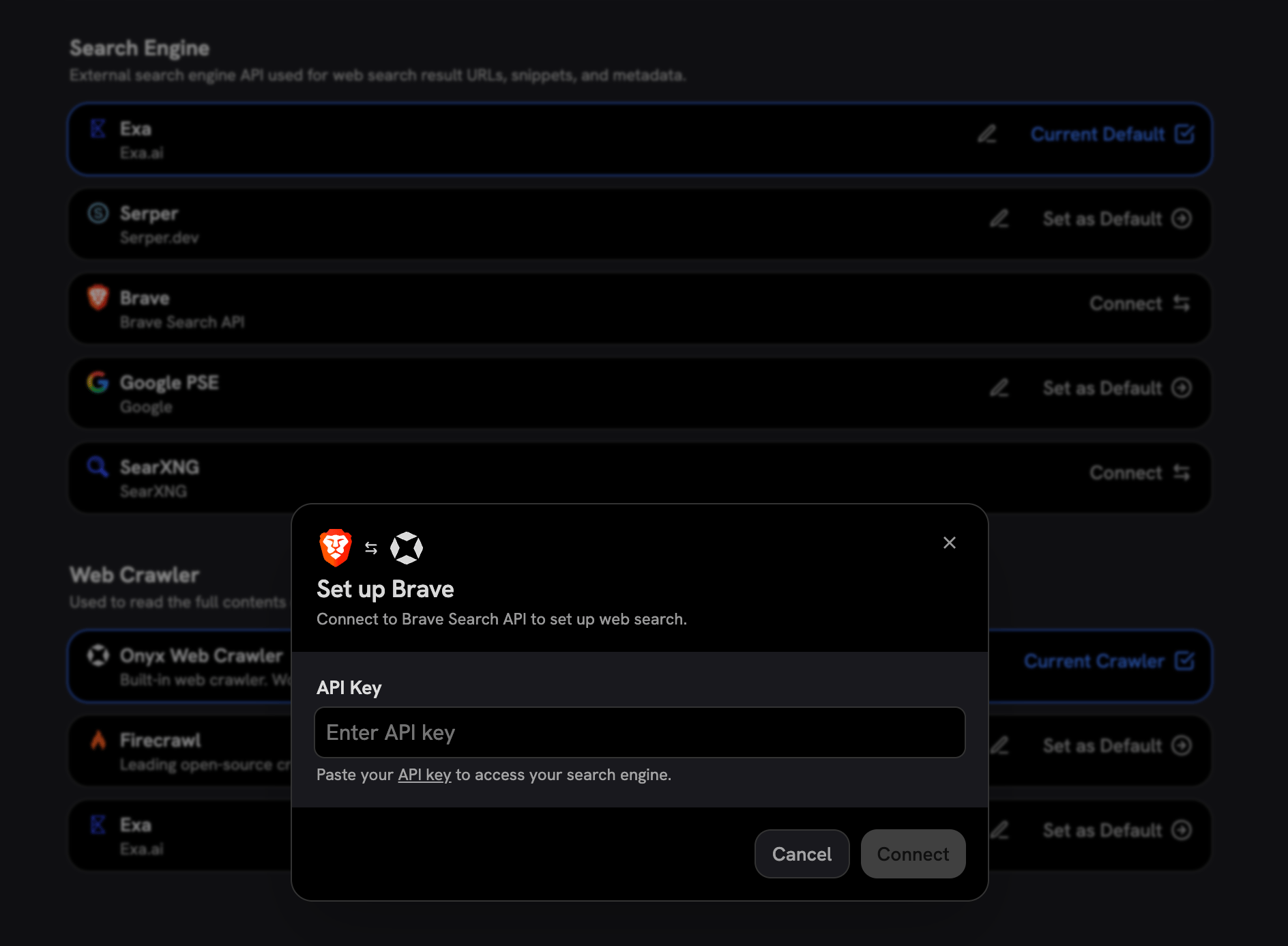 ### Chat History Compression
Long conversations now automatically summarize older messages to keep context windows efficient.
This reduces token consumption for extended chats while preserving the key information from earlier in the
conversation.
## Contributor Highlights
* [@victoriamreese](https://github.com/victoriamreese) enabled optional host settings and resolved pod label duplication in Helm charts!
## Additional Improvements
### Chat and Project Search
You can now search across your chat history and projects directly from the sidebar.
The new command menu supports keyboard navigation, infinite scroll,
and fast filtering to quickly find past conversations.
### Helm and Infrastructure
* Added health probes for all containers in Helm charts
* Fixed Ingress template generation
* Fixed PostgreSQL operator labeling
* Improved IRSA support by passing the correct AWS region
### Notable Bug Fixes
* Fixed Bedrock tool calling configuration
* Fixed Ollama model selection in the UI
* Fixed desktop app link clicking behavior
* Fixed LLM provider configuration not syncing model flow data
* Fixed search tool being enabled when no knowledge sources were selected
* Fixed private models appearing in Agent creation
* Fixed LLM read timeout handling
* Fixed Asana connector workspace/team ID mismatch
* Fixed Salesforce connector cleanup logic
* Multiple UI fixes across modals, dropdowns, agent creation, and sidebar rendering
***
Our [GitHub Releases](https://github.com/onyx-dot-app/onyx/releases?utm_source=docs\&utm_content=changelog)
page has the full list of changes and bug fixes for each release.
### Chat History Compression
Long conversations now automatically summarize older messages to keep context windows efficient.
This reduces token consumption for extended chats while preserving the key information from earlier in the
conversation.
## Contributor Highlights
* [@victoriamreese](https://github.com/victoriamreese) enabled optional host settings and resolved pod label duplication in Helm charts!
## Additional Improvements
### Chat and Project Search
You can now search across your chat history and projects directly from the sidebar.
The new command menu supports keyboard navigation, infinite scroll,
and fast filtering to quickly find past conversations.
### Helm and Infrastructure
* Added health probes for all containers in Helm charts
* Fixed Ingress template generation
* Fixed PostgreSQL operator labeling
* Improved IRSA support by passing the correct AWS region
### Notable Bug Fixes
* Fixed Bedrock tool calling configuration
* Fixed Ollama model selection in the UI
* Fixed desktop app link clicking behavior
* Fixed LLM provider configuration not syncing model flow data
* Fixed search tool being enabled when no knowledge sources were selected
* Fixed private models appearing in Agent creation
* Fixed LLM read timeout handling
* Fixed Asana connector workspace/team ID mismatch
* Fixed Salesforce connector cleanup logic
* Multiple UI fixes across modals, dropdowns, agent creation, and sidebar rendering
***
Our [GitHub Releases](https://github.com/onyx-dot-app/onyx/releases?utm_source=docs\&utm_content=changelog)
page has the full list of changes and bug fixes for each release.
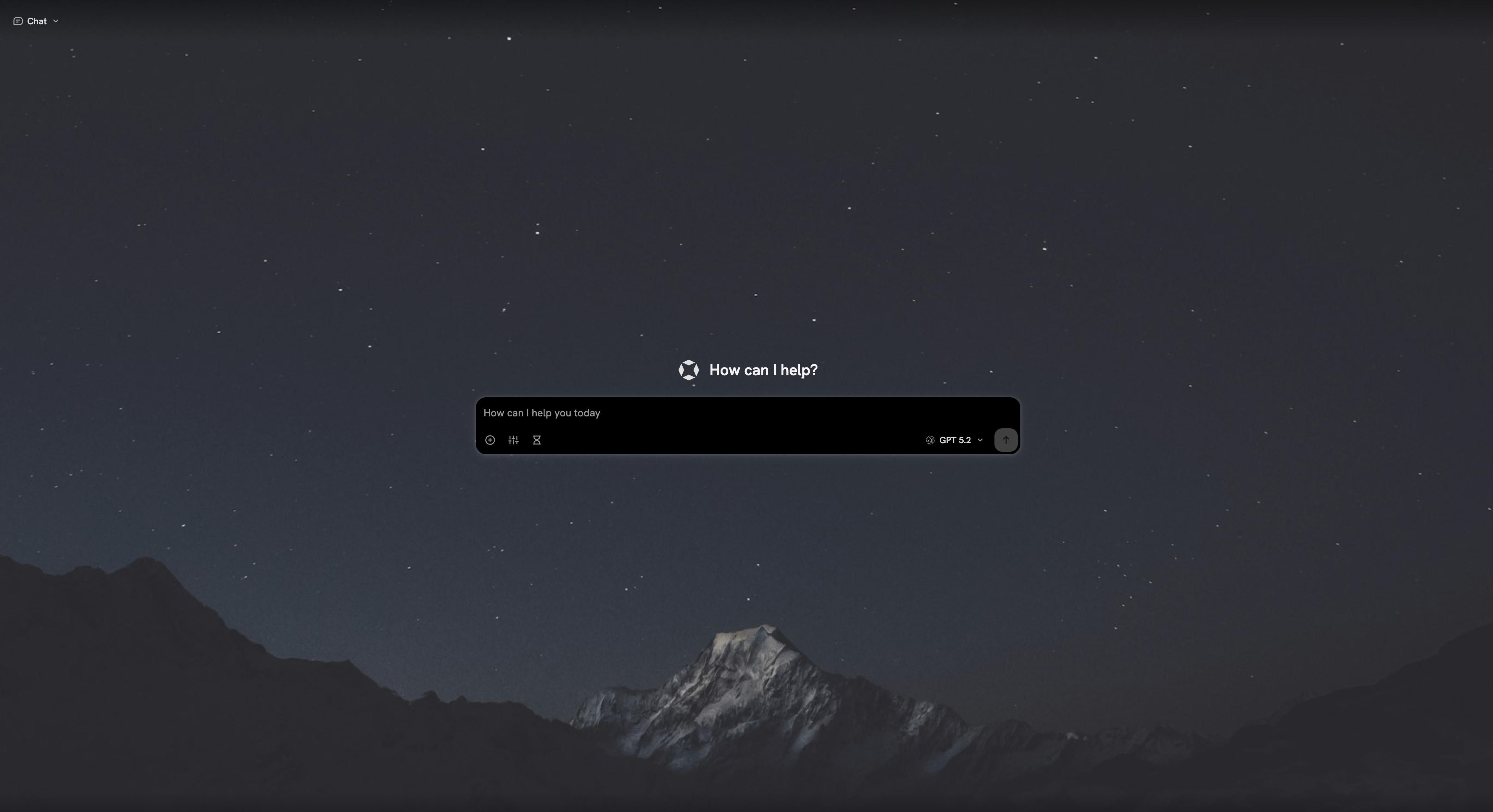
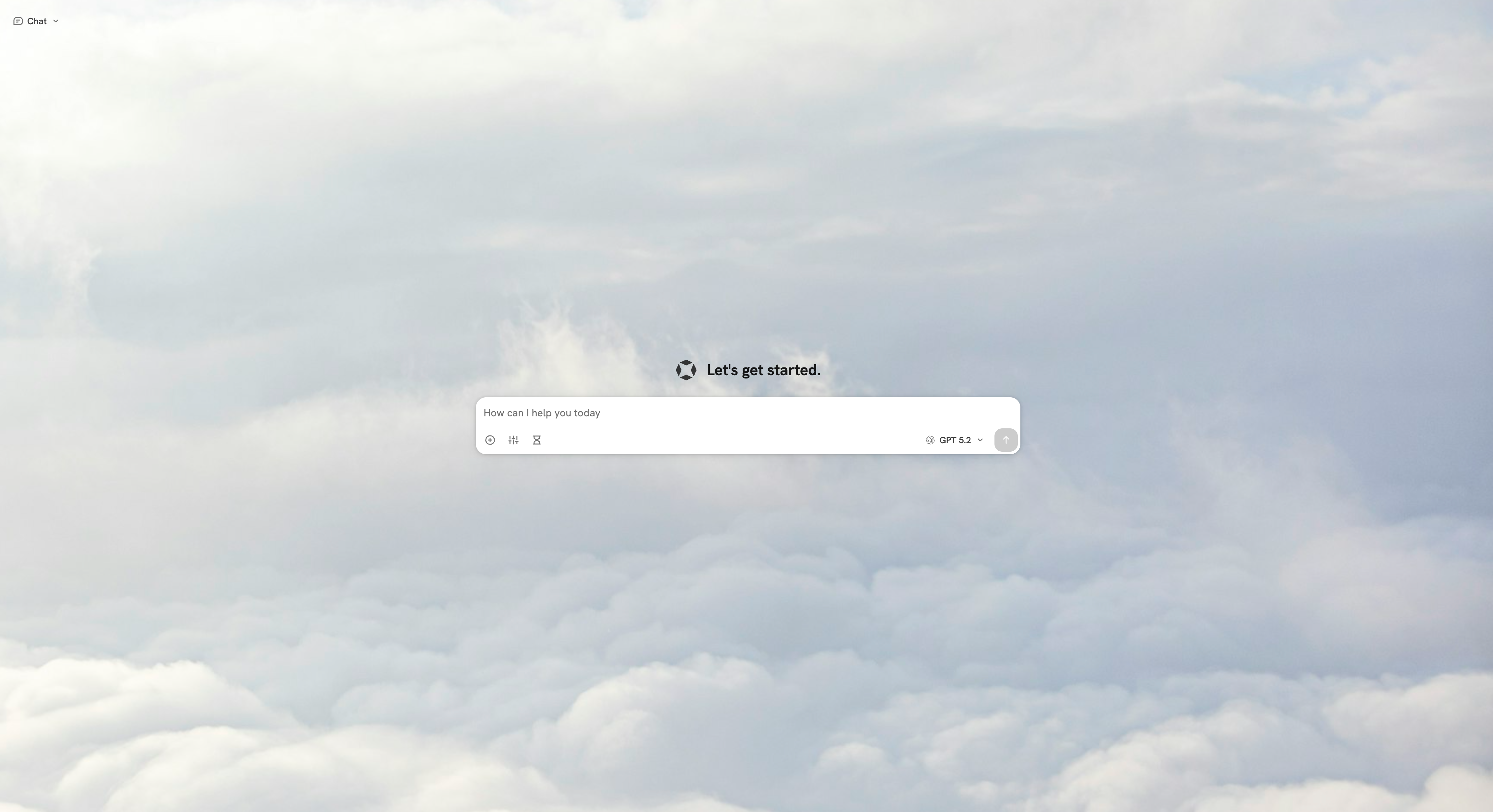 ### Refreshed User Settings Page
The user settings page has been completely redesigned with a cleaner layout and better organization,
making it easier to manage your profile, preferences, and backgrounds all in one place.
### Refreshed User Settings Page
The user settings page has been completely redesigned with a cleaner layout and better organization,
making it easier to manage your profile, preferences, and backgrounds all in one place.
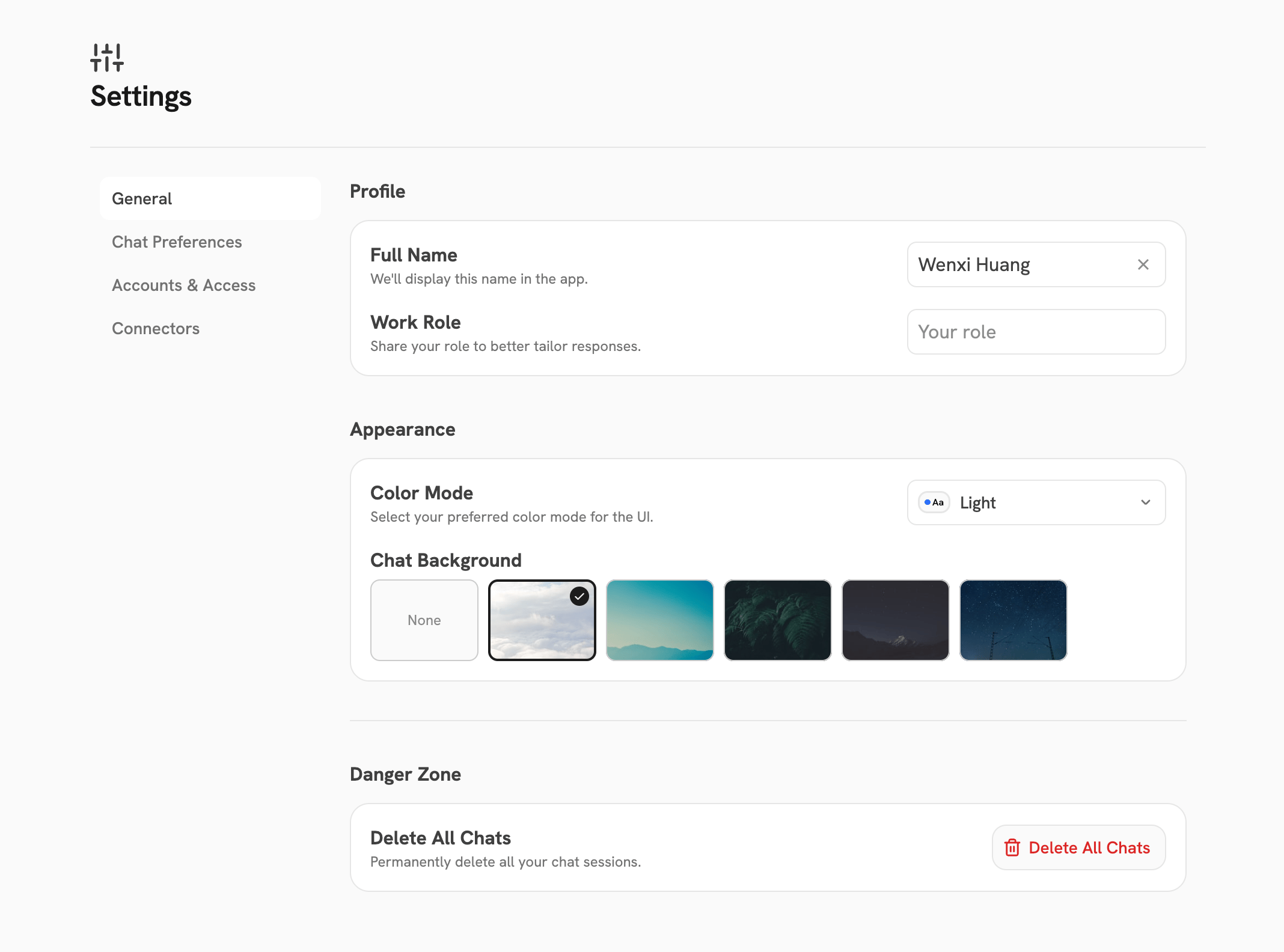 ### Desktop App Updates
The Onyx Desktop App received several important updates in this release:
* **Domain configuration** — You can now configure which Onyx instance the desktop app connects to directly from the
app
* **Proper macOS code signing** — The Mac app is now properly signed, so you won't see Gatekeeper warnings on install
* **Light/dark mode** — The desktop app now correctly reflects your theme preference
## Contributor Highlights
* [@ciaransweet](https://github.com/ciaransweet) clarified the send-chat-message API docs to document the `ChatFullResponse` response model!
## Additional Improvements
### User MCP Actions
Users can now attach MCP actions to their agents directly.
This is an early step toward giving all users the ability to extend their agents with custom tools and integrations.
### Allow No System Prompt
Agents can now be configured with no system prompt,
giving you full control over the model's behavior for use cases that require an empty system context.
### Prompt Shortcuts
Prompt shortcuts now enforce uniqueness constraints and received several usability enhancements.
### Notable Bug Fixes
* Fixed Azure OpenAI tool calling and LiteLLM Azure model streaming issues
* Fixed streaming text appearing in bursts after citations
* Fixed citation sidebar not appearing for web\_search-only assistants
* Fixed Ollama model selection in the UI
* Fixed Asana connector workspace/team ID mismatch
* Fixed Salesforce connector cleanup logic
* Improved Slack query expansion to filter garbage from person names
* Added Redis TTLs to prevent potential memory issues
* Multiple UI fixes across modals, dropdowns, LLM provider configuration, and agent creation
***
Our [GitHub Releases](https://github.com/onyx-dot-app/onyx/releases?utm_source=docs\&utm_content=changelog)
page has the full list of changes and bug fixes for each release.
### Desktop App Updates
The Onyx Desktop App received several important updates in this release:
* **Domain configuration** — You can now configure which Onyx instance the desktop app connects to directly from the
app
* **Proper macOS code signing** — The Mac app is now properly signed, so you won't see Gatekeeper warnings on install
* **Light/dark mode** — The desktop app now correctly reflects your theme preference
## Contributor Highlights
* [@ciaransweet](https://github.com/ciaransweet) clarified the send-chat-message API docs to document the `ChatFullResponse` response model!
## Additional Improvements
### User MCP Actions
Users can now attach MCP actions to their agents directly.
This is an early step toward giving all users the ability to extend their agents with custom tools and integrations.
### Allow No System Prompt
Agents can now be configured with no system prompt,
giving you full control over the model's behavior for use cases that require an empty system context.
### Prompt Shortcuts
Prompt shortcuts now enforce uniqueness constraints and received several usability enhancements.
### Notable Bug Fixes
* Fixed Azure OpenAI tool calling and LiteLLM Azure model streaming issues
* Fixed streaming text appearing in bursts after citations
* Fixed citation sidebar not appearing for web\_search-only assistants
* Fixed Ollama model selection in the UI
* Fixed Asana connector workspace/team ID mismatch
* Fixed Salesforce connector cleanup logic
* Improved Slack query expansion to filter garbage from person names
* Added Redis TTLs to prevent potential memory issues
* Multiple UI fixes across modals, dropdowns, LLM provider configuration, and agent creation
***
Our [GitHub Releases](https://github.com/onyx-dot-app/onyx/releases?utm_source=docs\&utm_content=changelog)
page has the full list of changes and bug fixes for each release.
 ### Nano Banana Image Generation
You can now configure Nano Banana as an image generation provider.
Add Vertex AI credentials in the **Image Generation** page of the Admin Panel to use Gemini 2.5 Flash Image (Nano
Banana) and Gemini 3 Pro Image (Nano Banana Pro).
### Nano Banana Image Generation
You can now configure Nano Banana as an image generation provider.
Add Vertex AI credentials in the **Image Generation** page of the Admin Panel to use Gemini 2.5 Flash Image (Nano
Banana) and Gemini 3 Pro Image (Nano Banana Pro).
 ### Multilingual Deep Research
Our Deep Research mode was previously biased toward English responses.
We've tuned it to work and respond in the language you ask your question in,
making Deep Research more accessible for international users.
### Multilingual Deep Research
Our Deep Research mode was previously biased toward English responses.
We've tuned it to work and respond in the language you ask your question in,
making Deep Research more accessible for international users.
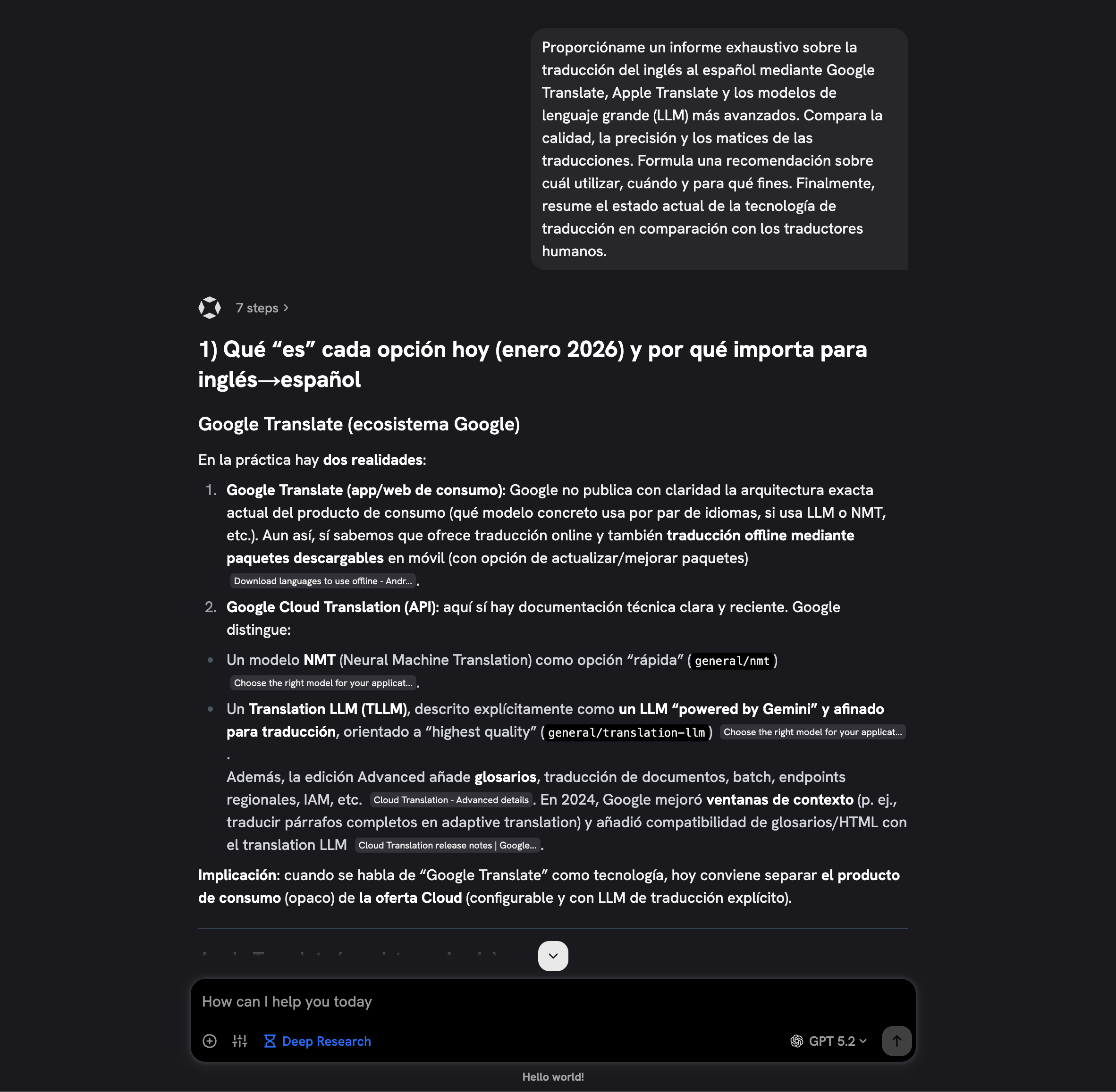 ## Additional Improvements
### Slack Connector Restored
Slack has rolled back changes to their API that previously prevented indexing. For the time being,
we recommend using the indexing connector if possible, as the search quality is significantly better.
If you don't see the indexing connector, make sure you've removed all Slack Federated connectors first.
## Additional Improvements
### Slack Connector Restored
Slack has rolled back changes to their API that previously prevented indexing. For the time being,
we recommend using the indexing connector if possible, as the search quality is significantly better.
If you don't see the indexing connector, make sure you've removed all Slack Federated connectors first.
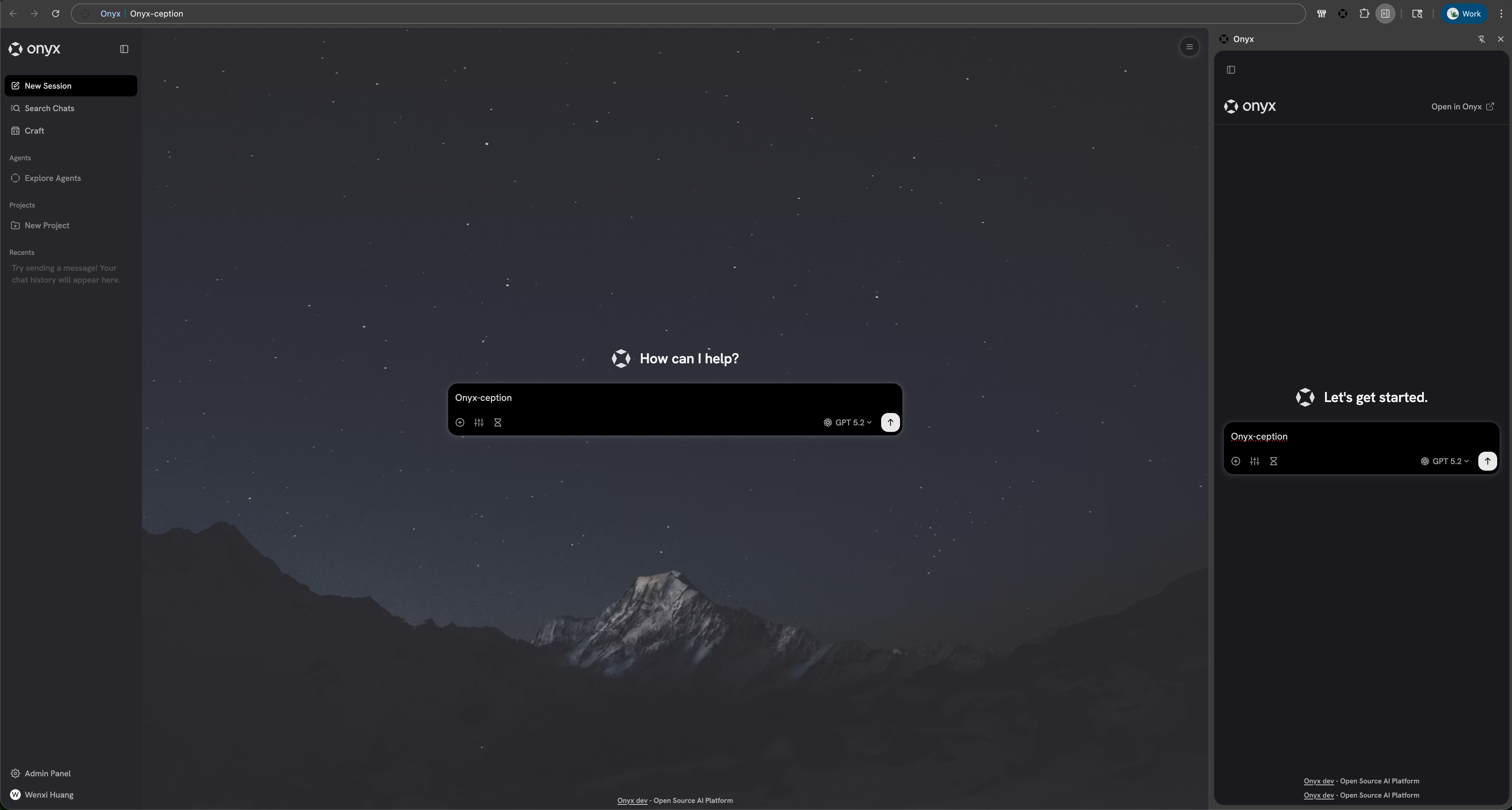 ### Onyx Widget
You can now embed an Onyx chatbot into any website!
Easily add an AI agent or knowledge search to your website with a single line of code.
The widget abstracts our chat API and can be configured to use our Cloud or your self-hosted instance of Onyx.
### Onyx Widget
You can now embed an Onyx chatbot into any website!
Easily add an AI agent or knowledge search to your website with a single line of code.
The widget abstracts our chat API and can be configured to use our Cloud or your self-hosted instance of Onyx.
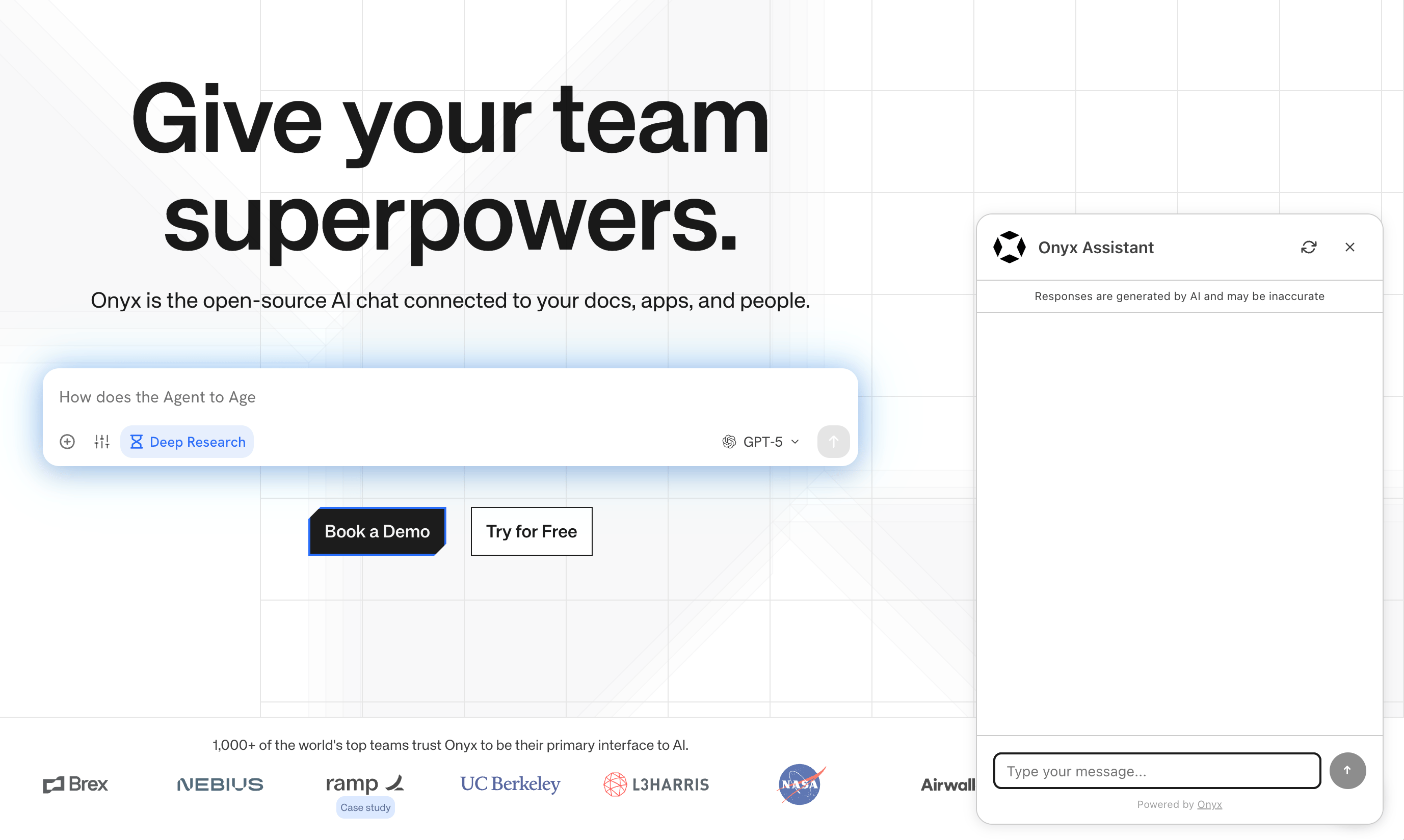 ## Contributor Highlights
* [@coreyauger](https://github.com/coreyauger) updated some out-of-date links in our READMEs!
## Additional Improvements
### In-app Notifications System
We've added a new notifications system to Onyx! You'll see in-app release notifications and feature announcements.
We have no intentions to spam 😅! Depending on feedback, we can add or remove notification frequency.
\--
Editor's note: Apologies for the belated release of the v2.9 notes.
It's been a busy start to 2026 and we'll try to resume our regular schedule of releases.
As always, our [GitHub Releases](https://github.com/onyx-dot-app/onyx/releases?utm_source=docs\&utm_content=changelog)
page has the full list of changes and bug fixes for each release.
## Contributor Highlights
* [@coreyauger](https://github.com/coreyauger) updated some out-of-date links in our READMEs!
## Additional Improvements
### In-app Notifications System
We've added a new notifications system to Onyx! You'll see in-app release notifications and feature announcements.
We have no intentions to spam 😅! Depending on feedback, we can add or remove notification frequency.
\--
Editor's note: Apologies for the belated release of the v2.9 notes.
It's been a busy start to 2026 and we'll try to resume our regular schedule of releases.
As always, our [GitHub Releases](https://github.com/onyx-dot-app/onyx/releases?utm_source=docs\&utm_content=changelog)
page has the full list of changes and bug fixes for each release.
 ## Key Improvements
### Prompt Caching Cost savings
We've added prompt caching support for providers that require explicit caching parameters.
This could reduce total LLM costs by up to 50-90%, depending on your usage patterns and your models/providers.
Anthropic, Gemini, and Bedrock users should see the largest savings.
## Key Improvements
### Prompt Caching Cost savings
We've added prompt caching support for providers that require explicit caching parameters.
This could reduce total LLM costs by up to 50-90%, depending on your usage patterns and your models/providers.
Anthropic, Gemini, and Bedrock users should see the largest savings.
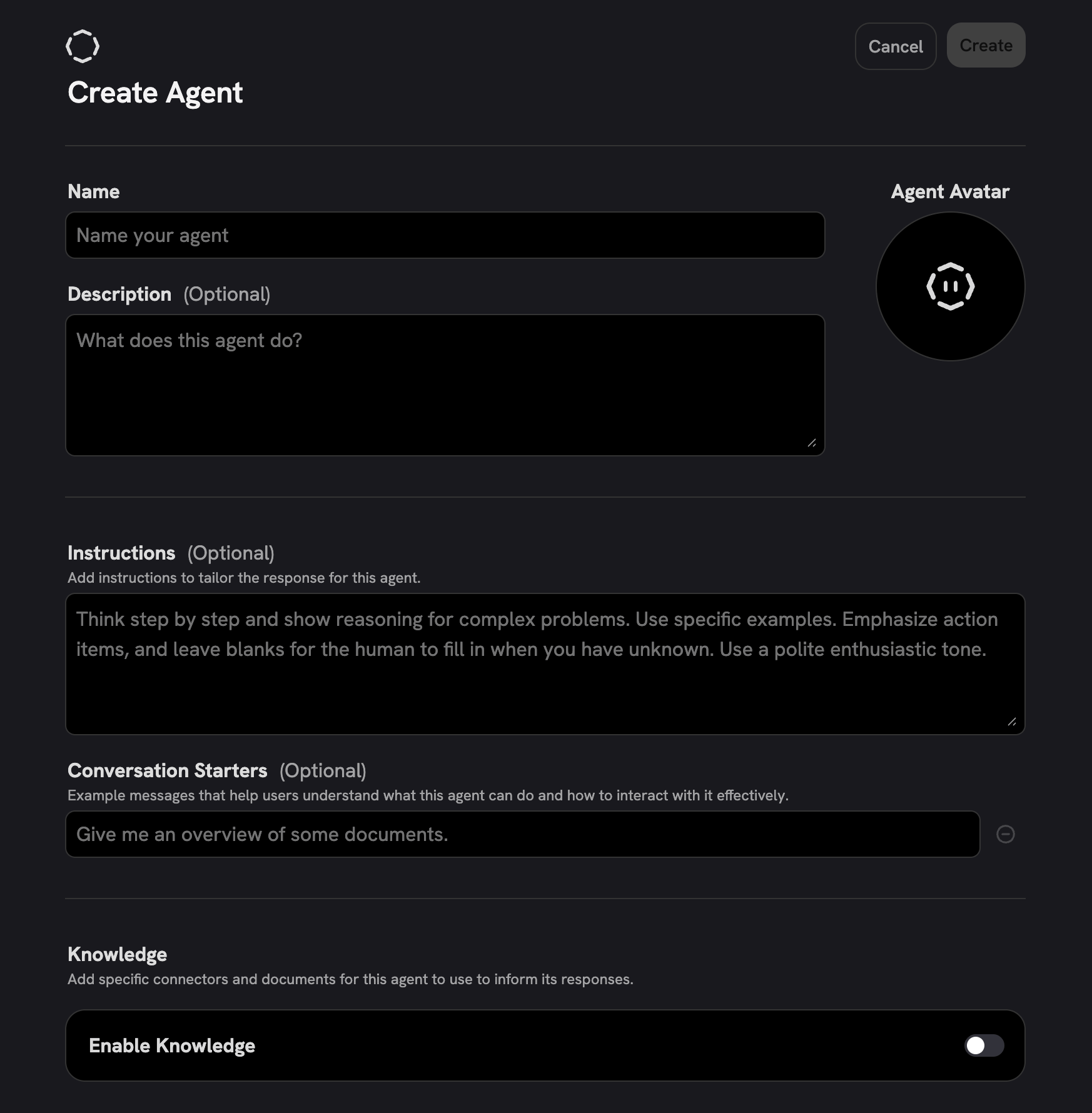 ### Image Generation Configuration
Gone are the days of setting environment variables for image generation.
There's a new page for configuring image generation models in the Admin Panel.
You can re-use your existing OpenAI API key or setup new OpenAI or Azure providers.
Nano Banana support is coming soon!
### Image Generation Configuration
Gone are the days of setting environment variables for image generation.
There's a new page for configuring image generation models in the Admin Panel.
You can re-use your existing OpenAI API key or setup new OpenAI or Azure providers.
Nano Banana support is coming soon!
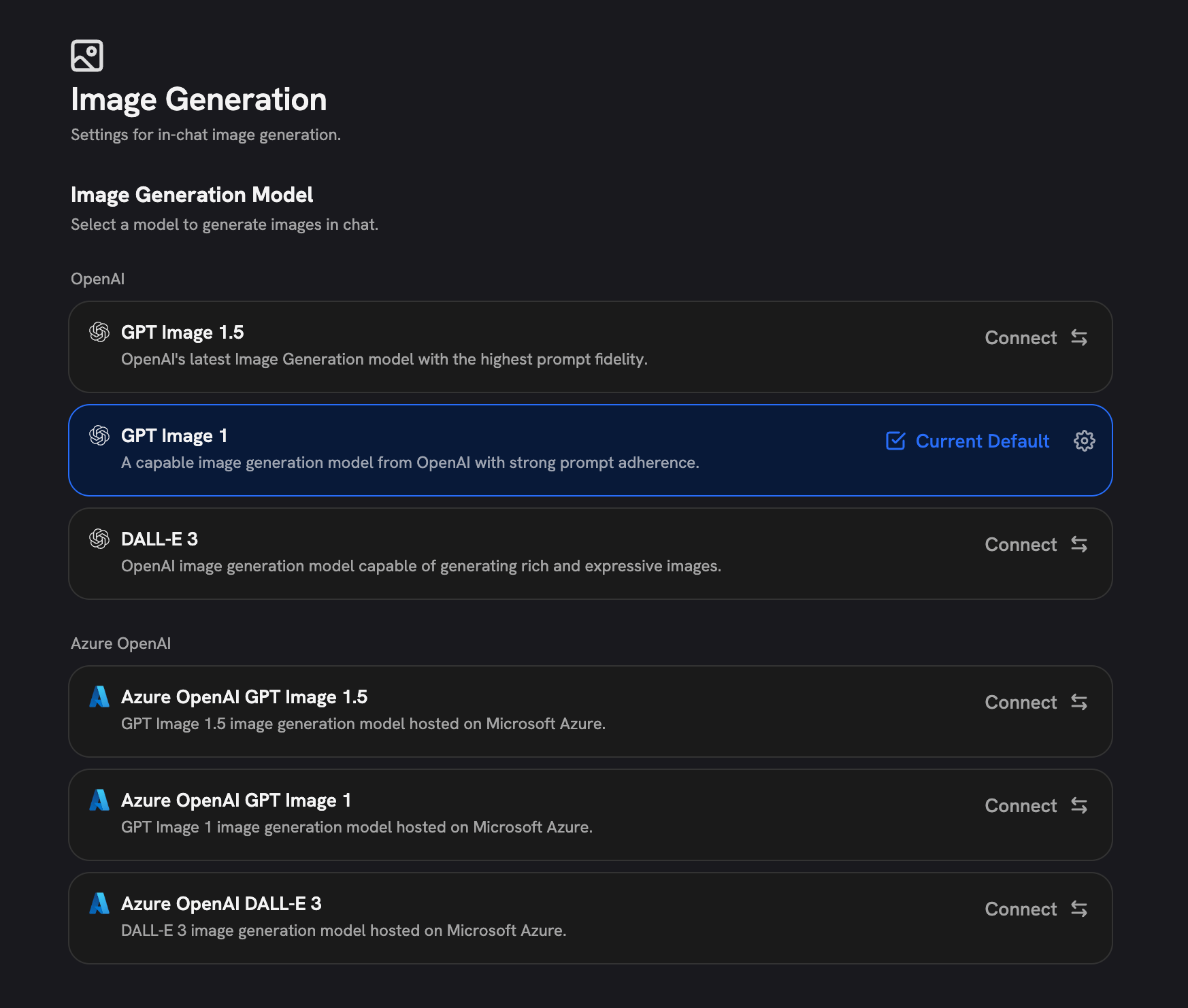 ### New LLM Configuration Forms
The LLM configuration form also received a refresh in this release.
If you're using OpenAI, Anthropic, Vertex/Gemini, or OpenRouter,
you can now set the providers to "auto-update" and display the latest, most recommended models.
### New LLM Configuration Forms
The LLM configuration form also received a refresh in this release.
If you're using OpenAI, Anthropic, Vertex/Gemini, or OpenRouter,
you can now set the providers to "auto-update" and display the latest, most recommended models.
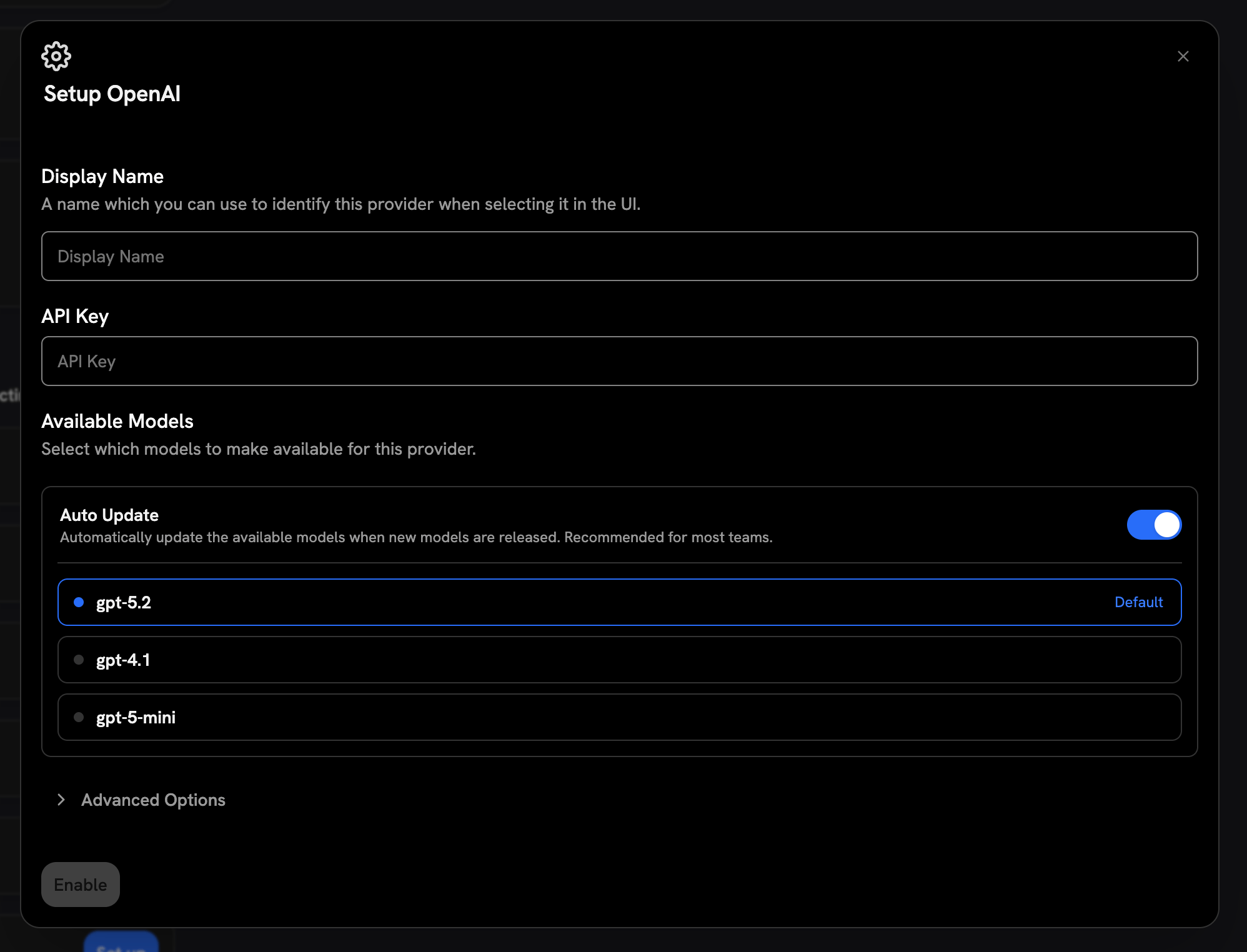 ## Additional Improvements
### MCP Server Deployment
The Onyx MCP Server is now disabled by default in the `docker-compose.yml` file.
You will no longer see the container start and stop (when disabled) in Docker.
To deploy the MCP Server,
you will need to set `MCP_SERVER_ENABLED=true` in your environment and uncomment the MCP Server section in your
`docker-compose.yml` file.
### Model Server Changes
Multiple custom models were removed from the model server image. As a result,
Onyx's total disk and memory footprint was reduced!
### New Cloud Usage Limits
We've recently seen a wave of abuse of our Cloud service's free LLM access. Moving forward,
if you use our provided LLM keys, you'll see a weekly limit on LLM usage cost.
If you run into this limit, feel free to reach out to us at [hello@onyx.app](mailto:hello@onyx.app), and we'll be happy to help!
## Additional Improvements
### MCP Server Deployment
The Onyx MCP Server is now disabled by default in the `docker-compose.yml` file.
You will no longer see the container start and stop (when disabled) in Docker.
To deploy the MCP Server,
you will need to set `MCP_SERVER_ENABLED=true` in your environment and uncomment the MCP Server section in your
`docker-compose.yml` file.
### Model Server Changes
Multiple custom models were removed from the model server image. As a result,
Onyx's total disk and memory footprint was reduced!
### New Cloud Usage Limits
We've recently seen a wave of abuse of our Cloud service's free LLM access. Moving forward,
if you use our provided LLM keys, you'll see a weekly limit on LLM usage cost.
If you run into this limit, feel free to reach out to us at [hello@onyx.app](mailto:hello@onyx.app), and we'll be happy to help!
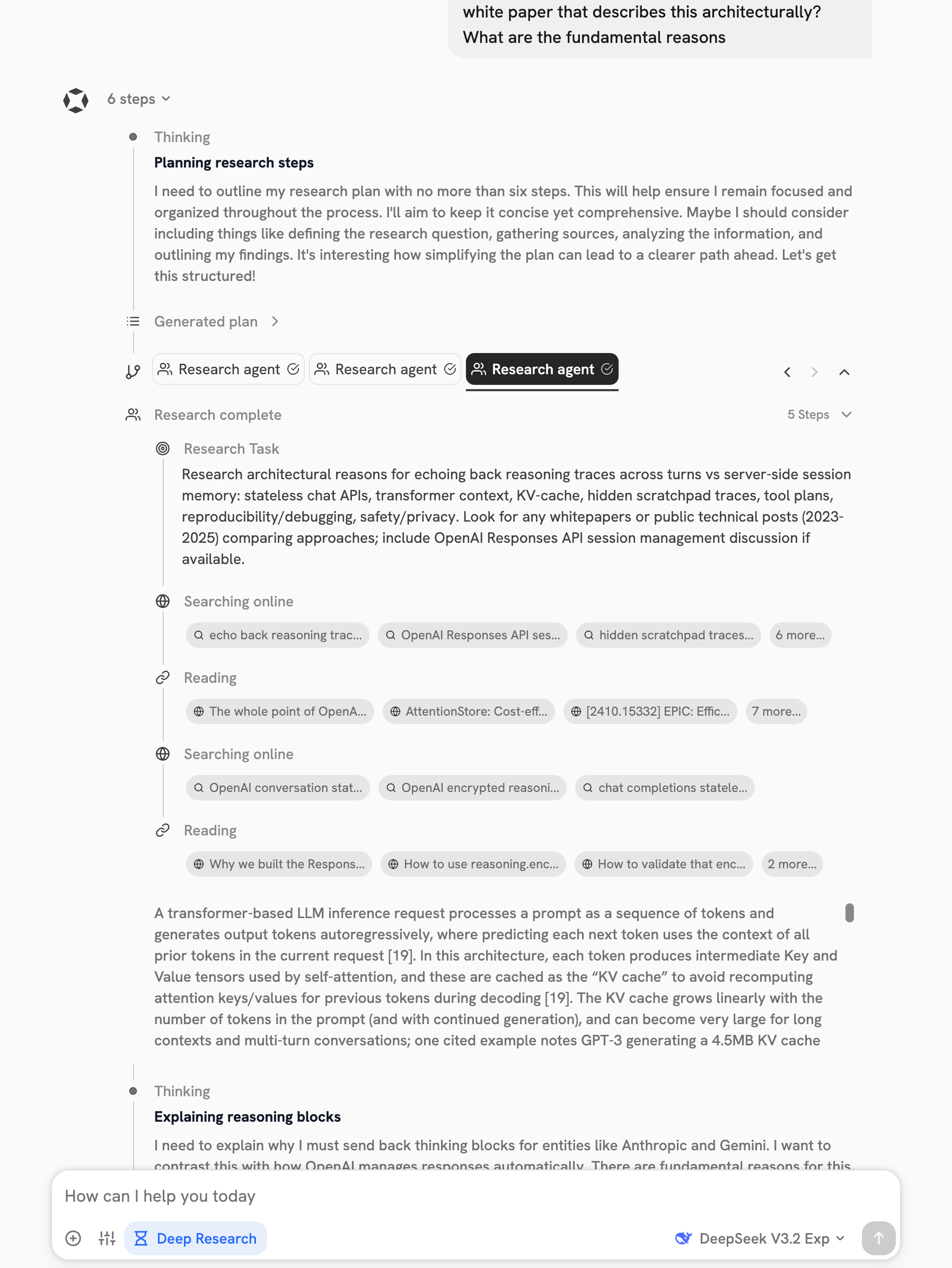 ### Dynamic Model management
No more redeploying to access new models. Onyx now fetches model information dynamically with richer metadata,
which means:
* New models are automatically retrieved and work out of the box, including vision-capable models
* Deprecated models are automatically hidden from your interface
* When max tokens can't be detected, we now fall back to 32k instead of the previous 4k limit
Note that admins will still need to make new models visible for end users via the LLM configuration page.
### Dynamic Model management
No more redeploying to access new models. Onyx now fetches model information dynamically with richer metadata,
which means:
* New models are automatically retrieved and work out of the box, including vision-capable models
* Deprecated models are automatically hidden from your interface
* When max tokens can't be detected, we now fall back to 32k instead of the previous 4k limit
Note that admins will still need to make new models visible for end users via the LLM configuration page.
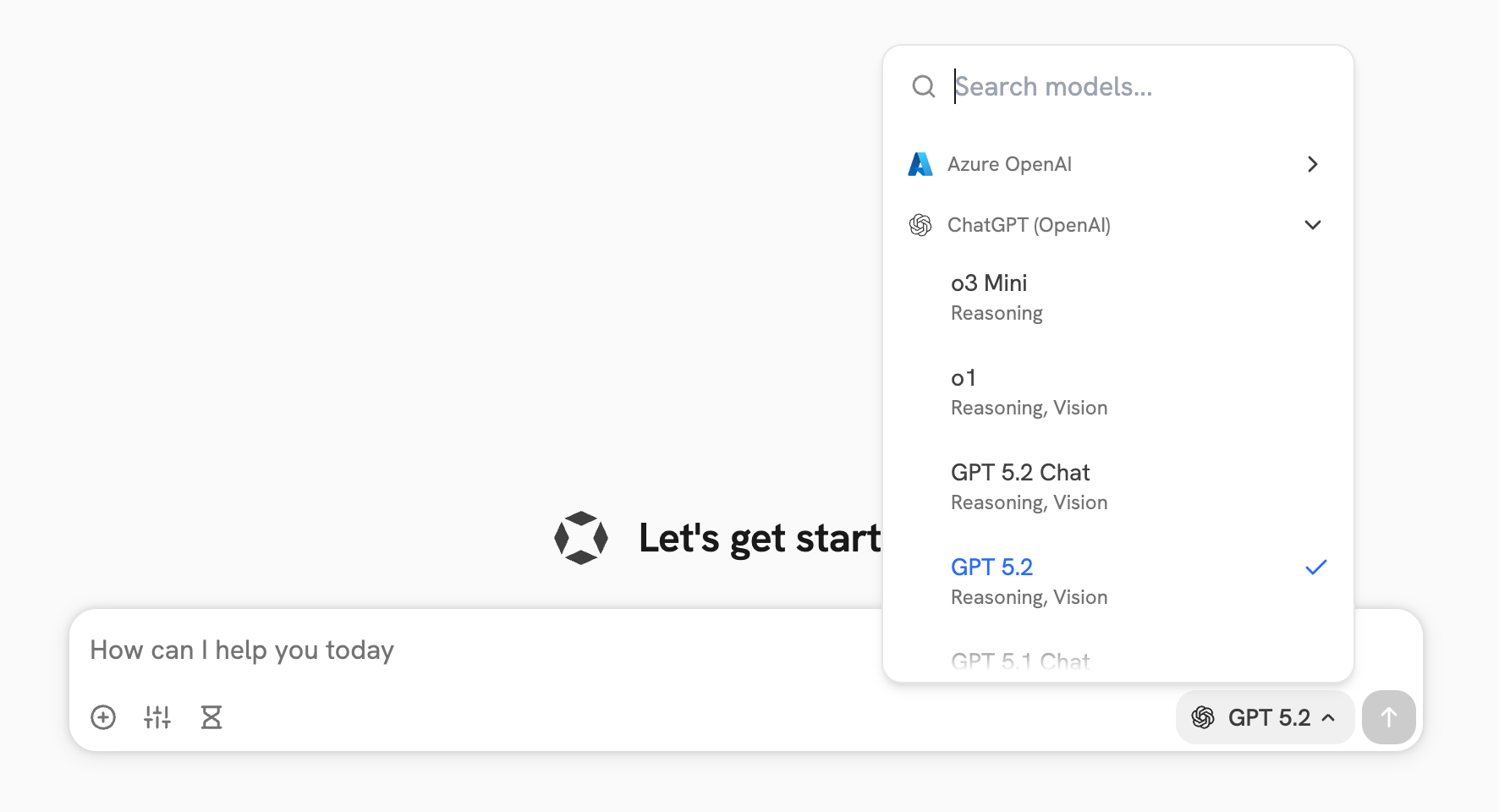 ### Onyx MCP Server
Bring Onyx directly into your development workflow with our new MCP server!
Connect Onyx to Claude Code, your terminal, or any MCP-compatible client.
Authenticate with your PAT or API key and access your document index and web search capabilities without leaving your
tools.
Upcoming features include OAuth authentication and uploading and managing files.
### Onyx MCP Server
Bring Onyx directly into your development workflow with our new MCP server!
Connect Onyx to Claude Code, your terminal, or any MCP-compatible client.
Authenticate with your PAT or API key and access your document index and web search capabilities without leaving your
tools.
Upcoming features include OAuth authentication and uploading and managing files.
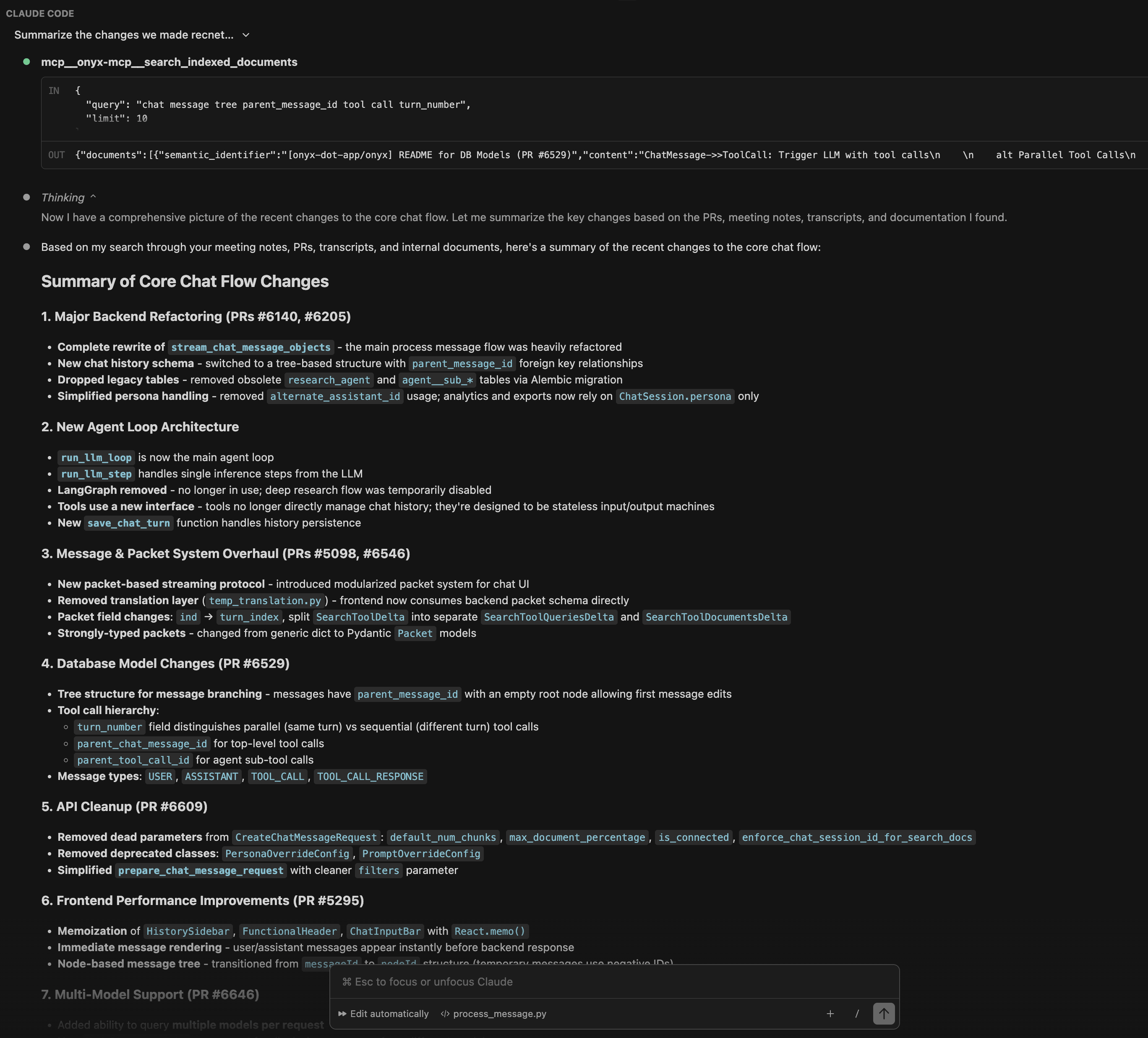 ### Onyx Desktop App (Preview)
We're developing a native desktop application! The Onyx desktop app will be available on Windows, macOS, and Linux.
If you would like to try it out,
you can download the app from the [v2.6.0 release
page](https://github.com/onyx-dot-app/onyx/releases/tag/v2.6.0#:~:text=21%20other%20contributors-,Assets,-10).
Through the desktop app, you can access Onyx Cloud or your self-hosted instance.
### Onyx Desktop App (Preview)
We're developing a native desktop application! The Onyx desktop app will be available on Windows, macOS, and Linux.
If you would like to try it out,
you can download the app from the [v2.6.0 release
page](https://github.com/onyx-dot-app/onyx/releases/tag/v2.6.0#:~:text=21%20other%20contributors-,Assets,-10).
Through the desktop app, you can access Onyx Cloud or your self-hosted instance.
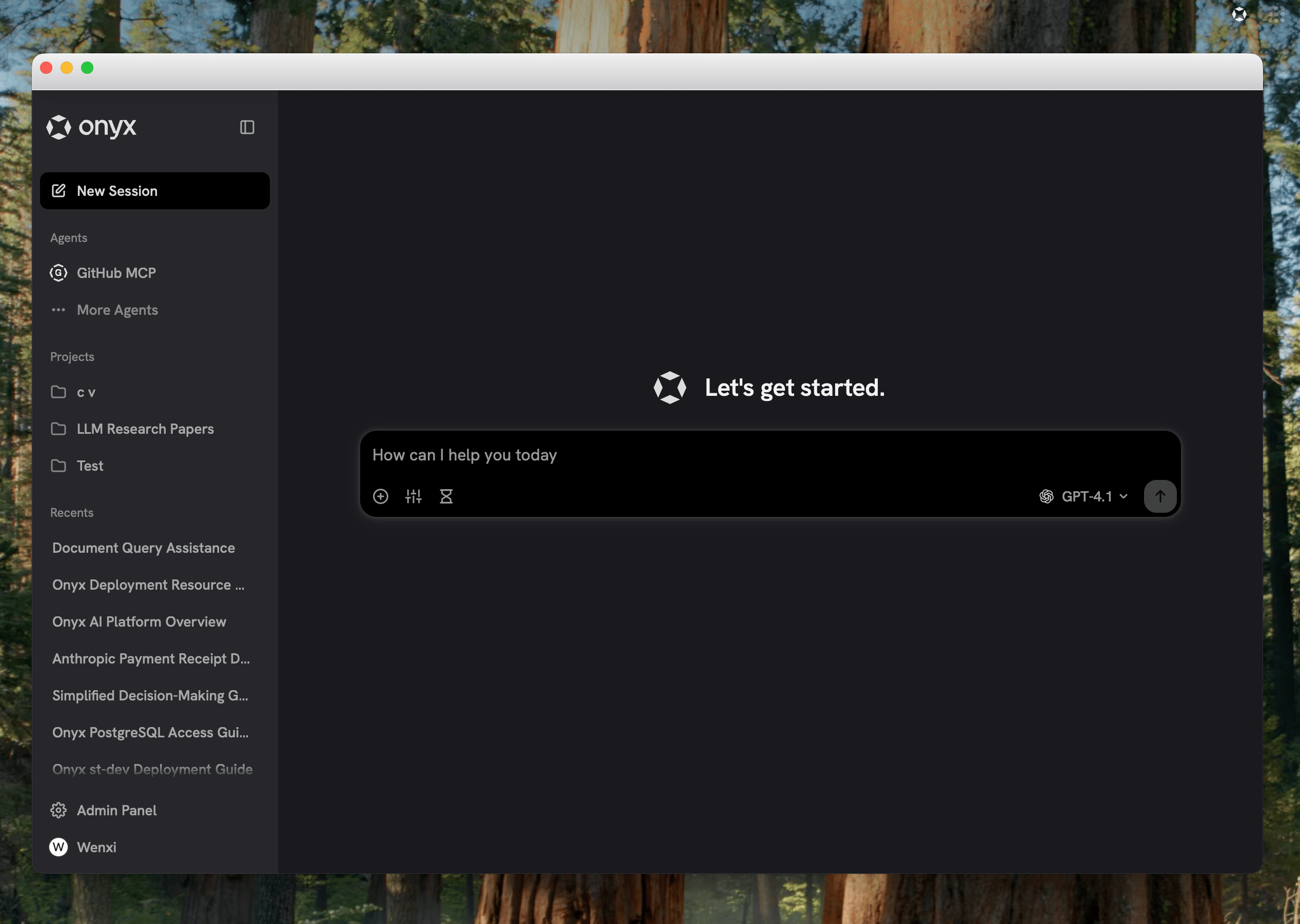
 ### MCP Passthrough Authentication
MCP connections now support passthrough authentication for seamless integration with your existing auth systems.
### Embedding Model Configuration
You can now update API keys for embedding models without recreating the configuration.
### Bug Fixes
* Multiple fixes to Confluence, Jira, and web connectors
* Improved document processing stability, reducing likelihood of OOM errors when using API-based embedding models
***
Our [GitHub Releases](https://github.com/onyx-dot-app/onyx/releases?utm_source=docs\&utm_content=changelog)
page has the full list of changes and bug fixes for each release.
### MCP Passthrough Authentication
MCP connections now support passthrough authentication for seamless integration with your existing auth systems.
### Embedding Model Configuration
You can now update API keys for embedding models without recreating the configuration.
### Bug Fixes
* Multiple fixes to Confluence, Jira, and web connectors
* Improved document processing stability, reducing likelihood of OOM errors when using API-based embedding models
***
Our [GitHub Releases](https://github.com/onyx-dot-app/onyx/releases?utm_source=docs\&utm_content=changelog)
page has the full list of changes and bug fixes for each release.
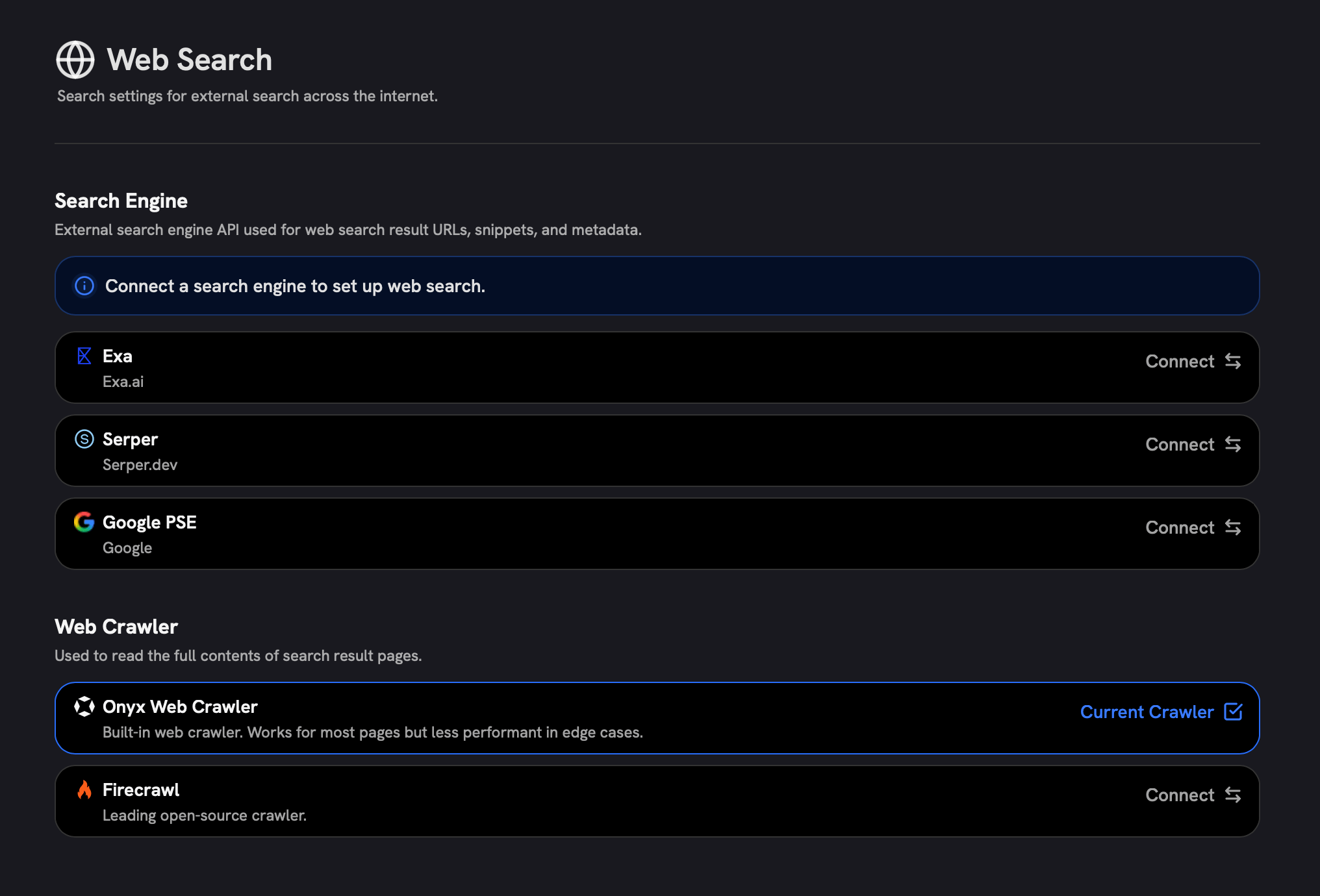 ### Claude Opus 4.5 Support
Onyx now supports Anthropic's newest, most powerful model: Claude Opus 4.5!
Configure Claude Opus 4.5 via the LLM Configuration page in the Admin Panel.
### Claude Opus 4.5 Support
Onyx now supports Anthropic's newest, most powerful model: Claude Opus 4.5!
Configure Claude Opus 4.5 via the LLM Configuration page in the Admin Panel.
 ### Code Execution (Alpha)
Onyx's code execution is now in alpha!
This feature allows your agents to write and execute Python code to solve complex problems, perform data analysis,
and generate visualizations.
### Code Execution (Alpha)
Onyx's code execution is now in alpha!
This feature allows your agents to write and execute Python code to solve complex problems, perform data analysis,
and generate visualizations.
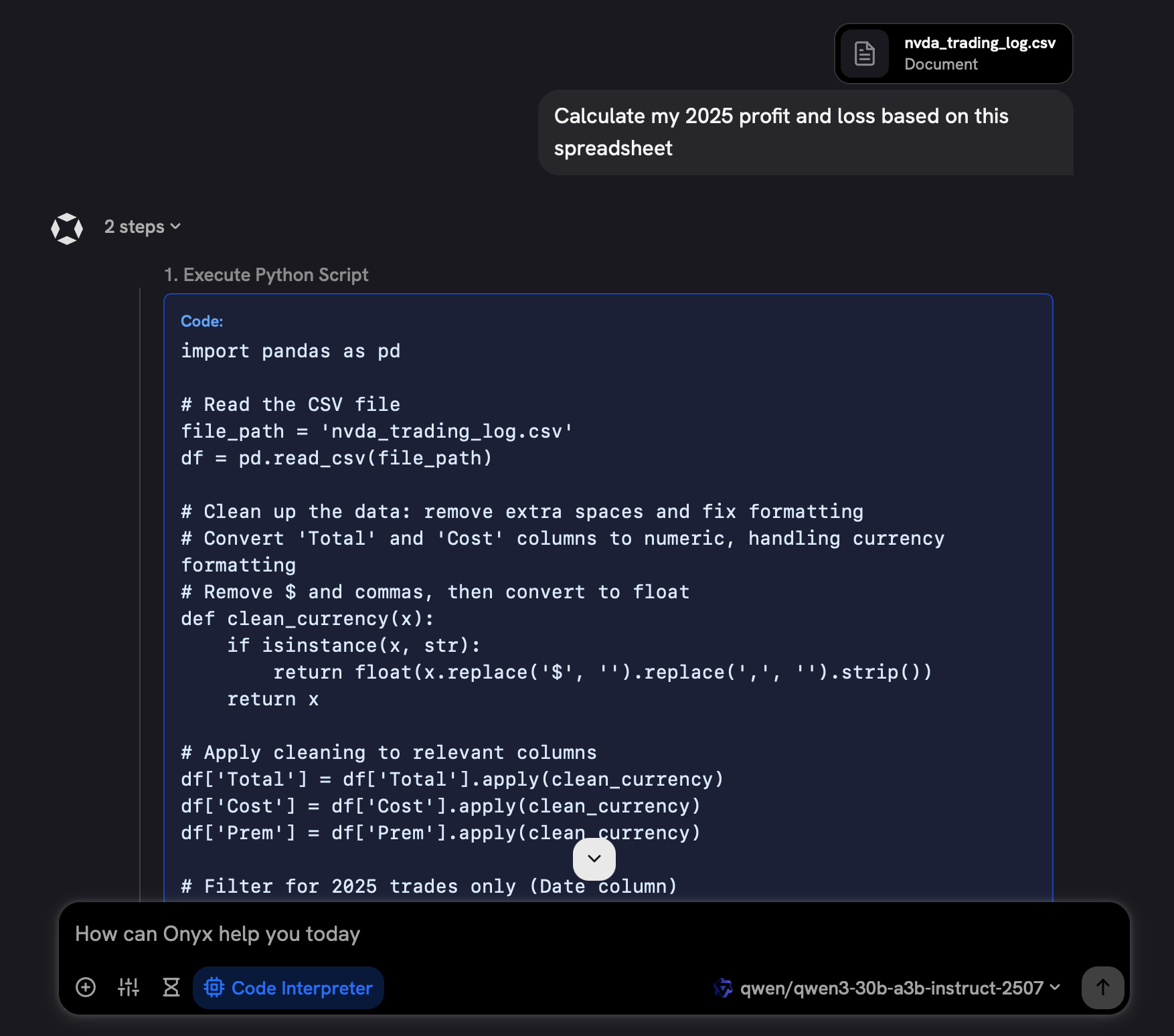 We built code execution, in-house, to work with any model provider and LLM. It's a secure,
FastAPI-based service that uses isolated Docker containers with strict resource limits, timeout controls,
and file handling capabilities for security and reliability.
Code execution is designed to work with any AI agent, not just Onyx. It's available as a standalone,
fully open source project:
[onyx-dot-app/code-interpreter](https://github.com/onyx-dot-app/code-interpreter?utm_source=docs\&utm_content=changelog).
While Python is the first supported language, all common languages will be supported in the future.
We built code execution, in-house, to work with any model provider and LLM. It's a secure,
FastAPI-based service that uses isolated Docker containers with strict resource limits, timeout controls,
and file handling capabilities for security and reliability.
Code execution is designed to work with any AI agent, not just Onyx. It's available as a standalone,
fully open source project:
[onyx-dot-app/code-interpreter](https://github.com/onyx-dot-app/code-interpreter?utm_source=docs\&utm_content=changelog).
While Python is the first supported language, all common languages will be supported in the future.
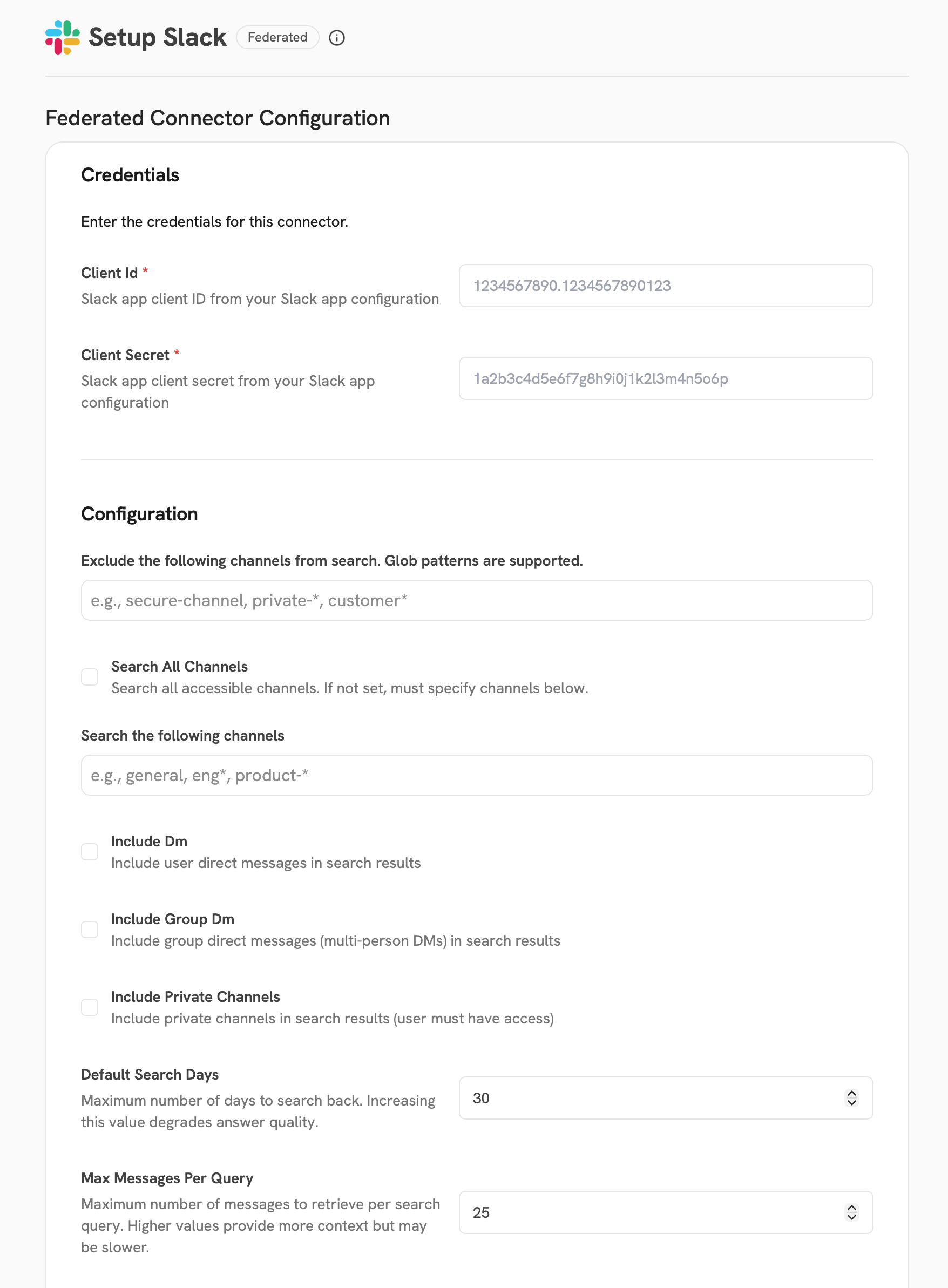 ### LLM Access Controls
Admins can now configure fine-grained access controls for LLM providers.
This feature allows you to restrict which users or groups can access specific language models.
Use access controls to better manage and monitor generative AI usage across your organization.
Read more about LLM access controls in our [admin docs](/admins/advanced_configs/llm_access_controls/).
### LLM Access Controls
Admins can now configure fine-grained access controls for LLM providers.
This feature allows you to restrict which users or groups can access specific language models.
Use access controls to better manage and monitor generative AI usage across your organization.
Read more about LLM access controls in our [admin docs](/admins/advanced_configs/llm_access_controls/).
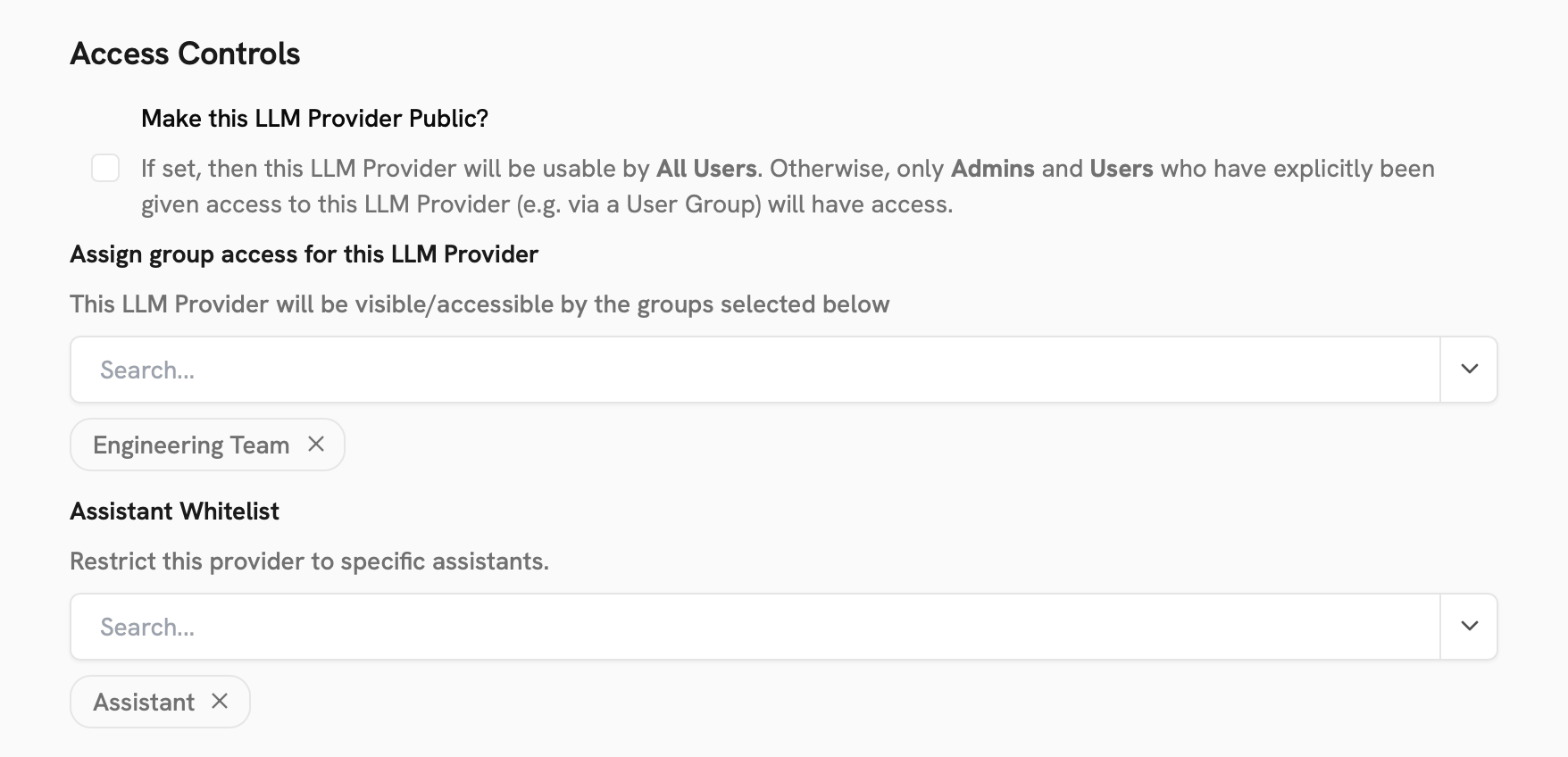 ### Disable Default Assistant
You now have the flexibility to disable the default assistant in your Onyx workspace.
This is particularly useful for organizations with many custom assistants, each with specific configurations, tools,
and instructions.
To disable the Default Assistant,
go to the **Workspace Settings** page and toggle the **Disable Default Assistant** switch.
## Contributor Highlights
* [@sktbcpraha](https://github.com/sktbcpraha) fixed an issue where the Default Assistant was overriding legacy custom agent prompts!
* [@alex000kim](https://github.com/alex000kim) fixed a tricky issue with special characters in the Teams connector!
## Additional Improvements
### Share Chat Button
We've made sharing chats easier with a dedicated share button in the top right of the chat interface.
### Paginated Document Search API
The document search API now supports pagination for more efficient retrieval of large result sets.
### Projects Token Limits
We've increased the per-file token limit for Projects to 100k. Additionally,
you can configure this limit with the `SKIP_USERFILE_THRESHOLD` environment variable.
### SSO User Provisioning Improvements
Previously, inviting users to join your Onyx workspace would prevent non-invited users from automatically registering.
Now, SSO-enabled workspaces can have both invited users and JIT-provisioned users!
***
Our [GitHub Releases](https://github.com/onyx-dot-app/onyx/releases?utm_source=docs\&utm_content=changelog)
page has the full list of changes and bug fixes for each release.
### Disable Default Assistant
You now have the flexibility to disable the default assistant in your Onyx workspace.
This is particularly useful for organizations with many custom assistants, each with specific configurations, tools,
and instructions.
To disable the Default Assistant,
go to the **Workspace Settings** page and toggle the **Disable Default Assistant** switch.
## Contributor Highlights
* [@sktbcpraha](https://github.com/sktbcpraha) fixed an issue where the Default Assistant was overriding legacy custom agent prompts!
* [@alex000kim](https://github.com/alex000kim) fixed a tricky issue with special characters in the Teams connector!
## Additional Improvements
### Share Chat Button
We've made sharing chats easier with a dedicated share button in the top right of the chat interface.
### Paginated Document Search API
The document search API now supports pagination for more efficient retrieval of large result sets.
### Projects Token Limits
We've increased the per-file token limit for Projects to 100k. Additionally,
you can configure this limit with the `SKIP_USERFILE_THRESHOLD` environment variable.
### SSO User Provisioning Improvements
Previously, inviting users to join your Onyx workspace would prevent non-invited users from automatically registering.
Now, SSO-enabled workspaces can have both invited users and JIT-provisioned users!
***
Our [GitHub Releases](https://github.com/onyx-dot-app/onyx/releases?utm_source=docs\&utm_content=changelog)
page has the full list of changes and bug fixes for each release.
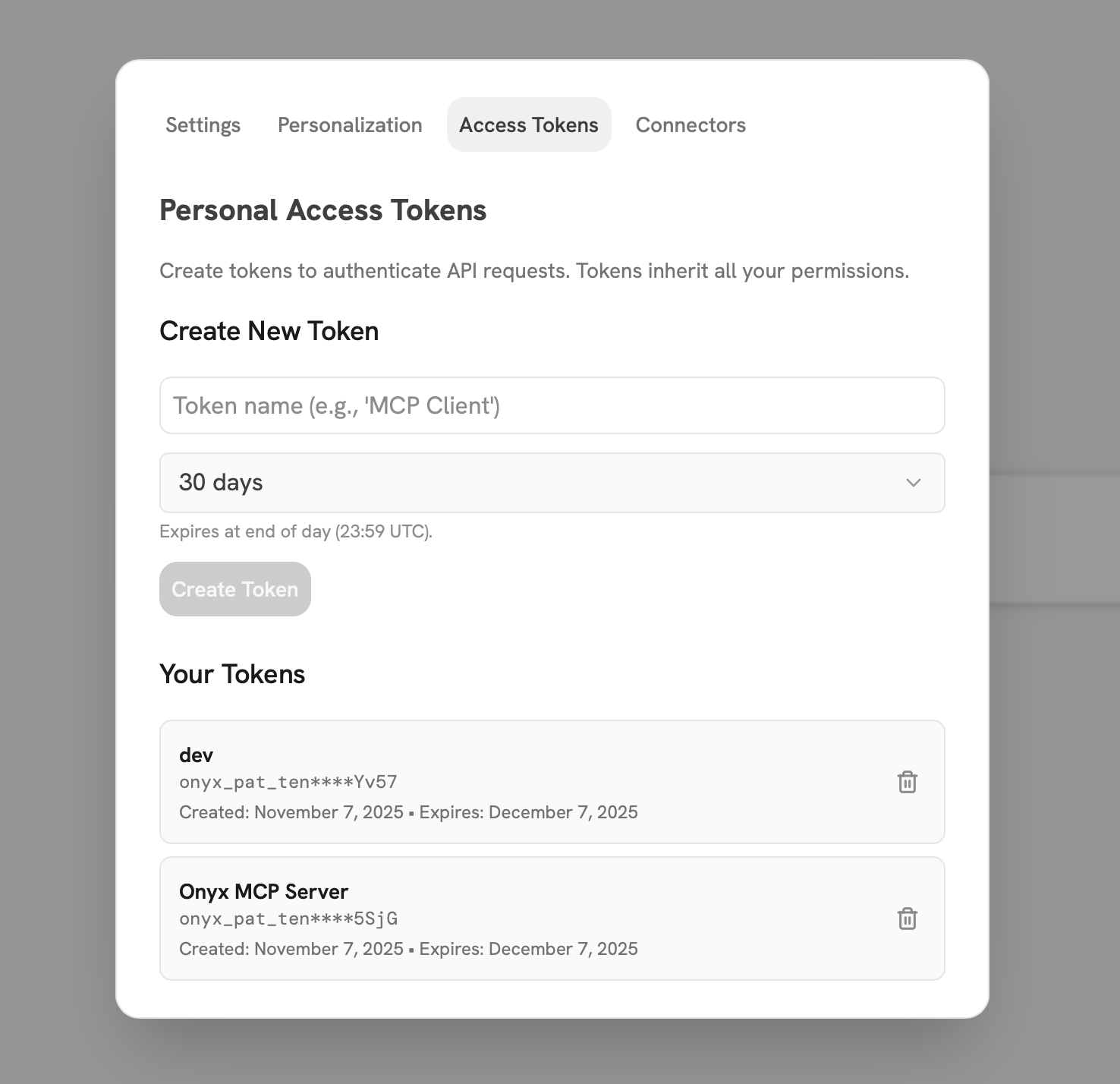 ### Massive Frontend Performance Improvements
We've made extensive performance optimizations across the frontend that deliver a noticeably faster and more
responsive experience.
* Typing in the input bar is now lag-free, even during heavy operations.
* UI updates are significantly faster with improved reactive performance,
making interactions feel instant and smooth throughout the application.
* First content load is also much faster with optimizations in data loading.
### Massive Frontend Performance Improvements
We've made extensive performance optimizations across the frontend that deliver a noticeably faster and more
responsive experience.
* Typing in the input bar is now lag-free, even during heavy operations.
* UI updates are significantly faster with improved reactive performance,
making interactions feel instant and smooth throughout the application.
* First content load is also much faster with optimizations in data loading.
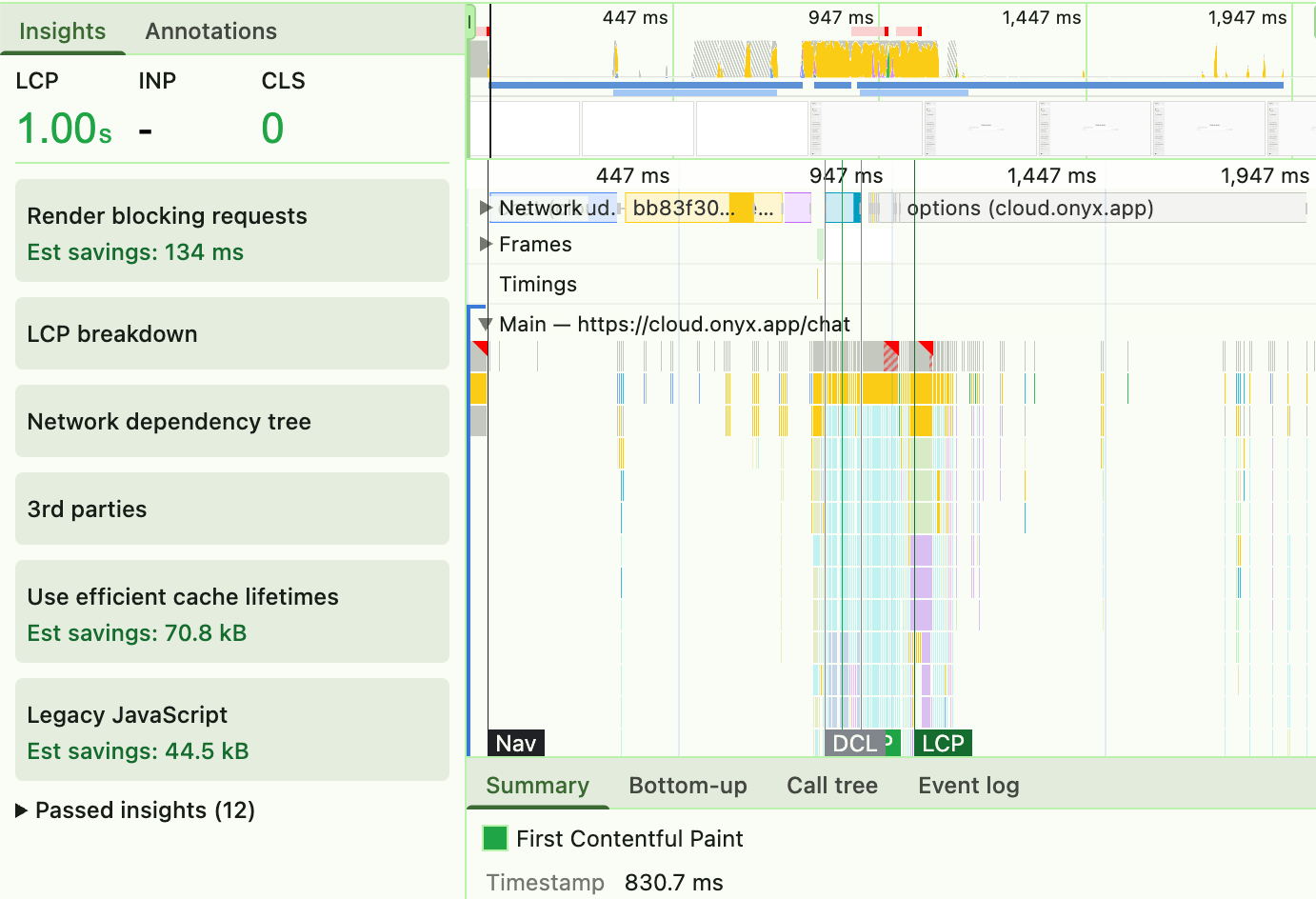 ### Expanded LLM Provider Support
We've added support for OpenAI image generation models via Azure,
bringing more flexibility to your image generation capabilities.
Additionally, Onyx now supports AWS GovCloud regions for Bedrock.
## Additional Improvements
### White Labeling Fixes
We've resolved several issues with white labeling to ensure your custom branding displays correctly across all areas
of the application.
### More Resilient Gmail Connector
The Gmail connector now uses checkpointing for more resilient indexing.
This makes the connector more reliable and significantly cheaper to run,
especially when re-embedding your entire Gmail history.
### Air-Gapped Deployment Support
We've fixed air-gapped deployments by packaging the tokenizer directly with the model server image.
This ensures Onyx can run in completely isolated environments without requiring external dependencies.
### Optimized LLM Interactions
We've simplified both system prompts and tool prompts,
resulting in lower token consumption per interaction and more efficient tool calling.
This reduces your LLM costs while maintaining the same quality of responses.
***
Our [GitHub Releases](https://github.com/onyx-dot-app/onyx/releases?utm_source=docs\&utm_content=changelog)
page has the full list of changes and bug fixes for each release.
### Expanded LLM Provider Support
We've added support for OpenAI image generation models via Azure,
bringing more flexibility to your image generation capabilities.
Additionally, Onyx now supports AWS GovCloud regions for Bedrock.
## Additional Improvements
### White Labeling Fixes
We've resolved several issues with white labeling to ensure your custom branding displays correctly across all areas
of the application.
### More Resilient Gmail Connector
The Gmail connector now uses checkpointing for more resilient indexing.
This makes the connector more reliable and significantly cheaper to run,
especially when re-embedding your entire Gmail history.
### Air-Gapped Deployment Support
We've fixed air-gapped deployments by packaging the tokenizer directly with the model server image.
This ensures Onyx can run in completely isolated environments without requiring external dependencies.
### Optimized LLM Interactions
We've simplified both system prompts and tool prompts,
resulting in lower token consumption per interaction and more efficient tool calling.
This reduces your LLM costs while maintaining the same quality of responses.
***
Our [GitHub Releases](https://github.com/onyx-dot-app/onyx/releases?utm_source=docs\&utm_content=changelog)
page has the full list of changes and bug fixes for each release.
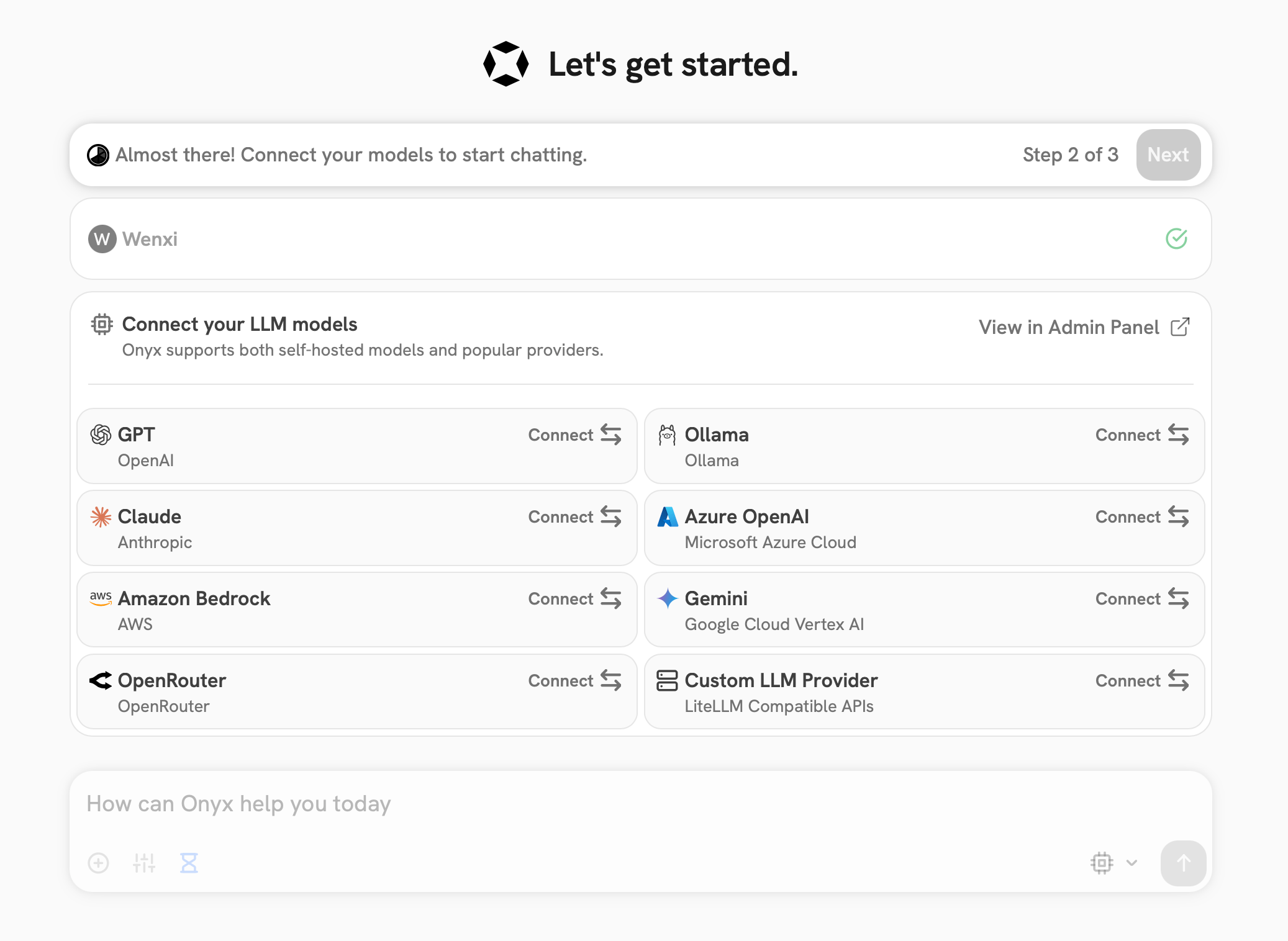 ### UI Performance and Polish
We've made extensive improvements across the UI for performance and visual consistency.
For example,
the Assistants navigation page has been completely refreshed with a cleaner layout and improved organization.
### UI Performance and Polish
We've made extensive improvements across the UI for performance and visual consistency.
For example,
the Assistants navigation page has been completely refreshed with a cleaner layout and improved organization.
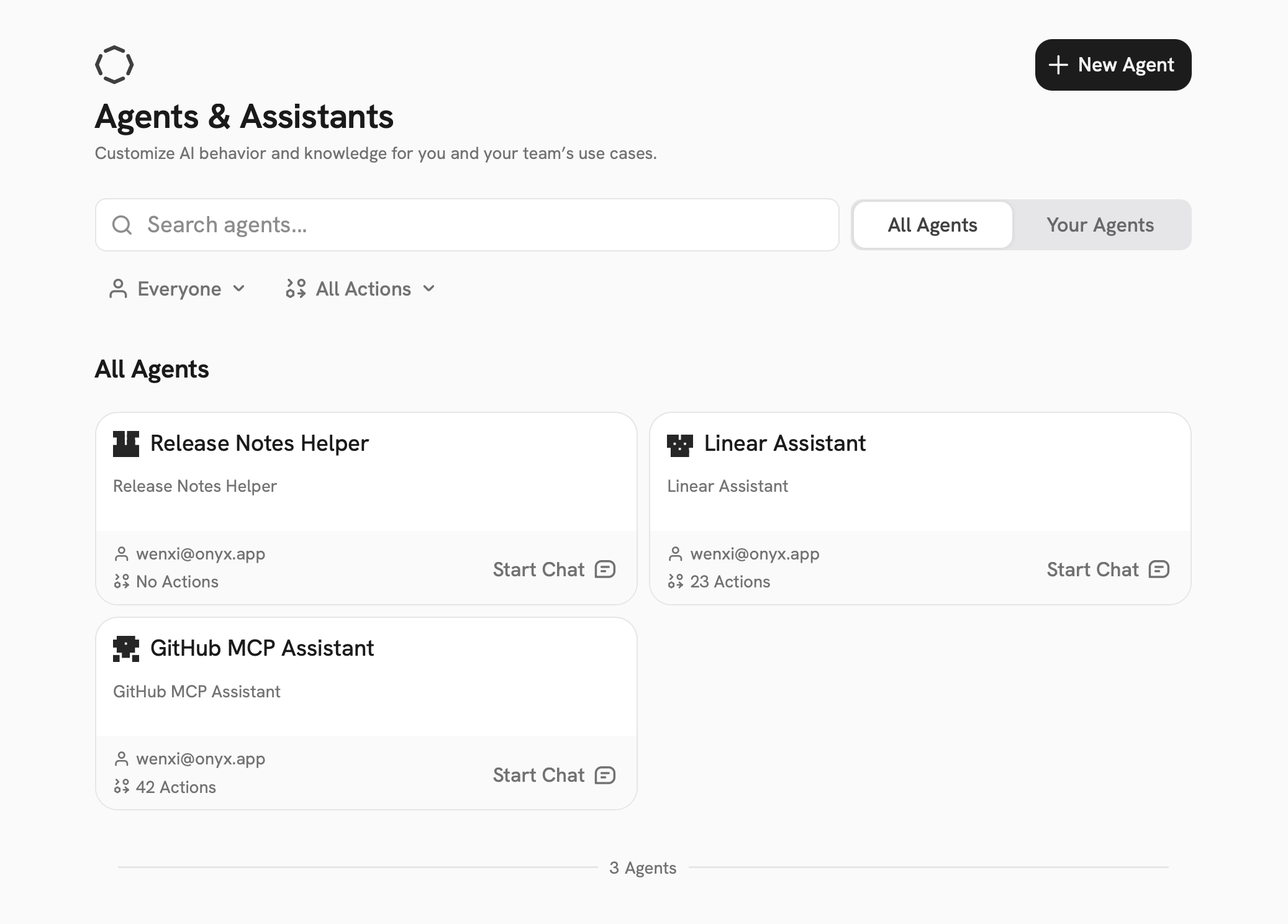 ### LLM Usage Observability
Onyx now supports integration with [Braintrust](https://usebraintrust.com) or [LangFuse](https://www.langfuse.com)
for comprehensive LLM observability. Monitor your costs, latency, token usage,
and more to gain insights into your AI operations.
Read more about setting up observability in our [deployment configuration
docs](/deployment/configuration/configuration/).
### LLM Usage Observability
Onyx now supports integration with [Braintrust](https://usebraintrust.com) or [LangFuse](https://www.langfuse.com)
for comprehensive LLM observability. Monitor your costs, latency, token usage,
and more to gain insights into your AI operations.
Read more about setting up observability in our [deployment configuration
docs](/deployment/configuration/configuration/).
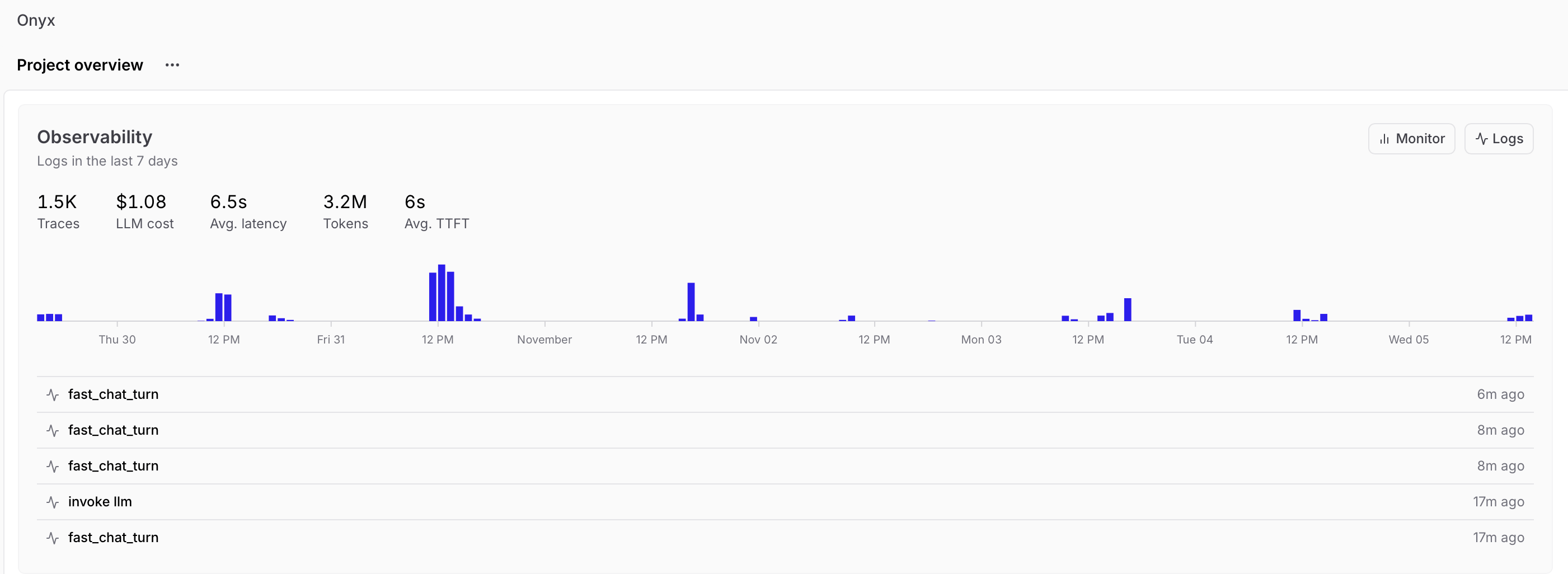 ## Contributor Highlights
* [@dafeliton](https://github.com/dafeliton) fixed an elusive bug with the web connector not parsing PDF URLs correctly and crashing!
## Additional Improvements
### Confluence OAuth and Jira Fixes
We've resolved issues with Confluence OAuth authentication and updated Jira integration to address deprecated API
endpoints, ensuring reliable connectivity with your Atlassian tools.
### Enhanced Provider Support
Onyx now has improved support for LLM providers like Ollama and OpenRouter,
giving you more flexibility in choosing the models that work best for your use case.
***
Our [GitHub Releases](https://github.com/onyx-dot-app/onyx/releases?utm_source=docs\&utm_content=changelog)
page has the full list of changes and bug fixes for each release.
## Contributor Highlights
* [@dafeliton](https://github.com/dafeliton) fixed an elusive bug with the web connector not parsing PDF URLs correctly and crashing!
## Additional Improvements
### Confluence OAuth and Jira Fixes
We've resolved issues with Confluence OAuth authentication and updated Jira integration to address deprecated API
endpoints, ensuring reliable connectivity with your Atlassian tools.
### Enhanced Provider Support
Onyx now has improved support for LLM providers like Ollama and OpenRouter,
giving you more flexibility in choosing the models that work best for your use case.
***
Our [GitHub Releases](https://github.com/onyx-dot-app/onyx/releases?utm_source=docs\&utm_content=changelog)
page has the full list of changes and bug fixes for each release.
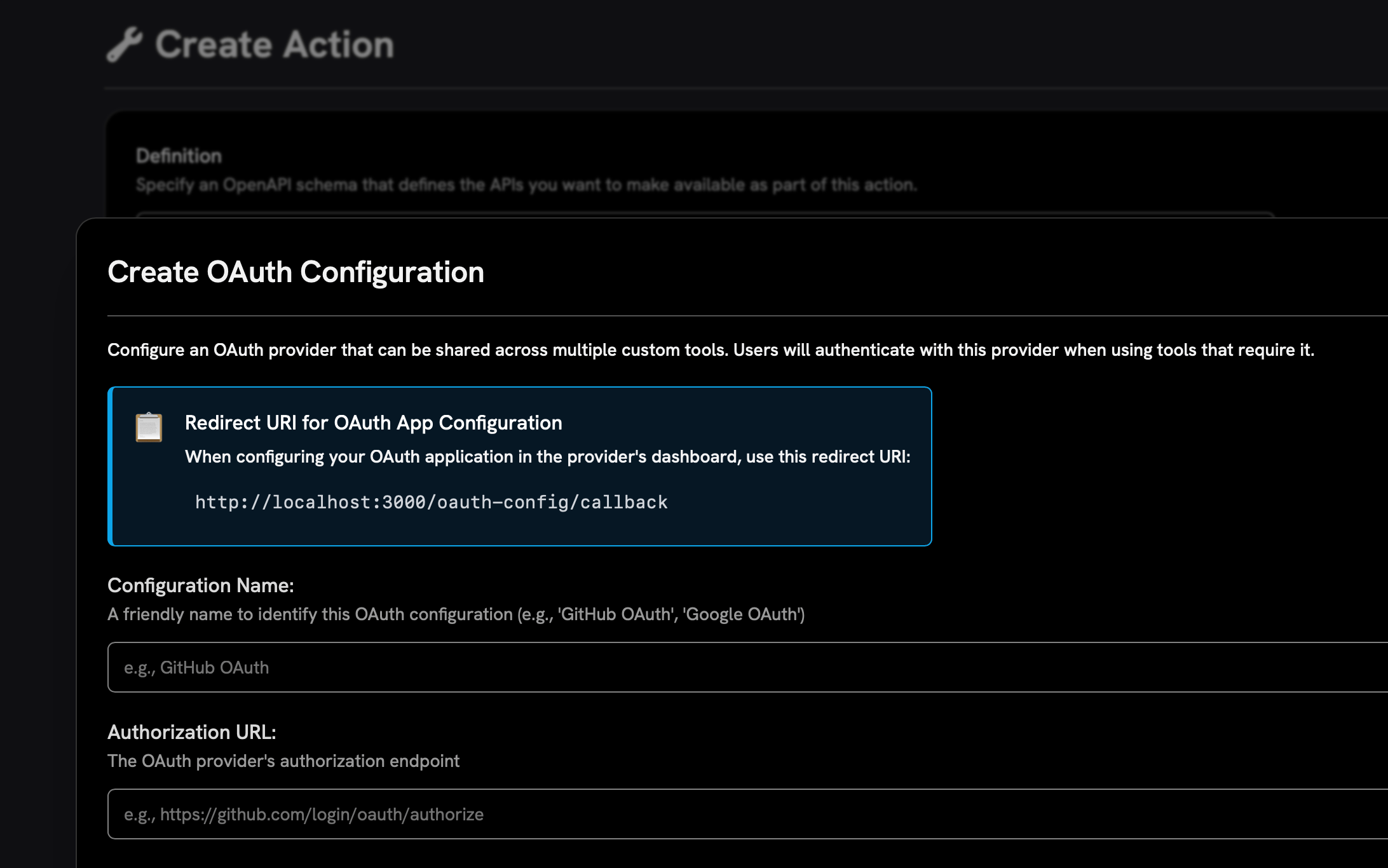 ### Improved Code Rendering
Code blocks in chat now render much more consistently across all languages with proper syntax highlighting.
This makes it easier to read and understand code generated by Onyx.
### Improved Code Rendering
Code blocks in chat now render much more consistently across all languages with proper syntax highlighting.
This makes it easier to read and understand code generated by Onyx.
 ### Fully Open Source (FOSS) Repository
We're excited to share a completely FOSS version of Onyx!
All code is MIT licensed and Enterprise Edition code is removed.
This FOSS repo should make it easier for developers to contribute, audit, and deploy Onyx without licensing concerns.
We will continue to develop on the main `onyx-dot-app/onyx` repository,
and `onyx-foss` will automatically sync new changes.
Check out the repo at this link:
[onyx-foss](https://github.com/onyx-dot-app/onyx-foss?utm_source=docs\&utm_content=changelog).
## Contributor Highlights
* [@camro](https://github.com/camro) fixed a tricky issue where the app was not redirecting to shared chats on login!
## Additional Improvements
### Name Personalization
You can now set your name in the bottom left user icon! Just set your name in the User Settings modal.
Your name and role are used to better personalize your conversations in Onyx.
### Fully Open Source (FOSS) Repository
We're excited to share a completely FOSS version of Onyx!
All code is MIT licensed and Enterprise Edition code is removed.
This FOSS repo should make it easier for developers to contribute, audit, and deploy Onyx without licensing concerns.
We will continue to develop on the main `onyx-dot-app/onyx` repository,
and `onyx-foss` will automatically sync new changes.
Check out the repo at this link:
[onyx-foss](https://github.com/onyx-dot-app/onyx-foss?utm_source=docs\&utm_content=changelog).
## Contributor Highlights
* [@camro](https://github.com/camro) fixed a tricky issue where the app was not redirecting to shared chats on login!
## Additional Improvements
### Name Personalization
You can now set your name in the bottom left user icon! Just set your name in the User Settings modal.
Your name and role are used to better personalize your conversations in Onyx.
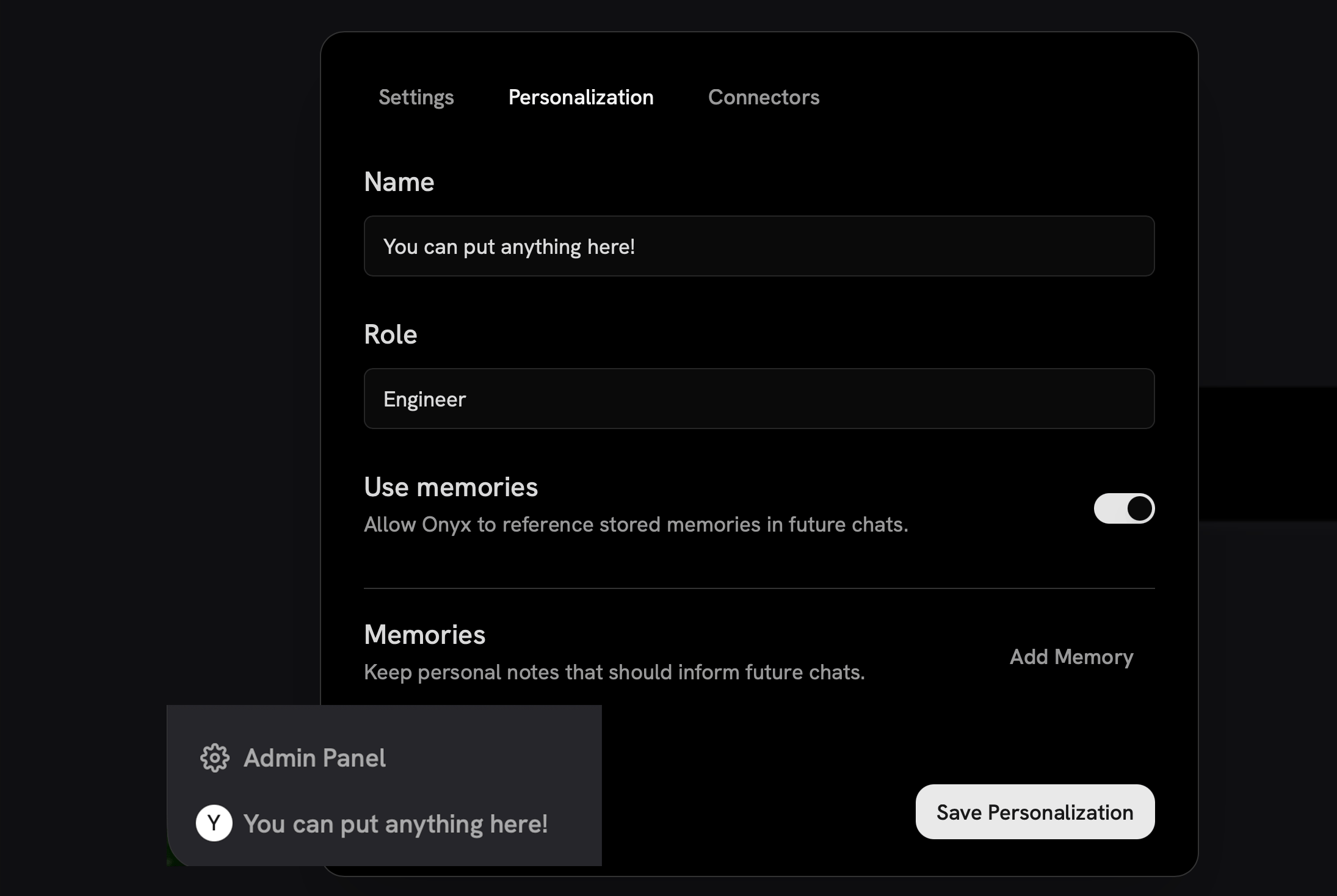 ### Theme Preference Persistence
Your light mode/dark mode preference is now saved across browsers and sessions, even after cache clears.
Set it once and forget about it!
### Image Size Reduction
We've fixed a bug that was doubling the size of the model server Docker image.
This reduces disk space requirements significantly for deployments (\~26 GB needed for a fresh deployment).
***
Our [GitHub Releases](https://github.com/onyx-dot-app/onyx/releases?utm_source=docs\&utm_content=changelog)
page has the full list of changes and bug fixes for each release.
### Theme Preference Persistence
Your light mode/dark mode preference is now saved across browsers and sessions, even after cache clears.
Set it once and forget about it!
### Image Size Reduction
We've fixed a bug that was doubling the size of the model server Docker image.
This reduces disk space requirements significantly for deployments (\~26 GB needed for a fresh deployment).
***
Our [GitHub Releases](https://github.com/onyx-dot-app/onyx/releases?utm_source=docs\&utm_content=changelog)
page has the full list of changes and bug fixes for each release.
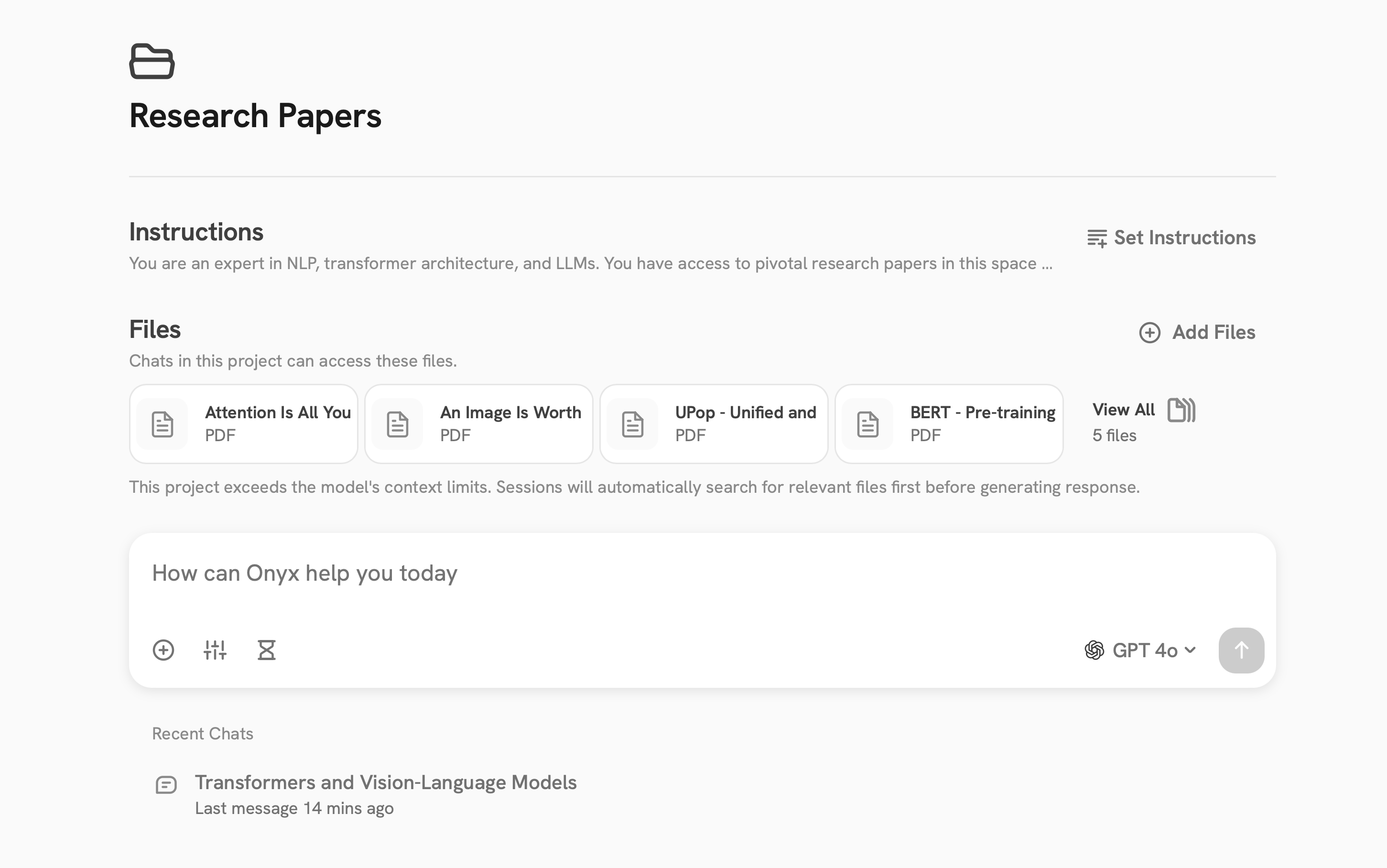 Projects is a direct replacement of My Documents, but with added functionality.
Files you've previously uploaded to My Documents should appear in Projects.
### New Docker Compose File
We've simplified the Docker Compose files to make it easier to deploy Onyx.
Previously, you may have used `docker-compose.dev.yml`, `docker-compose.prod.yml`, or `docker-compose.gpu-dev.yml`.
These have been consolidated into a single `docker-compose.yml` file.
With the new compose file, you can run `docker compose up -d` to start Onyx.
Projects is a direct replacement of My Documents, but with added functionality.
Files you've previously uploaded to My Documents should appear in Projects.
### New Docker Compose File
We've simplified the Docker Compose files to make it easier to deploy Onyx.
Previously, you may have used `docker-compose.dev.yml`, `docker-compose.prod.yml`, or `docker-compose.gpu-dev.yml`.
These have been consolidated into a single `docker-compose.yml` file.
With the new compose file, you can run `docker compose up -d` to start Onyx.
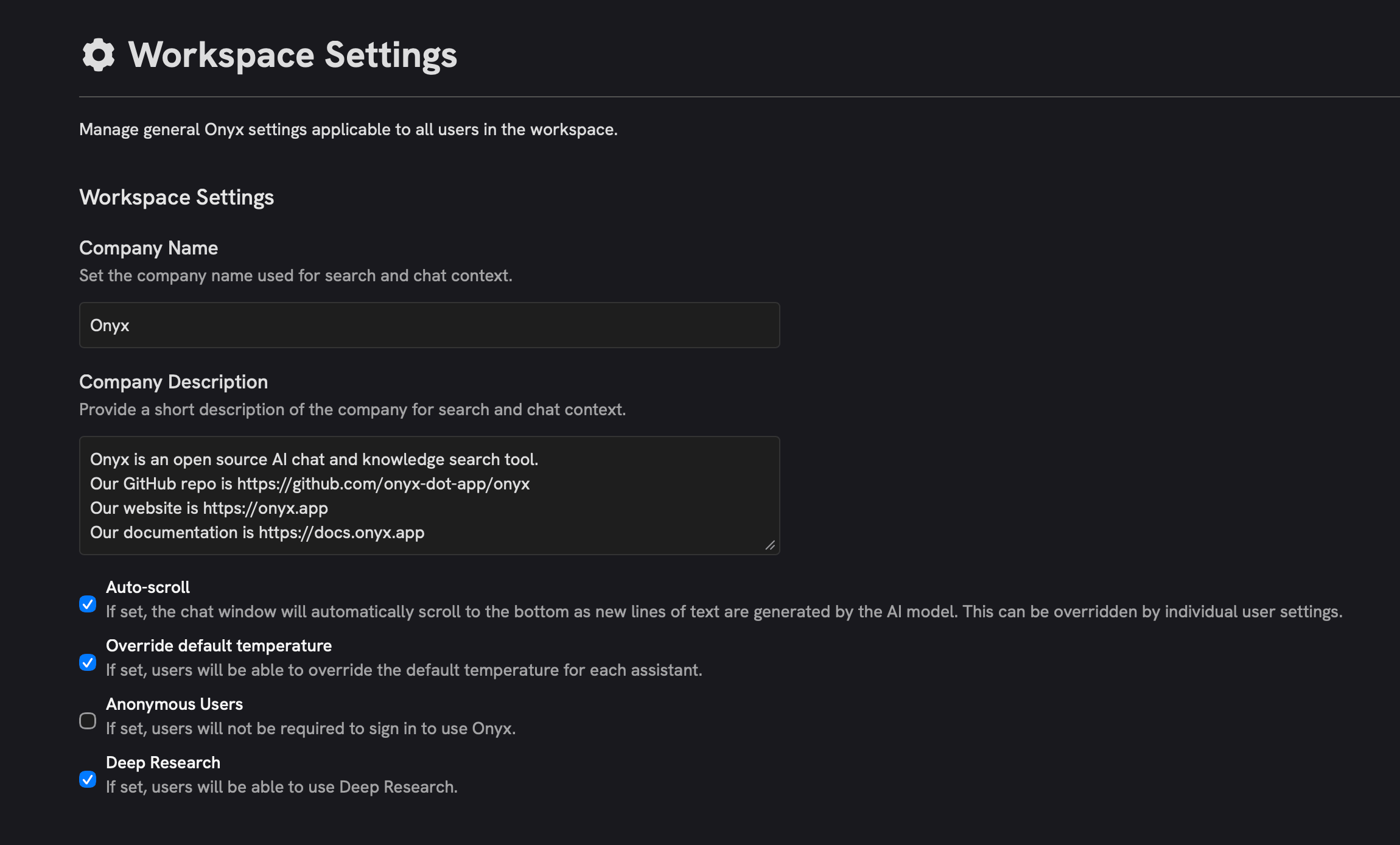
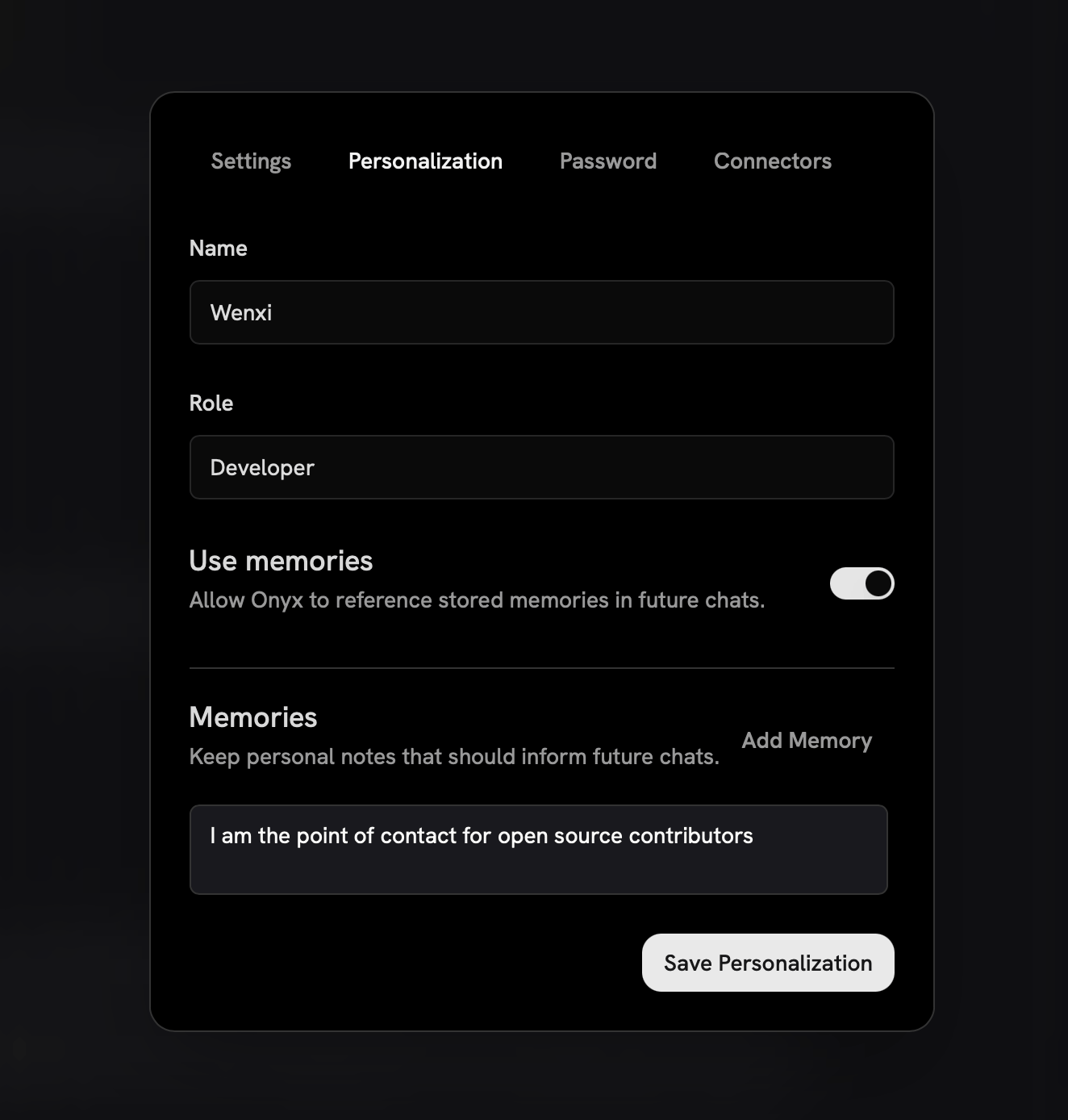 This is a simple, but powerful first step in our organization and personalization features. In the future,
Onyx will extract and save this information automatically.
### Curators can now create actions
Due to popular demand, Curators and Global Curators can now create Actions via OpenAPI or MCP!
Read more about Actions in our [admin docs](/admins/actions/overview/).
This is a simple, but powerful first step in our organization and personalization features. In the future,
Onyx will extract and save this information automatically.
### Curators can now create actions
Due to popular demand, Curators and Global Curators can now create Actions via OpenAPI or MCP!
Read more about Actions in our [admin docs](/admins/actions/overview/).
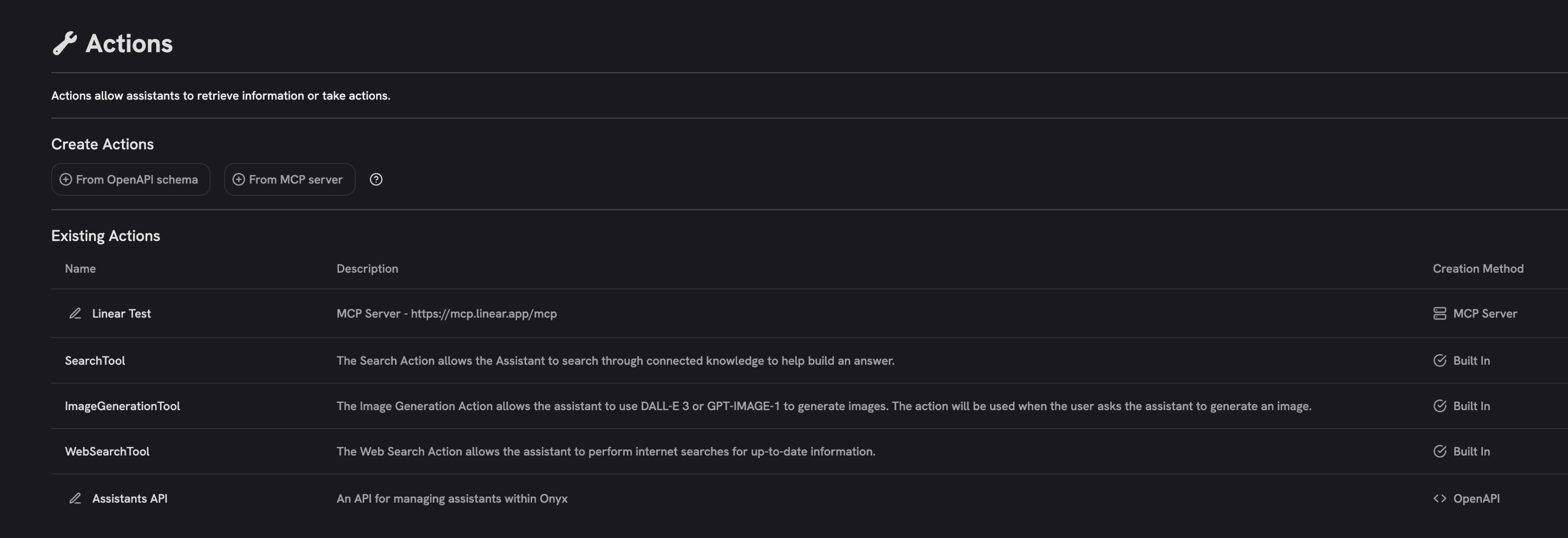 ### Search filters
Source filters are back for the Internal Search Action!
To filter the sources of your search results, click the Actions configuration button in the Input Bar,
select the arrow next to Internal Search, and select the sources you want to include.
### Search filters
Source filters are back for the Internal Search Action!
To filter the sources of your search results, click the Actions configuration button in the Input Bar,
select the arrow next to Internal Search, and select the sources you want to include.
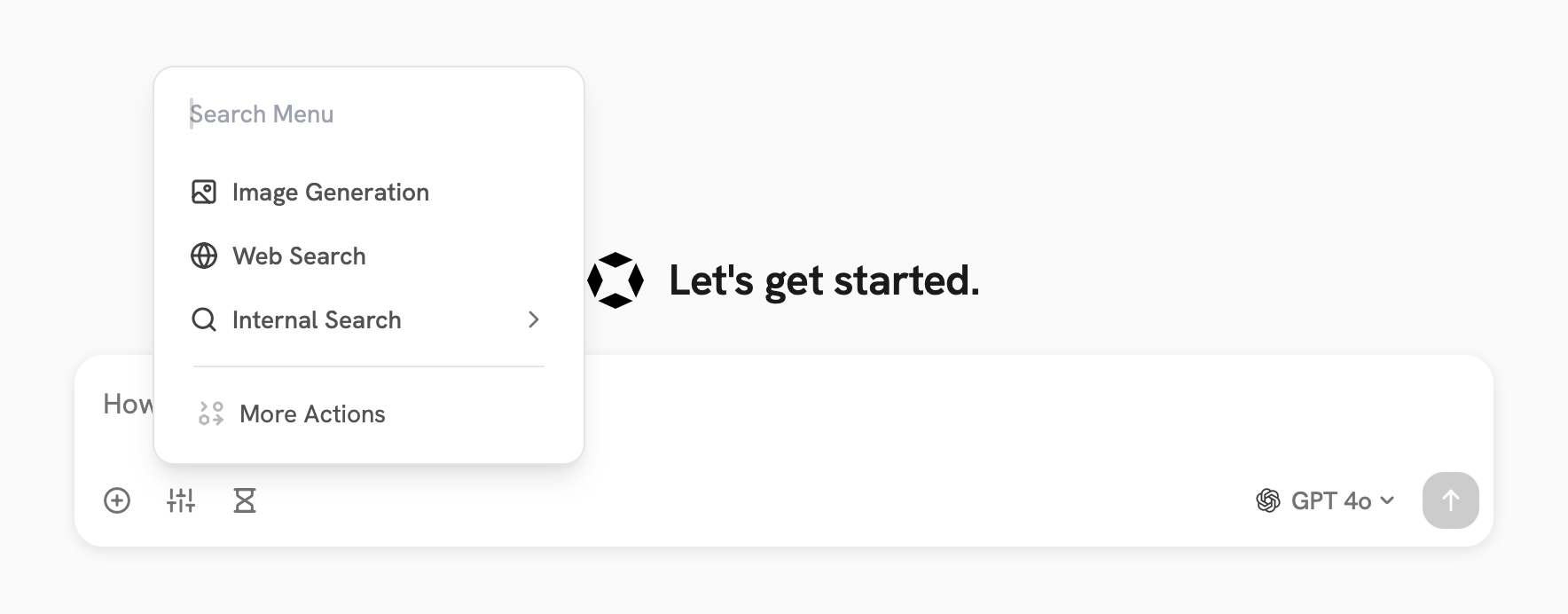
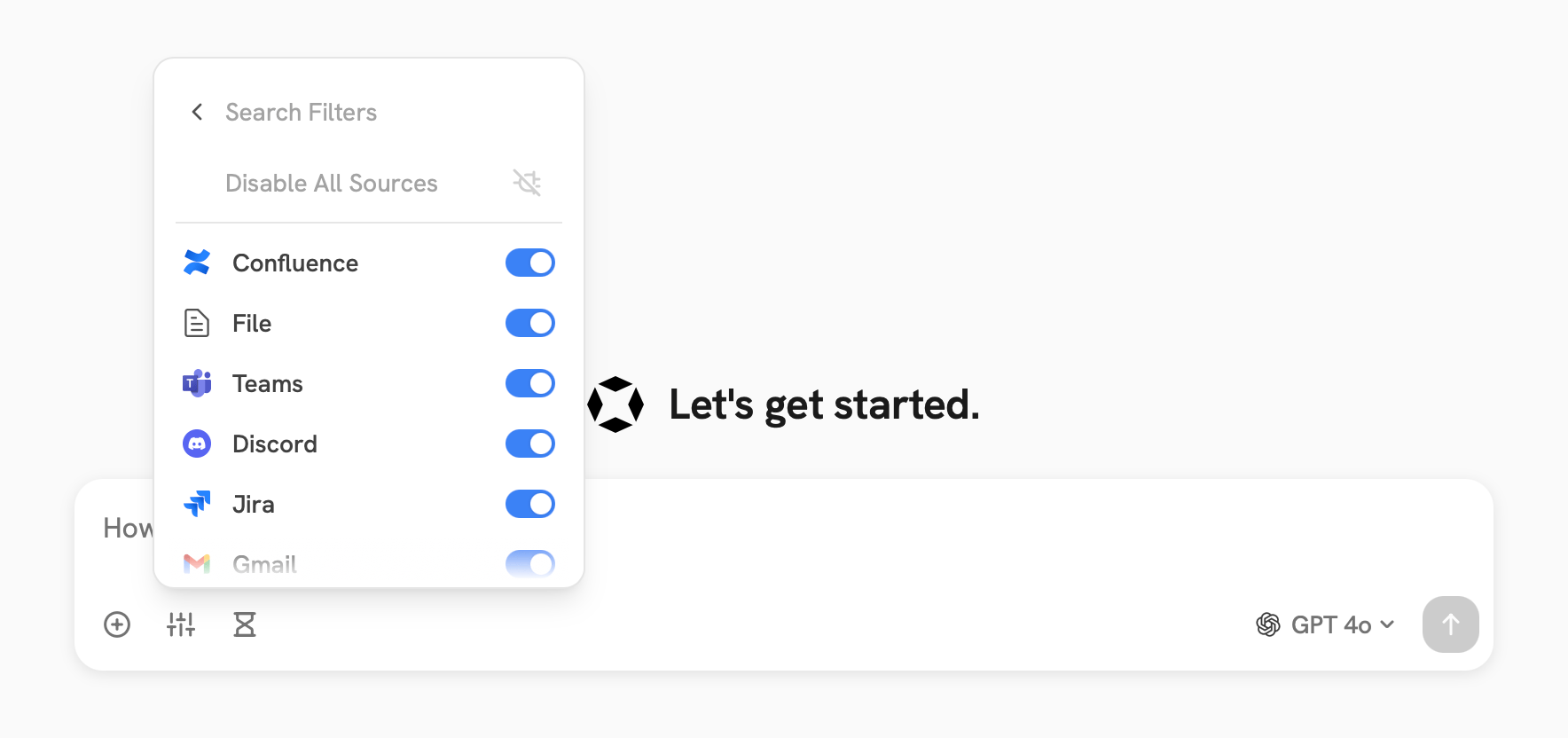 ### Language and Embedding Models
We've added support for [Claude Sonnet 4.5](https://www.anthropic.com/news/claude-sonnet-4-5),
[Claude Haiku 4.5](https://www.anthropic.com/news/claude-haiku-4-5),
and [Gemini Embedding 001](https://developers.googleblog.com/en/gemini-embedding-available-gemini-api/).
Try them out by configuring Anthropic in the **LLM Configuration** page and Google Vertex AI on the **Search
Settings** page of the Admin Panel.
## Contributor Highlights
* [@Django149](https://github.com/Django149) added right-to-left language support for the chat interface!
* [@nsklei](https://github.com/nsklei) added support for indexing Microsoft Teams attachments!
* [@linkages](https://github.com/linkages) added generation of SHA256 hashes of documents for the Onyx File Store!
* [@grafke](https://github.com/grafke) fixed a bug in GPT search timestamps!
## Additional Improvements
### Support for SSE (server-sent events) MCP servers
Onyx now supports SSE (server-sent events) MCP servers.
Configure either Streamable HTTP or SSE servers in the Admin Actions page.
Read more about MCP in our [admin docs](/admins/actions/mcp/).
### Permission Sync Status updates
Permission sync connectors will now display sync status in the Admin Panel.
### Ollama Support
You can now configure both locally-hosted and cloud-hosted models with Ollama.
Read more about Ollama in our [admin docs](/admins/ai_models/ollama/).
### OpenRouter Support
You can now configure Onyx to use models from OpenRouter.
Read more about OpenRouter in our [admin docs](/admins/ai_models/openrouter/).
### One Line Deployment Script
We've added a [single line launch script](deployment/getting_started/quickstart) to make it easier to deploy Onyx.
This script will check your system resources and requirements and guide you through the necessary steps to deploy
Onyx.
### Language and Embedding Models
We've added support for [Claude Sonnet 4.5](https://www.anthropic.com/news/claude-sonnet-4-5),
[Claude Haiku 4.5](https://www.anthropic.com/news/claude-haiku-4-5),
and [Gemini Embedding 001](https://developers.googleblog.com/en/gemini-embedding-available-gemini-api/).
Try them out by configuring Anthropic in the **LLM Configuration** page and Google Vertex AI on the **Search
Settings** page of the Admin Panel.
## Contributor Highlights
* [@Django149](https://github.com/Django149) added right-to-left language support for the chat interface!
* [@nsklei](https://github.com/nsklei) added support for indexing Microsoft Teams attachments!
* [@linkages](https://github.com/linkages) added generation of SHA256 hashes of documents for the Onyx File Store!
* [@grafke](https://github.com/grafke) fixed a bug in GPT search timestamps!
## Additional Improvements
### Support for SSE (server-sent events) MCP servers
Onyx now supports SSE (server-sent events) MCP servers.
Configure either Streamable HTTP or SSE servers in the Admin Actions page.
Read more about MCP in our [admin docs](/admins/actions/mcp/).
### Permission Sync Status updates
Permission sync connectors will now display sync status in the Admin Panel.
### Ollama Support
You can now configure both locally-hosted and cloud-hosted models with Ollama.
Read more about Ollama in our [admin docs](/admins/ai_models/ollama/).
### OpenRouter Support
You can now configure Onyx to use models from OpenRouter.
Read more about OpenRouter in our [admin docs](/admins/ai_models/openrouter/).
### One Line Deployment Script
We've added a [single line launch script](deployment/getting_started/quickstart) to make it easier to deploy Onyx.
This script will check your system resources and requirements and guide you through the necessary steps to deploy
Onyx.