> ## Documentation Index
> Fetch the complete documentation index at: https://danswer-whuang-craft-v2-docs.mintlify.site/llms.txt
> Use this file to discover all available pages before exploring further.
# Craft
> Agents for End-to-End Work
Craft is your AI coworker in a secure sandbox. You describe what you want,
and Craft's agents work out how to get it done. Craft can search your company knowledge, write code, create slides,
fill out forms, and even act on your behalf in Slack, Drive, Linear, and more.
The sandbox is isolated from your computer, your data, and your secrets. To let Craft reach your team's apps and APIs,
you can add credentials to Onyx. Craft never accesses those credentials directly,
and you control which actions require your approval.
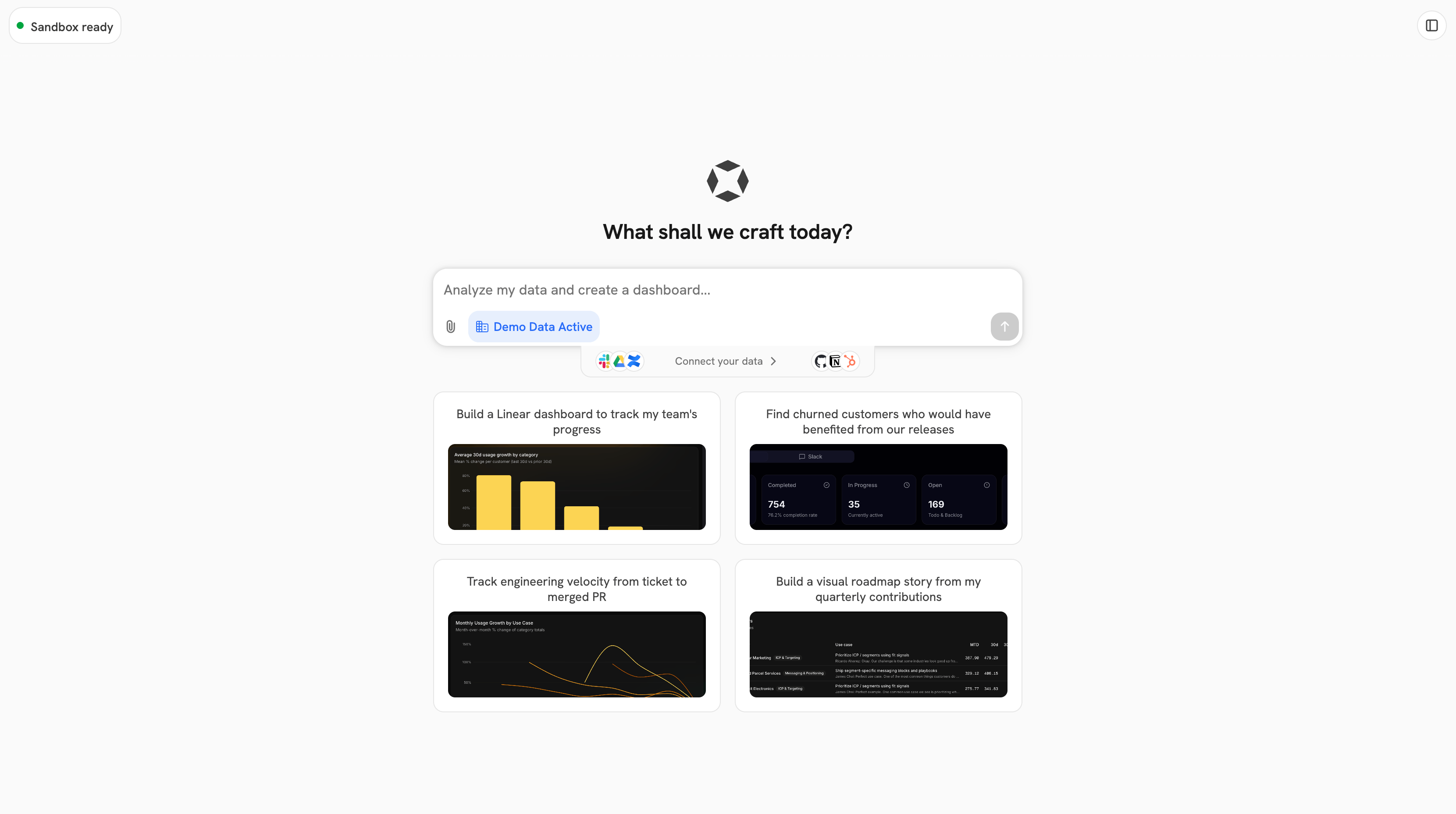 If you don't see **Craft** in your Onyx sidebar, it hasn't been enabled for your workspace yet.
Ask an admin to turn on Craft and confirm a supported model provider is available.
## What Craft can build
Dashboards, data explorers, internal tools, and prototypes, built on Next.js and React,
with a live preview you can click through and share with your organization.
Fill out DOCX forms, write reports to Drive, draft an email in your inbox, and even send messages in Slack.
Create a slide deck (PPTX) based on your template or something completely new. Generate images, build charts,
and create graphs from your data.
Save a Craft prompt as a Scheduled Task that runs on a recurring schedule.
## Learn more
Run a session: add context, read the output panel, share web apps, and troubleshoot.
Use skills, connect external apps, and handle approval prompts safely.
Run Craft prompts automatically on a recurring schedule.
Enable Craft, govern skills and apps, and set approval policies.
If you don't see **Craft** in your Onyx sidebar, it hasn't been enabled for your workspace yet.
Ask an admin to turn on Craft and confirm a supported model provider is available.
## What Craft can build
Dashboards, data explorers, internal tools, and prototypes, built on Next.js and React,
with a live preview you can click through and share with your organization.
Fill out DOCX forms, write reports to Drive, draft an email in your inbox, and even send messages in Slack.
Create a slide deck (PPTX) based on your template or something completely new. Generate images, build charts,
and create graphs from your data.
Save a Craft prompt as a Scheduled Task that runs on a recurring schedule.
## Learn more
Run a session: add context, read the output panel, share web apps, and troubleshoot.
Use skills, connect external apps, and handle approval prompts safely.
Run Craft prompts automatically on a recurring schedule.
Enable Craft, govern skills and apps, and set approval policies.